






About Knocket — and why it is the only Tawk.to alternative that is free forever
Knocket is 100% free. Not freemium. Not a free trial. Not a free plan that converts. Free — forever, for every account, for every size. There is no paid tier, no per-seat fee, no ads injected into the widget, and no feature gate that opens up after you pay. The full product stays free: the web widget on your site, the contact page, the mobile widget, and the unified inbox. You can read the commitment on the Knocket product page.
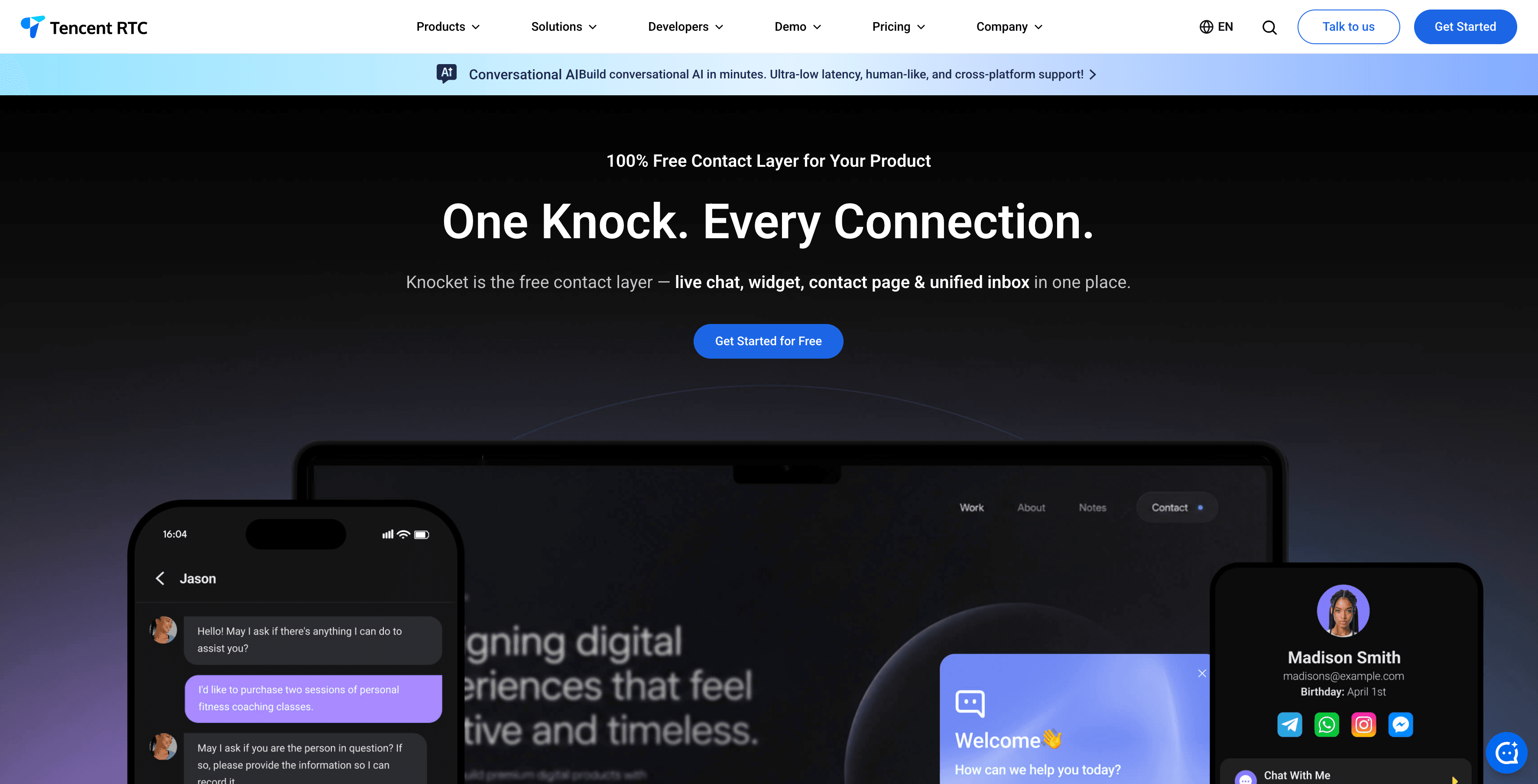
What Knocket actually is. Knocket is a lightweight contact widget for indie developers, early-stage founders, and indie hackers hunting for their first 100 users — the audience Tawk.to targets too, but Tawk.to charges $19.99/month per property to remove its badge. Knocket ships in three forms:
1. Web Widget — one <script> tag, ~5 minutes to install, no “Powered by …” footer ever.
2. Contact Page — a shareable link you can drop into Link in Bio, waitlist pages, or anywhere a visitor needs to reach a real person.
3. Unified Inbox — web chat, Telegram, and email in one place, with replies automatically routed back to the channel the message came from.
Under the hood, Knocket runs on Tencent RTC’s real-time infrastructure — the same network that powers Tencent’s enterprise conferencing stack — which is why the same chat experience ships in a web <script>, a mobile WebView, and a shared contact page without three different code paths.
What Knocket is not. Knocket is not a customer service system, not an AI chatbot, and not an Intercom replacement. It is the early-stage contact layer — for teams that want a real human on the other end of a chat bubble, without paying for an enterprise helpdesk and without paying Tawk.to $228/year to remove a badge. The rest of this guide compares it honestly against six other Tawk.to alternatives — some free, some paid — so you can pick the one that fixes the specific Tawk.to problem you have.
Quick answer: which Tawk.to alternative should I switch to in 2026?
If you want the short version, here is the 2026 ranking by the specific Tawk.to pain point you are trying to solve:
Your Tawk.to pain point | Best alternative | Why |
“I hate the ‘Powered by Tawk.to’ badge” | Free forever, no badge, no $19.99/month removal fee, no branding on the widget ever | |
“The widget script is too heavy and slowing my site” | Knocket: lightweight async script, free. LiveChat: ~79KB, paid | |
“I need AI to handle routine questions automatically” | AI trained on your docs, 24/7 coverage without humans online | |
“I need social link aggregation + meeting scheduling” | The only free tool with contact links to WhatsApp/Instagram/Telegram/Messenger + Calendly/Cal.com integration | |
“I need shared inbox for my 2-5 person team” | Shared inbox, CRM-lite, free for 2 seats | |
“I want every chat to flow into my CRM” | Free chat + free CRM, automatic contact creation | |
“I have 5-10 support agents and need basic chat at scale” | 10-agent cap free, native Freshworks ecosystem | |
“I run a 20+ agent support team and Tawk.to’s seats are right” | Knocket is not built for 20+ agent teams; Tawk.to’s unlimited agents and ticketing still win here |
The rest of this article explains why each Tawk.to limitation exists, which alternative solves it best, and how the 12-month cost compares.
Why people are looking for Tawk.to alternatives in 2026
Tawk.to is genuinely free and genuinely unlimited — which is rare. According to BuiltWith trend data, Tawk.to is installed on over 4 million websites, making it the most widely deployed free live chat on the public web. But “free” is not “perfect,” and the five most common reasons teams look for an alternative are consistent across user reviews on Trustpilot and Capterra.
1. The branding badge (Tawk.to’s recurring $228/year tax)
Tawk.to displays a “Powered by Tawk.to” badge on the free plan. To remove it, you have to upgrade to one of Tawk.to’s paid add-ons — currently starting at $19.99/month per property. For a single site, that is $239.88/year just to look professional. For a portfolio of three sites, $719.64/year. For an agency managing 20 client sites, the badge removal alone is $4,797.60/year — which makes “free Tawk.to” considerably more expensive than many paid alternatives. The Chatim Tawk.to alternatives analysis documents that Tawk.to’s branding removal, video/voice add-on, and AI Assist can stack to $107/month per property if you want a “fully equipped” Tawk.to install.
Knocket has no badge, no branding footer, and no upgrade path to remove one. The free plan is the product.
2. Heavy widget script
Tawk.to’s widget script is approximately 749KB — among the heaviest in the category, according to independent performance testing by Denser.ai. The bundle includes the chat widget, visitor monitoring, ticketing UI, knowledge base preview, and the Tawk.to dashboard in an iframe. For developers and SEO teams that track Core Web Vitals, this is a measurable problem. Largest Contentful Paint and Total Blocking Time both degrade on mobile and slow connections. The Tawk.to script can also fire blocking requests on initial page load, hurting your Time to First Byte and Time to Interactive.
If page speed is your reason for switching, Knocket loads asynchronously with a lightweight script. LiveChat is the lightest paid alternative (Denser.ai measured ~79KB), which is roughly 9.5x lighter than Tawk.to.
3. No AI bot on the free plan
Tawk.to has launched AI Assist, but it is a paid add-on, not part of the free experience. On Tawk.to’s free tier, every conversation requires a human to be online. If no agent is available, the visitor waits indefinitely, fills the offline form (if they want to), or — most often — leaves. According to Tidio’s 2026 customer channel research, ~50% of online shoppers abandon a cart if they do not get an instant reply. For an indie dev team that cannot be online 24/7, this is the dealbreaker that pushes them toward AI-powered alternatives like Tidio (50 AI convos/mo free) or Chatbase (100 messages/mo free).
4. No multi-channel offline capture
Tawk.to’s offline mode shows a basic contact form. That is it. There is no built-in way to:
● Show visitors a “Message us on WhatsApp / Instagram / Telegram / Messenger” option
● Embed a meeting scheduler in the same widget
● Forward offline messages to a Telegram bot or email digest
● Aggregate multiple social channels in a unified inbox
If any of these matter to you, the answer is not “use Tawk.to + Zapier” — the answer is a contact widget that was designed for multi-channel capture. Knocket handles all four: contact links to messaging apps, Calendly/Cal.com integration, Telegram + email forwarding, and a unified inbox that routes replies back to the original channel.
5. Unreliable mobile push notifications
A recurring theme in Tawk.to user reviews on Trustpilot and Capterra is that the mobile app’s push notifications can be delayed or missed entirely, especially on Android. For founders and indie hackers who do most of their work away from a desk, this means missed conversations and missed customers. The Tawk.to desktop app is reliable; the mobile app is not, in 2026.
The “free” trap: what Tawk.to’s free plan actually costs in 2026
Most teams start on Tawk.to and add paid add-ons as they grow. Here is what a “fully equipped” Tawk.to install actually costs, per property, based on Tawk.to’s published pricing in 2026:
Tawk.to add-on | Monthly | Annual | What you get |
Remove Branding | $19.99/mo | $239.88/yr | Hides “Powered by Tawk.to” badge |
Video + Voice Add-on | $9.99/mo | $119.88/yr | Voice and video calls inside the chat |
AI Assist | $29.00/mo | $348.00/yr | AI chatbot layer |
Hired Agent | $1.00/hr | ~$720/mo (24/7) | Outsourced human agent to answer chats |
Total “fully equipped” free plan | $59.98 + $720 | $719.76 + $8,640 | Branding + voice + AI + 24/7 humans |
Knocket gives you the Web Widget, Contact Page, Mobile Widget, and Unified Inbox — including Calendly integration and social link aggregation — at $0 per property, forever. There is no $19.99 to remove a badge, no $29 to add AI you have to learn, no $720/month to staff a chat you do not have time to watch.
For more on how free plans across the SaaS industry trap users into upgrades, see Lenny’s Newsletter summary of the 2025 SaaS pricing research and the OpenView 2024 Product Benchmarks report — both confirm the median freemium-to-paid conversion is 3-5%, which means 95%+ of users are paying nothing on most free plans, funded by the small percentage who upgrade.
How we evaluated these 7 Tawk.to alternatives
To keep this comparison fair, here is the framework. Every tool in this list was scored against these five criteria:
1. Free plan honesty — does “free” mean unlimited use, or does it cap conversations / seats / messages / branding?
2. Tawk.to pain-point fit — does it solve at least one of the 5 problems above (badge, weight, AI, channels, mobile)?
3. Setup time — can a solo founder be live in under 30 minutes?
4. Page-speed impact — does the script load async, and what is the bundle size?
5. Migration ease — can you swap a Tawk.to script tag for the alternative’s script tag without rebuilding the page?
Knocket is the only tool that scores “free forever” on #1, “fixes all 5 pain points” on #2, “~5 minutes” on #3, “lightweight async” on #4, and “drop-in script tag” on #5. The other six tools solve 1-3 of the criteria. Pick based on which criteria matter to you.
Quick comparison: 7 Tawk.to alternatives at a glance
Tool | What you get on free | Solves Tawk.to pain points | Branded badge? | Free forever? | Starts at (paid) |
Web Widget, Contact Page, Mobile Widget (via WebView), Unified Inbox, Telegram + email, Calendly integration | All 5: badge, weight, AI (coming soon), channels, mobile-friendly inbox | No badge | Yes | N/A — stays free | |
Unlimited live chat + 50 AI conversations/mo | Pain points 3 (AI) and 4 (e-commerce integrations) | Tidio badge on free plan | No (50-convo cap) | $24.17/mo | |
Live chat for 2 seats + basic widget | Pain points 1 (no badge on free, but Crisp branding) and 4 (shared inbox) | Crisp badge on free plan | No (2-seat cap) | $25/mo | |
Free chat + free CRM, automatic contact creation | Pain point 4 (CRM pipeline) | HubSpot badge on free plan | Yes (with branding) | $15/mo (Starter) | |
14-day free trial only | Pain points 2 (lightweight ~79KB) and 4 (e-commerce integrations) | No badge (paid) | No trial-only | $24/mo per agent | |
Live chat for up to 10 agents | Pain point 4 (Freshworks ecosystem, WhatsApp routing on paid) | Freshchat badge on free plan | No (basic features only) | $19/mo per agent | |
100 AI messages/mo, trained on your docs | Pain point 3 (AI 24/7, no human needed) | Chatbase badge on free plan | No (100-msg cap) | $40/mo |
1. Knocket — Best Tawk.to alternative for free, no-badge, full-featured chat
Knocket is the only Tawk.to alternative that fixes every Tawk.to problem on a free plan that stays free. Where Tawk.to’s free plan charges $19.99/month to remove its badge and ships a ~749KB script, Knocket is free forever, has no badge, and loads asynchronously with a lightweight script. Where Tawk.to has no offline channel beyond a basic form, Knocket’s contact widget includes social link aggregation, Calendly/Cal.com integration, and a unified inbox that forwards to Telegram and email.
Free forever status: ✅ No conversation caps, no seat limits, no branding badge, no feature gates, no history lockout. Knocket meets all five criteria for “free forever” by design.
Why switch from Tawk.to to Knocket
Dimension | Tawk.to (free) | Knocket (free) |
Price | Free, but $19.99/mo to remove badge per property | Free forever, no badges, no upgrades |
Branding badge | “Powered by Tawk.to” by default | No badge on any plan |
Live chat | Unlimited | Unlimited (no conversation caps) |
Offline forms | Basic name/email/message | Full custom fields + offline capture |
Social link aggregation | None | WhatsApp, Instagram, Telegram, Messenger, email — all in-widget |
Meeting scheduling | None | Calendly / Cal.com integration |
Working hours + auto online/offline | Yes | Yes |
Proactive greeting messages | Basic | Customizable with brand voice |
Script weight | ~749KB (one of the heaviest in the category per Denser.ai) | Lightweight, async, no blocking |
Mobile experience | Mobile app push notifications can be delayed | Responsive widget + Telegram notifications (more reliable on Android) |
AI auto-reply | AI Assist $29/mo add-on | Coming soon (use Chatbase for AI FAQ) |
Contact Page | None | Built-in shareable link (no website needed) |
Mobile Widget (in-app chat) | None | Built-in via WKWebView (iOS), WebView (Android), React Native, Flutter |
Unified Inbox (Telegram + email + web) | None | Built-in |
Setup time | 5-10 minutes (account, widget, script) | Under 5 minutes (one script tag) |
Open-source agent | None | Telegram bot integration, no agent code required |
Ecosystem | Standalone | Powered by Tencent RTC infrastructure |
What you get for free (the full feature set, not a stripped plan)
● Web Widget — one <script> tag, ~5 minutes to install, works on HTML, WordPress, Shopify, Wix, Squarespace, Webflow, Ghost, Framer, Carrd, React, Next.js, Vue, Astro, Nuxt 3
● Live chat with real-time messaging (no conversation caps, no monthly limits)
● Contact Page — a shareable link you can put in Link in Bio, waitlist pages, or anywhere you do not have a website
● Mobile Widget — embeddable in iOS (WKWebView), Android (WebView + addJavascriptInterface), React Native, and Flutter via webview_flutter — no platform-specific build of the chat
● Unified Inbox — Web chat, Telegram, and email in one place; replies route back to the original channel automatically
● Telegram notifications + reply-without-opening-the-console — you can reply to a chat from Telegram by replying to the message; you do not need to log in to the Knocket dashboard
● Offline forms — capture name, email, message, and any custom field when you are away
● Social link aggregation — visitors see contact links to WhatsApp, Instagram, Telegram, Messenger, and email, and click through to whichever channel they prefer
● Working hours with automatic online/offline switching
● Proactive greeting messages with brand voice
● Full brand customization — theme color, logo, avatar, launcher style, language
● GDPR-friendly defaults, encrypted in transit
● Powered by Tencent RTC — runs on the same real-time infrastructure as Tencent’s enterprise conferencing stack
What is NOT included (and why that is fine for indie hackers)
● Ticketing system — you do not need tickets at the 1-100 user stage; the unified inbox is enough
● Knowledge base — link visitors to your existing docs; do not pay for an in-widget KB
● Built-in AI bot — use a separate, focused tool like Chatbase for AI FAQ; or stay human-only, which is recommended at the early stage
When you should NOT switch from Tawk.to to Knocket
● You have 20+ support agents and rely on Tawk.to’s unlimited seats and built-in ticketing
● You use Tawk.to’s hired-agent service ($1/hour) and want to keep outsourcing your chat
● You need Tawk.to’s full built-in knowledge base (e.g., you run a large support content library inside the widget)
● You need on-premise / self-hosted chat (Knocket is a hosted SaaS)
How to switch from Tawk.to to Knocket (5 minutes)
1. Create a free Knocket account at trtc.io/solutions/knocket — no credit card
2. Customize your widget — brand colors, logo, greeting, toggle channels (chat, meeting scheduler, social links), Telegram + email forwarding
3. Copy the one-line script:
<script src="https://trtc.io/knocket-sdk/sdk.js?identifier=YOUR_ID" async></script>4. Replace the Tawk.to script in your site with the Knocket script
5. Verify activation — your widget is live
You can run both widgets simultaneously during transition. When satisfied, remove the Tawk.to script completely. For the full 15-platform walkthrough, see the step-by-step install guide.
2. Tidio — Best Tawk.to alternative for AI chatbot automation
Tidio is the best Tawk.to alternative if your primary reason for switching is to add AI to your chat. Tidio’s Lyro AI assistant can answer customer questions automatically, and the platform has deep e-commerce integrations with Shopify, WooCommerce, and BigCommerce.
Free forever status: No. Tidio’s free plan caps Lyro AI conversations at 50/month. The Starter plan starts at $24.17/month, which gives you 100 AI conversations/month, and the Growth plan ($59/month) lifts that to 2,000/month. Tidio’s branding appears on the widget by default; removal is part of the paid tier. Source: Tidio pricing.
Why switch from Tawk.to to Tidio
● Lyro AI handles routine questions about products, shipping, returns, hours, and pricing — 24/7, with no human online
● Visual chatbot flow builder for custom automation that does not require code
● Shopify and WooCommerce native integrations for e-commerce stores (product cards, cart recovery, order tracking)
● Visitor tracking and segmentation for proactive engagement
● Product recommendation cards inside the chat
What you lose vs Tawk.to
● Free plan caps AI conversations at 50/month — most active sites hit this in 2-3 days
● Tidio branding on the widget (removal requires paid plan)
● No social link aggregation in the widget
● No meeting scheduling
● No contact page
Tidio pricing (2026)
Plan | Monthly | AI conversations | Key features |
Free | $0 | 50/month | Live chat + 50 Lyro AI convos, Tidio branding |
Starter | $24.17 | 100/month | Remove Tidio branding, all live chat features |
Growth | $59 | 2,000/month | Add Lyro AI credits, advanced automations |
Plus | $749+ | Custom | Enterprise features |
When Tidio makes sense vs Tawk.to
You run an e-commerce store on Shopify or WooCommerce. You want to test AI chatbot capabilities before committing to a paid plan. Your site traffic is low enough that 50 AI conversations per month is sufficient. You are okay paying $24.17/month once you outgrow the free cap.
Knocket vs Tidio
Tidio is stronger on AI chatbot automation and e-commerce integrations. Knocket is stronger on unified contact channels (chat + forms + social links + scheduling + contact page) with no limits. If you need AI to answer product questions automatically, Tidio’s free plan lets you test that — but you will pay for it once you cross 50 conversations/month. If you need a full-featured contact widget with no conversation caps, no branding, and no per-month fees, Knocket is the better free option. Many indie stores end up using both: Knocket for “Contact us” + Tidio Lyro for “FAQ” — see the combining tools section below.
3. Crisp — Best Tawk.to alternative for small teams that need a shared inbox
Crisp is a customer messaging platform with a shared inbox, CRM-lite, and team collaboration features. Crisp is the best Tawk.to alternative for 2-5 person teams that need internal tools alongside customer chat.
Free forever status: No. Crisp’s free plan is limited to 2 seats with basic chat only. The Basic plan ($25/month) lifts that to 4 seats and adds shared inbox features. Crisp’s branding appears on the widget by default.
Why switch from Tawk.to to Crisp
● Shared inbox — multiple agents see and assign conversations; Tawk.to has this too, but Crisp’s UI is cleaner for small teams
● Built-in CRM-lite — contact management without a separate HubSpot/CRM subscription
● Co-browsing and video chat on higher plans (Pro $45/month, Essentials $95/month)
● Lighter, cleaner widget design vs Tawk.to’s busier UI
● MagicType — auto-suggest replies based on your team’s past answers
What you lose vs Tawk.to
● Free plan limited to 2 seats (Tawk.to is unlimited agents on the free plan)
● Free plan is basic chat only — no AI bot, no social link aggregation, no knowledge base
● Crisp branding on the free plan
● No built-in meeting scheduling
● No contact page
Crisp pricing (2026)
Plan | Monthly | Seats | Key features |
Free | $0 | 2 | Live chat, basic widget, contact form |
Basic | $25 | 4 | Shared inbox, chatbot, remove branding |
Pro | $45 | 10 | MagicType, co-browsing, audio calls |
Essentials | $95 | 20 | Video calls, advanced automation |
When Crisp makes sense vs Tawk.to
You are a 2-5 person team that wants basic live chat with a clean interface and shared inbox. You plan to grow into a more structured team inbox setup later, and you are willing to pay once you cross 2 seats. Crisp is also a good fit if you prefer a more modern UI than Tawk.to’s classic chat panel.
Knocket vs Crisp
Crisp’s free plan is more restrictive than Tawk.to’s (2 seats vs unlimited) but offers a cleaner shared inbox. Knocket’s free plan includes full features with no seat restrictions and no branding. If you specifically need Crisp’s shared inbox UI on a 2-3 person team, Crisp is the answer. If you need a free, unbranded, no-seat-cap widget with social link aggregation and Calendly integration, Knocket is more capable.
4. HubSpot Live Chat — Best Tawk.to alternative for CRM-integrated sales
HubSpot Live Chat is bundled with HubSpot’s free CRM. Every conversation automatically creates or updates a contact record in HubSpot, which is valuable for sales-led teams that want chat to feed a pipeline.
Free forever status: Yes on the chat itself, but you adopt the HubSpot ecosystem, accept the HubSpot branding badge, and the automation / bot features are basic on the free tier. The Starter plan is $15/month and lifts the limits.
Why switch from Tawk.to to HubSpot Live Chat
● Automatic CRM contact creation from every chat — every visitor becomes a contact record with chat history attached
● Sales pipeline integration — connect chat-converted leads to deals, tasks, and sequences
● Email follow-up built in — no need to integrate a separate email tool
● Meeting scheduling via HubSpot’s built-in scheduler
● Basic chatbot builder (decision-tree style, no AI) included free
What you lose vs Tawk.to
● HubSpot branding on the widget (removal requires HubSpot Marketing Hub paid tier)
● Chatbot automation is intentionally basic on the free plan — advanced routing is gated
● Limited customization without paid plans
● Chat is a feature of the CRM, not a standalone product — you are buying into the HubSpot ecosystem
When HubSpot Live Chat makes sense vs Tawk.to
You already use HubSpot CRM or plan to. Your primary goal is lead capture and CRM pipeline, not just visitor contact. You want chat conversations to flow directly into sales workflows without a third-party integration. You are willing to accept HubSpot branding on the widget in exchange for a free CRM.
Knocket vs HubSpot Live Chat
HubSpot Live Chat is built for sales pipeline automation. Knocket is built for visitor contact with a multi-channel inbox. If you want every chat to become a CRM record with deal stages, HubSpot wins. If you want a standalone contact widget with social links, Telegram/email routing, and a contact page — without adopting a CRM platform — Knocket wins. Knocket requires no account ecosystem; you paste one line of code and you are done.
5. LiveChat — Best Tawk.to alternative for page speed (paid)
LiveChat has one of the lightest widget scripts on the market — approximately 79KB, compared to Tawk.to’s 749KB, per Denser.ai’s performance testing. That is roughly 9.5x lighter, which is meaningful for SEO and mobile experience.
Free forever status: No. LiveChat is paid-only with a 14-day free trial. Plans start at $24/agent/month. There is no permanent free plan, and AI bot features require a separate ChatBot.com subscription.
Why switch from Tawk.to to LiveChat
● Extremely lightweight script — ~79KB vs Tawk.to’s ~749KB, a meaningful difference for LCP and INP on mobile
● Message sneak peek — see what visitors type before they hit send
● Rich messages — cards, carousels, buttons inside the chat
● Strong e-commerce integrations — Shopify, WooCommerce, BigCommerce
● Real-time visitor monitoring and analytics
● No branding badge on any paid plan
What you lose vs Tawk.to
● No permanent free plan — starts at $24/seat/month (Starter)
● AI chatbot requires a separate ChatBot.com subscription
● No social link aggregation in the widget
● No meeting scheduling
● No contact page
LiveChat pricing (2026)
Plan | Per agent/month | Key features |
Starter | $24 | Live chat, 1 website, basic reporting |
Team | $49 | Multiple websites, advanced reports |
Business | $69 | Analytics, agent groups, priority support |
Enterprise | Custom | SLA, dedicated account manager |
When LiveChat makes sense vs Tawk.to
You run an e-commerce business that needs fast, lightweight chat with sales tracking, and you are willing to pay $24/agent/month for it. Page speed is your primary reason for switching from Tawk.to, and you are willing to forgo a free plan for the performance.
Knocket vs LiveChat
LiveChat is lighter than Tawk.to and has stronger e-commerce integrations, but it is paid ($24/agent/month minimum). Knocket is free forever with a lightweight async script and adds social link aggregation, Calendly integration, and a contact page that LiveChat does not have. If you need absolute page-speed minimums and are willing to pay for them, LiveChat wins. If you want a free, lightweight alternative that solves the badge problem, weight problem, AND adds the multi-channel capture Tawk.to does not have, Knocket is the more complete answer.
6. Freshchat — Best Tawk.to alternative for 5-10 person teams in the Freshworks ecosystem
Freshchat (part of Freshworks) offers a free plan for up to 10 agents, which is the most generous free agent allocation among Tawk.to alternatives (excluding Tawk.to itself). It integrates natively with Freshdesk and Freshsales.
Free forever status: The 10-agent cap is generous, but advanced routing, campaigns, and Freddy AI are all paid. You are also committing to the Freshworks ecosystem, which can make migration harder later. Freshchat branding appears on the widget by default.
Why switch from Tawk.to to Freshchat
● Freddy AI chatbot (paid plans) — AI-powered intent detection
● IntelliAssign — smart routing of conversations to the right agent based on skill
● Native Freshworks ecosystem integration with Freshdesk and Freshsales
● Campaign messaging for proactive engagement (paid)
● Multi-channel support — web, mobile app, WhatsApp (paid Business plan)
What you lose vs Tawk.to
● Free plan is basic — no AI, no campaigns, no advanced routing
● More complex setup than Tawk.to
● Freshchat branding on the free plan
● Designed as part of Freshworks ecosystem, not standalone
Freshchat pricing (2026)
Plan | Per agent/month | Key features |
Free | $0 | Up to 10 agents, basic chat, basic bot |
Growth | $19 | Campaigns, IntelliAssign, advanced bot |
Pro | $49 | Freddy AI, WhatsApp, advanced reporting |
Enterprise | $79 | Custom workflows, dedicated CSM |
When Freshchat makes sense vs Tawk.to
You have a team of 5-10 people. You already use (or plan to use) Freshdesk or Freshsales. You need basic live chat at scale without per-agent fees, and you are okay with Freshchat’s branding on the free plan.
Knocket vs Freshchat
Freshchat is built for teams inside the Freshworks ecosystem. Knocket is a standalone widget with no ecosystem dependency. Freshchat’s free plan supports more agents but offers basic features. Knocket’s free plan includes full features (chat + forms + social + scheduling + Telegram/email inbox) for any team size, forever.
7. Chatbase — Best Tawk.to alternative for AI-powered FAQ (when humans are not online)
Chatbase is an AI chatbot that trains on your own content (website, PDFs, knowledge base) and answers visitor questions with source citations. This is a fundamentally different approach from Tawk.to’s human-only model — visitors get instant answers 24/7 without anyone on your team being online.
Free forever status: No. 100 messages per month is approximately 3 messages per day, which is not enough for any production site. The Hobby plan ($40/month) lifts that to 2,000 messages/month. Chatbase’s branding appears on the widget by default; the free plan is explicitly a trial for evaluation.
Why switch from Tawk.to to Chatbase
● AI chatbot trained on your actual content — visitors get answers specific to your business
● Source citations in responses — visitors see where each answer comes from (PDF page, doc section, etc.)
● No human agent required for routine questions
● 24/7 automated coverage — visitors get instant replies even at 3am
● Drop-in script similar to Tawk.to’s
What you lose vs Tawk.to
● Free plan limited to 100 messages/month (Tawk.to is unlimited)
● No human live chat option — AI only, so visitors who want to talk to a person cannot escalate
● No social link aggregation
● No meeting scheduling
● No offline forms
● Chatbase branding on the free plan
Chatbase pricing (2026)
Plan | Monthly | Messages | Key features |
Free | $0 | 100/month | 1 AI agent, source citations, basic customization |
Hobby | $40 | 2,000/month | Remove branding, multiple agents |
Standard | $150 | 12,000/month | Advanced analytics, team access |
Pro | $500 | 40,000/month | White-label, priority support, custom models |
When Chatbase makes sense vs Tawk.to
You have extensive documentation or a FAQ content library and want automated, accurate answers. Your site traffic is low enough that 100 messages per month is sufficient for testing. You are okay transitioning to a paid plan once the AI is working well.
Knocket vs Chatbase
These solve different problems, and they are good together. Chatbase is an AI bot trained on your docs (great for “FAQ”). Knocket is a contact widget (great for “Contact us”). For many sites, the right combination is Knocket for human-reachable contact + a Chatbase-style AI widget for instant FAQ — see the combining section below.
How to combine multiple free tools (the “stack” approach)
For indie developers at the 1-100 user stage, a single tool that does one job well is usually better than a “platform” that does ten jobs at 30%. The free tool you pick should be the one closest to your real Tawk.to pain point:
Your real Tawk.to pain point | Pick | Why |
“I want a free, unbranded, lightweight chat with social links + scheduling” | The only free tool that fixes all 5 Tawk.to problems in one widget | |
“I need AI to handle 50+ FAQ conversations a day automatically” | Chatbase (or Tidio Lyro for the first 50/mo) | AI trained on your docs handles FAQ; the human tool handles real questions |
“I am a 5-10 person team inside Freshworks” | 10-agent cap, native Freshdesk/Freshsales integration | |
“I need a shared inbox for 2-5 teammates” | Shared inbox, basic CRM-lite, free for 2 seats | |
“I have staff online 24/7 and just need a chat bubble, fastest possible” | ~79KB script, no branding, $24/agent/mo | |
“I want every chat to flow into my sales pipeline” | Free chat + free CRM, automatic contact creation |
Which Tawk.to alternative should you choose?
Your situation | Best Tawk.to alternative | Why |
“I want a free, no-badge, no-cap, full-featured contact widget — and I want it now” | The only free tool with all 5 fixes, no $19.99/month badge removal, no $24/seat/month minimum | |
“I need AI to answer product questions 24/7, even when I am offline” | Tidio for e-commerce + 50 free AI convos; Chatbase for docs-trained FAQ | |
“I run a 2-5 person team and need a shared inbox” | Free for 2 seats, clean UI, scales to $25/mo for 4 seats | |
“I want chat + CRM without paying for HubSpot Marketing Hub” | Free chat + free CRM, automatic contact creation | |
“Page speed is my #1 concern, and I am willing to pay for it” | ~79KB script, no branding, $24/agent/mo | |
“I have 5-10 agents and need basic chat at scale” | Free for 10 agents, native Freshworks ecosystem | |
“I have 20+ support agents and rely on Tawk.to’s unlimited seats” | Stay on Tawk.to (or upgrade) | Tawk.to is still the right answer at 20+ agent scale |
Knocket vs Tawk.to — head-to-head (the decision most readers actually face)
If you are reading this guide, there is a high chance you are specifically choosing between Tawk.to and Knocket, so here is the head-to-head:
Branding
● Tawk.to: “Powered by Tawk.to” badge by default. Removal costs $19.99/month per property. For a 3-site portfolio, $719.64/year. For a 20-client agency, $4,797.60/year. Source: Tawk.to pricing.
● Knocket: No badge, no branding footer, no vendor logo on the widget, on any plan. Free forever.
Widget script weight
● Tawk.to: ~749KB script (Denser.ai measurement). Heavy enough to affect Largest Contentful Paint and Total Blocking Time on mobile.
● Knocket: Lightweight async script, designed to not block initial render. Useful for sites that prioritize Core Web Vitals.
Live chat
● Tawk.to: Unlimited agents, unlimited conversations on the free plan.
● Knocket: Unlimited conversations, no seat cap, free forever. Same conversation limits, no agent cap.
AI bot
● Tawk.to: AI Assist is a paid add-on at $29/month per property. Free plan has no AI.
● Knocket: AI auto-reply is coming soon. For now, use Chatbase for AI FAQ (free 100 msgs/mo).
Social link aggregation
● Tawk.to: None. Offline mode shows a basic form only.
● Knocket: Built-in. WhatsApp, Instagram, Telegram, Messenger, and email, all clickable in the widget.
Meeting scheduling
● Tawk.to: None.
● Knocket: Calendly / Cal.com integration built in.
Contact Page
● Tawk.to: None. The product is a widget, not a page.
● Knocket: Built-in shareable link. Use it in Link in Bio, waitlist pages, or anywhere you do not have a website.
Mobile Widget (in-app chat)
● Tawk.to: None. Tawk.to is a website widget.
● Knocket: Built-in via WKWebView (iOS), WebView (Android), WebView component in React Native, and webview_flutter (Flutter). One script, all platforms. The JS bridge name closeWebView is used to dismiss the chat from a button inside the WebView.
Unified Inbox
● Tawk.to: Built-in team inbox, but it only handles Tawk.to conversations.
● Knocket: Unified inbox across Web chat, Telegram, and email. Replies route back to the original channel automatically — Telegram replies go to Telegram, email replies go to email.
Mobile push notifications
● Tawk.to: Mobile app push notifications are reportedly unreliable, especially on Android (per Trustpilot reviews).
● Knocket: Telegram notifications are reliable on both iOS and Android, since Telegram handles delivery.
Hired agents (outsourcing)
● Tawk.to: Unique $1/hour outsourced agent service. Useful if you want someone else to answer chats.
● Knocket: No hired-agent service. You answer the chats yourself (or your team does).
Pricing (12-month cost)
Plan | Tawk.to “fully equipped” | Knocket |
Year 1 | $0 (with badge) or $239.88 (branding removed) | $0 |
Year 2 | $0 (with badge) or $239.88 (branding removed) | $0 |
Year 5 | $0 (with badge) or $239.88 (branding removed) | $0 |
10-year total | $0 (with badge) or $2,398.80 (branding removed) | $0 |
If you do not need to remove the Tawk.to badge and you do not need AI / scheduling / social link aggregation / contact page / mobile widget, Tawk.to is a fine free chat. If you need any of those, the math flips in Knocket’s favor immediately.
The 12-month cost of “free” — all 7 alternatives side by side
Most teams start with a free plan and upgrade within weeks. Here is what the first upgrade costs for each Tawk.to alternative, in USD:
Tool | Free plan limit | First paid plan | Annual cost (year 1) | Annual cost (year 2 if you grow) |
No limits | N/A — stays free | $0 | $0 | |
Branding badge | Branding removal: $19.99/mo per property | $239.88 | $239.88+ per property if you want more add-ons | |
50 AI convos/mo | Starter: $24.17/mo | $290.04 | $290.04+ as you grow | |
2 seats only | Basic: $25/mo | $300 | $900+ for 3+ seats | |
HubSpot branding, basic bots | Starter: $15/mo | $180 | $1,200+ as you adopt the CRM | |
14-day trial | Starter: $24/agent/mo | $288+ per agent | $288+ per agent as you grow | |
10 agents, basic features | Growth: $19/agent/mo | $228+ per agent | $2,280+ for a 10-agent team | |
100 messages/mo | Hobby: $40/mo | $480 | $1,200+ as traffic grows |
Knocket is the only Tawk.to alternative in this comparison where the free plan is the product. Every other tool uses the free plan as a funnel to paid conversion — which is fine if you understand it, but it is not “free forever.”
Live chat in 2026: why the Tawk.to alternatives matter
Even before you decide which alternative to switch to, it is worth understanding why a chat widget — any chat widget — is one of the highest-ROI features you can add to a website in 2026. The data is consistent across multiple independent sources:
● 41% of customers prefer chat as their primary support channel — Tidio’s 2026 customer channel preference research (source)
● 79% of businesses report live chat has a positive impact on sales and revenue — Kayako 2025 customer service report
● 38% of customers are more likely to buy from a company that offers live chat — Kayako 2025
● Live chat lifts average order value by ~10% — Forrester research, summarized on SQ Magazine
● Proactive chat can deliver up to 305% ROI — Etech 2024 study
● Live chat has an 87% positive CSAT score — Tidio internal data
● Online stores without chat are perceived as “nearly 2x less trustworthy” than those that have it — Tidio / Microsoft consumer research
● The top 1 million websites have installed chat widgets on 519,700+ of them — BuiltWith
The question in 2026 is not whether to add a chat widget, but which one — and whether you are willing to pay Tawk.to $239.88/year to remove a badge. For most indie devs and early-stage founders, the answer is no. The default answer is the one that stays free, stays unbranded, and stays uncapped. That is Knocket.
Privacy, security, and performance: the Tawk.to alternatives checklist
The free plan is not free if it costs you privacy, security, or Core Web Vitals. Here is the 2026 checklist for any Tawk.to alternative:
Concern | What to check | Why it matters |
GDPR / data residency | Where is the data stored? Is there a Data Processing Addendum available? Who is the data controller vs processor? | Required by GDPR Article 28 for any EU visitor data; California has similar rules under the CCPA |
Encryption in transit | Does the widget load over HTTPS only? | Required by PCI DSS 4.0 for any e-commerce, recommended everywhere else |
Encryption at rest | Is chat history encrypted at rest? | Protects your conversation logs if the vendor is breached |
Content Security Policy (CSP) | Does the widget work with a strict script-src? Will you need to allowlist a domain? | A misconfigured widget can break your CSP and open XSS vectors — see the OWASP CSP Cheat Sheet |
Cookie usage | Does the widget set cookies? Are they first-party or third-party? | Affects your cookie consent banner and your consent mode in Google Analytics |
Subresource Integrity | Does the widget support SRI? | If the vendor’s CDN is compromised, SRI prevents tampered JS from running on your site |
Page speed impact | How heavy is the widget script? Does it load async? | Affects LCP and INP on your site — test with PageSpeed Insights |
Script origin | Is the script served from a first-party domain or a third-party CDN? | First-party is faster (no extra DNS lookup) and avoids ad-blocker false positives |
Data export | Can you export your full chat history as JSON/CSV? | If the vendor shuts down, you do not lose the conversations |
Vendor lock-in | What is the export format? Is it standard? | Determines whether you can migrate to a different tool later |
For indie developers building on the modern web, the practical minimum is: async script, HTTPS-only, GDPR-friendly defaults, no third-party cookies, and a script size under ~100KB. Knocket checks all of these. Tawk.to is heavier and has a branding badge. Tidio, Crisp, HubSpot, and Freshchat are all third-party CDN scripts that you should test on PageSpeed Insights after install.
How to migrate from Tawk.to to a different free tool (5 steps)
The switch from Tawk.to to any of the alternatives in this guide takes under 10 minutes:
1. Create an account at your chosen alternative — Knocket, Tidio, Crisp, HubSpot, etc.
2. Customize the widget — brand colors, logo, greeting, toggle channels (chat, scheduling, social links), Telegram/email forwarding
3. Copy the new script tag (one line of code)
4. Replace the Tawk.to script in your website HTML with the new one:
<!-- Replace this Tawk.to line: -->
<script type="text/javascript">
var Tawk_API = Tawk_API || {};
/* ... your existing Tawk.to code ... */
</script>

<!-- With your new tool (Knocket example): -->
<script src="https://trtc.io/knocket-sdk/sdk.js?identifier=YOUR_ID" async></script>
5. Verify activation — open your site in an incognito window; the new widget should appear within 1-2 seconds
You can run both widgets simultaneously during transition. When satisfied, remove the Tawk.to script completely. For the full 15-platform walkthrough (HTML, WordPress, Shopify, Webflow, Ghost, Framer, Carrd, React, Next.js, Vue, Astro, Nuxt 3, and Google Tag Manager), see the step-by-step install guide.
Frequently Asked Questions
What is the best free Tawk.to alternative in 2026?
Knocket is the best free Tawk.to alternative in 2026 if your goal is to switch to a free tool and never pay for it. Knocket fixes all 5 Tawk.to pain points (branding badge, heavy script, no AI, no offline channels, no mobile reliability) on a free plan that has no conversation caps, no seat limits, and no branding badge. If you specifically need AI to answer questions automatically, Tidio (50 free convos/mo) or Chatbase (100 free messages/mo) is the answer. If you need a shared inbox for 2-5 teammates, Crisp fits. If you need CRM-integrated chat, HubSpot Live Chat fits.
Is Tawk.to really free?
Yes, Tawk.to’s core live chat is free with unlimited agents and conversations. However, removing the “Powered by Tawk.to” branding costs $19.99/month per property. Video and voice add-ons cost extra. AI Assist is a paid add-on ($29/month per property). Hired agents cost $1/hour. The “free” experience includes a visible branding badge, and any “fully equipped” install can stack to $107/month per property for branding + voice + AI. Knocket is free forever with no branding badge and no add-ons to remove.
How do I remove the Tawk.to branding badge?
You upgrade to one of Tawk.to’s paid add-ons, currently starting at $19.99/month per property. For a single site, that is $239.88/year just to look professional. For a 3-site portfolio, $719.64/year. For a 20-client agency, $4,797.60/year. Knocket has no badge, on any plan, free or paid — there is no badge to remove because there is no badge at all.
Does Tawk.to slow down my website?
Tawk.to’s widget script is approximately 749KB, which is heavier than most alternatives. This can affect Largest Contentful Paint and Total Blocking Time on mobile devices, especially on slow connections. According to Denser.ai’s performance testing, Tawk.to is one of the heaviest chat widgets in the category. Knocket loads asynchronously with a lightweight script. LiveChat is the lightest paid alternative (~79KB), but it is $24/agent/month.
Can I use Tawk.to and another chat widget at the same time?
Yes, but it is not recommended. Running two chat widgets on the same page confuses visitors (which bubble do they click?), increases page load time (you are now loading two scripts), and doubles management work (you are checking two inboxes). If you are migrating, run both briefly during transition, then remove the old one.
Is Knocket better than Tawk.to?
For many use cases, yes. Knocket offers everything Tawk.to’s free plan includes (live chat) plus offline forms, social link aggregation, meeting scheduling, a contact page, a mobile widget, and a unified inbox — all without a branding badge. Tawk.to is better only if you have 20+ support agents and rely on Tawk.to’s unlimited seat capacity, or if you use Tawk.to’s built-in knowledge base and ticketing, or if you want Tawk.to’s $1/hour hired-agent outsourcing service.
Is there a Tawk.to alternative with no branding?
Knocket is the only Tawk.to alternative that has no branding badge on its free plan. Tawk.to, Tidio, Crisp, HubSpot Live Chat, Freshchat, and Chatbase all display their vendor branding on the free plan. LiveChat has no badge, but it is paid-only ($24/agent/month minimum, no permanent free plan).
What is the lightest chat widget script in 2026?
According to Denser.ai’s performance testing, LiveChat has the lightest widget script at approximately 79KB. Knocket is also lightweight and loads asynchronously. Tawk.to is the heaviest at approximately 749KB — roughly 9.5x heavier than LiveChat. For SEO and Core Web Vitals, script weight matters, especially on mobile.
Is there a free Tawk.to alternative with AI?
Two options: Tidio includes 50 AI conversations per month on its free plan (Lyro AI), and Chatbase includes 100 AI messages per month on its free plan (trained on your own content). Both have branding on the free plan. For pure human-only free chat with no branding, Knocket is the answer — Knocket’s AI auto-reply is coming soon, but until then, use Tidio or Chatbase alongside it.
Can I migrate from Tawk.to to Knocket for free?
Yes, the migration is free and takes under 5 minutes. Sign up at trtc.io/solutions/knocket (no credit card required), customize your widget, copy the script tag, replace the Tawk.to script in your site HTML with the Knocket script, and verify activation. There is no Tawk.to data export step — your new widget starts with a clean history. For the full 15-platform walkthrough, see the step-by-step install guide.
Will the chat widget work on a single-page application (SPA)?
Yes. Knocket’s script is SPA-aware — it loads once on initial page load and persists across client-side route changes. Tested on Next.js (both App Router and Pages Router), Vue 3, Astro (with the client:only directive), and Nuxt 3. For SPAs, place the script in your root layout component (e.g., app/layout.tsx for Next.js App Router, app.vue for Nuxt 3, src/layouts/Layout.astro for Astro). Tawk.to, Tidio, Crisp, HubSpot, and Freshchat all work on SPAs as well, but with their heavier scripts.
Tawk.to is a genuinely good free chat. But if its branding badge, heavy script, no-AI, no-channels, and unreliable mobile notifications are costing you visitors, speed, or professionalism, switching to a better-fit alternative takes less than 5 minutes.
For a free chat widget with no branding, no add-on fees, no conversation caps, and no feature gates: Switch to Knocket