





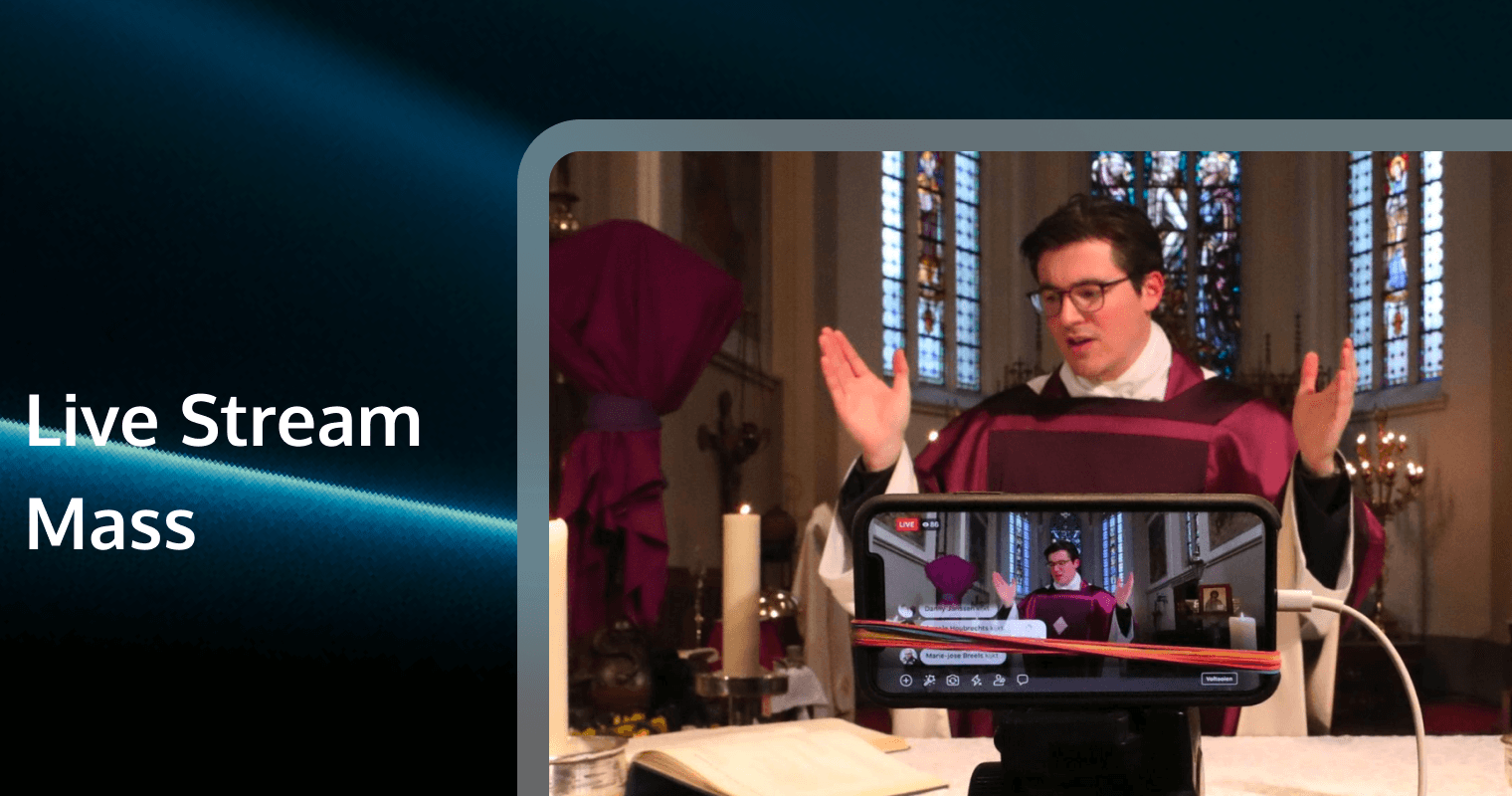
In the wake of global shifts toward hybrid worship, the ability to live stream Mass has evolved from a temporary stopgap to a permanent ministry. It is no longer enough to simply point a smartphone at the altar. For the homebound, the sick, and the traveling faithful, your live stream is their primary connection to the Eucharist and the community.
However, broadcasting the Holy Mass presents unique challenges that do not apply to concerts or conferences. The acoustics of a cathedral, the solemnity of the Consecration, and the privacy of the communicants require a specialized approach.
This guide utilizes the Skyscraper Technique to provide the most comprehensive resource available. We will cover professional audio engineering, respectful multi-camera cinematography, rock-solid encoding, and the future of digital parish engagement using real-time communication technologies.
1. Liturgical Foundations: The Theology of the Lens
Before purchasing a single cable, your media team must understand the subject of your broadcast. A live stream of the Mass is not a "show"; it is an invitation to prayer.
The Hierarchy of the Shot
Unlike a TED Talk where the focus is solely on the speaker, the visual focus of the Mass shifts. Your camera operators must know the General Instruction of the Roman Missal (GIRM) to anticipate movement.
● The Altar: The center of the Eucharistic Liturgy. During the Liturgy of the Eucharist, the camera should never leave the Altar.
● The Ambo: The focus during the Liturgy of the Word (Readings, Gospel, Homily).
● The Presider's Chair: Focus during the opening and closing rites.
What NOT to Stream
Respecting the dignity of the liturgy means knowing what to exclude:
● The Communion Line: Avoid close-ups of parishioners receiving Communion. It is a private moment and can raise privacy concerns. Use a wide shot of the sanctuary or focus on the choir during this time.
● Distractions: Empty seats, children acting up, or technical crew moving about.
> Pro Tip: Create a "Liturgical Run Sheet" for your camera operators that aligns with the Order of Mass, ensuring they know exactly when to switch from the Ambo shot to the Altar shot.
2. Audio Engineering: The #1 Point of Failure
Viewers will forgive grainy video, but they will click away instantly if the audio is bad. Churches are notoriously difficult for audio due to high ceilings and reflective surfaces (marble, stone).
The Matrix Mix Strategy
Do not simply send your "Front of House" (FOH) mix to the live stream. The FOH mix is designed to fill a large room; it often has the vocals cut (because the priest is loud in the room) and the choir boosted.
Instead, use a Matrix Bus or Aux Send on your digital mixer specifically for the stream:
1. Direct Feeds: Route the Ambo mic, Altar mic, and wireless lapels directly to the stream bus.
2. Ambience Microphones: This is critical. Install a pair of condenser microphones hanging over the congregation (or placed in the choir loft) pointing at the people.
Why?* Without audience mics, the stream sounds sterile. The priest says "The Lord be with you," and the online viewer hears dead silence. You need to capture the "And with your spirit" response to make the viewer feel present.
3. Compression: Apply heavier compression to the stream mix than the house mix to ensure volume levels remain consistent between the whispering priest and the loud organ.
Audio Synchronization
Video processing (HDMI to USB, encoding) takes time, often delaying video by 100-200ms relative to audio.
● The Fix: Use the audio delay feature in your encoder (OBS/vMix) to sync the lips. Clap your hands in front of the camera and adjust the ms delay until the sound matches the visual impact.
3. Video Hardware: Cameras & Lighting
Camera Selection: PTZ is King
For a reverence-first aesthetic, you want cameras that are invisible to the congregation. Pan-Tilt-Zoom (PTZ) cameras are the industry standard for churches.
● Primary Camera (Center): A high-zoom PTZ (20x or 30x optical zoom) mounted on the balcony rail. This captures the wide shot and the tight shot of the Altar.
● Side Camera (Ambo Angle): Mounted off-center to give a 45-degree angle of the reader/preacher. This adds depth and feels more intimate than a flat front shot.
● Musician Camera: Dedicated to the choir or cantor.
Recommended Specs:
● Sensor Size: 1/2.5" CMOS or larger is preferred for low-light performance in dim sanctuaries.
● Connectivity: SDI (Serial Digital Interface) is superior to HDMI for long cable runs (over 50 feet) without signal degradation.
Lighting for the Lens
The human eye adjusts to shadows; cameras do not.
● Color Temperature: Ensure your altar lighting matches. Don't mix warm tungsten (3000K) with cool daylight (5600K) or your priest will look orange on one side and blue on the other.
● Key Light: Ensure there is sufficient light on the Ambo and Altar. If the priest steps into a shadow, the auto-exposure on the camera may grain up the image.
4. The Streaming Core: Software & Encoding
Your hardware needs a brain to process the signals.
OBS Studio (Free & Open Source)
The most popular choice for budget-conscious parishes.
● Pros: Free, massive plugin library, highly customizable.
● Cons: Steep learning curve, no built-in support.
vMix (Professional Standard)
Preferred for PC-based setups.
● Pros: Built-in PTZ control, ISO recording (record all cameras separately), highly stable.
● Cons: Paid software, Windows only.
Encoder Settings for Mass
Motion in a Mass is generally low (unlike a sports game), which allows for high quality even at lower bitrates.
● Resolution: 1920x1080 (1080p).
● Framerate: 30fps is sufficient and looks more "cinematic" and solemn than 60fps (which looks like reality TV).
● Bitrate: Target 4,500 – 6,000 Kbps video bitrate if your upload speed allows (requires at least 10 Mbps upload).
5. Platform Strategy: Where to Broadcast?
The "Public Square": YouTube & Facebook
● Pros: Zero cost, massive reach, easy for seniors to find.
● Cons:
* Distractions: Ads for unrelated products may pop up before the Homily.
* Algorithm: The "Up Next" video might be controversial or inappropriate, disrupting the post-Mass peace.
* Copyright Strikes: Algorithms may mute your stream if the choir sings a copyrighted hymn, even if you have a license.
The "Owned" Sanctuary: Website & Custom Apps
Embedding the player on your own website or mobile app is the gold standard. It keeps the user in your ecosystem.
● Control: No ads, no sidebars.
● Donations: Place the "Give" button directly below the video player.
● Digital Bulletin: PDF download links right next to the stream.
6. Intellectual Property: Legal & Licensing
Churches often assume religious exemption covers broadcasting. It does not. The "Religious Service Exemption" in US copyright law applies only to the physical performance in the building, not the broadcast.
● Streaming License: You absolutely need a streaming license from providers like OneLicense, CCLI (Streaming Plus), or CCS.
● What it covers: It allows you to broadcast the performance of copyrighted songs.
● What it does NOT cover: It usually does not allow you to play pre-recorded master tracks (like a CD or Spotify) on the stream. You must perform the music live.
7. Engagement: The "Digital Narthex"
Mass is communal. A passive stream is just TV. You need to facilitate community.
● Chat Moderators: Assign a "Digital Usher" to welcome people in the Chat, take prayer requests, and moderate trolls.
● The Sign of Peace: Encourage online viewers to type "Peace be with you" in the chat during the Sign of Peace.
● Prayer Requests: Have a dedicated link or private chat channel for confidential prayer requests that are sent to the priest.
8. Enhancing Live Stream Mass with Real-Time Communication
While platforms like YouTube are great for reach, they fail at intimacy and privacy. Many parishioners are hesitant to share personal prayer requests in a public YouTube comment section. Furthermore, the delay (latency) on YouTube can be 15-30 seconds, making "live" responses disjointed.
To build a true Digital Parish, you should consider integrating a dedicated Real-Time Communication (RTC) solution into your church's mobile app or website.
We Recommend: Tencent RTC
Tencent RTC (Real-Time Communication) offers a suite of powerful tools that allow developers to build a custom, safe, and high-quality worship environment.
Why Tencent RTC for Churches?
1. Ultra-Low Latency: Unlike standard CDN streaming (which delays 20+ seconds), Tencent RTC offers millisecond-level latency. This allows for true real-time responses during responsive prayers.
2. Tencent Chat (IM):
* Prayer Rooms: Use the Chat SDK to build private "Prayer Rooms" where a parishioner can video call or text chat confidentially with a priest or pastoral associate.
* Moderation: Built-in AI tools can automatically filter profanity or disruption in the public chat, ensuring the sanctity of the digital space.
3. High-Quality Video: The Tencent RTC Video SDK supports HD video that adapts to the viewer's network conditions. If a parishioner has poor Wi-Fi, the stream adjusts automatically to prevent buffering, ensuring they don't miss the Homily.
4. Global Reach: If your parish has members traveling internationally, Tencent's global infrastructure ensures they can connect to their home parish from anywhere without lag.
By using Tencent RTC, you move from being a "Content Creator" on YouTube to being a "Digital Shepherd" with your own dedicated platform.
9. Frequently Asked Questions
Q1: Our church internet is unstable. How can I ensure the stream doesn't crash?
A: Reliability is key. You should use a hardwired Ethernet connection, not Wi-Fi. For the software side, Tencent RTC's Video SDK features advanced packet loss recovery and adaptive bitrate technology. This means if your upload speed dips, the SDK automatically adjusts the video quality to keep the audio and stream alive, rather than freezing completely.
Q2: How do we handle private prayer requests during the live stream?
A: Public comment sections are not safe for private burdens. You can use Tencent RTC's Chat SDK to integrate a "Talk to a Minister" button on your stream page. This opens a private, 1-on-1 text or voice chat channel (encrypted and secure) distinct from the public feed.
Q3: Can we host a "Virtual Coffee & Donuts" after Mass?
A: Yes! A standard broadcast stream is one-way, but you can switch to a Tencent RTC Conference mode after Mass. This allows you to create virtual "tables" (voice chat rooms) where parishioners can see and hear each other to socialize, replicating the community feel of the parish hall.
Q4: How do I moderate trolls in the chat without distracting the priest?
A: You need automated tools. Tencent Chat (IM) includes comprehensive content moderation capabilities. You can set up custom blocklists (for specific words) and use their AI-driven anti-spam tools to instantly hide inappropriate content before other parishioners see it, keeping the chat reverent.
Q5: We want to build a custom parish app. Is adding live video difficult?
A: Not with the right tools. Using Tencent RTC's UI Kits, your developer can integrate professional-grade live streaming and chat features into your iOS or Android app with just a few lines of code. It saves months of development time compared to building a video backend from scratch.