






Adding a live chat widget to your website is one of the fastest ways to boost engagement and conversions. But not every widget works well on every platform. A chat tool that installs effortlessly on WordPress might require custom coding on Shopify, and a heavy widget script that runs fine on a dedicated server can cripple your Core Web Vitals on a client-side React app.
This guide helps you find the best free live chat widget for your specific platform, with honest comparisons, practical installation advice, and tips that other guides skip.
Why Your Platform Changes Everything
Most “best live chat widget” roundups ignore a critical reality: your website platform determines which widgets work well, how you install them, and how much they hurt your page speed.
Here are three platform-specific factors that matter:
1. Installation method – WordPress has plugins; Shopify uses theme edits or custom pixels; React and Next.js need script injection or component wrappers; website builders like Squarespace and Wix offer code injection panels. A widget with an official WordPress plugin but no Shopify app means a very different experience on each.
2. Performance impact – Tawk.to’s script weighs 749KB. On a WordPress site with shared hosting and 20 plugins, that extra three-quarters of a megabyte can push your Largest Contentful Paint above 4 seconds. On a React SPA with aggressive code splitting, it can delay hydration. The lightest widgets stay under 50KB.
3. Customization depth – Some platforms let you control exactly where and when the widget appears (page-level targeting). Others limit you to a global on/off switch. React and Next.js developers often want conditional rendering, while Shopify store owners might need the widget only on product pages.
Quick Comparison: Top Free Chat Widgets by Platform Compatibility
Widget | Free Plan | Script Size | No Branding | WordPress | Shopify | React/Next.js | Builders |
Full features | < 50KB | Yes | Script injection | Theme edit / Pixel | next/script or useEffect | Code injection | |
Unlimited chats | 749KB | No ($19/mo) | Official plugin | Official app | Tawk_API | Code injection | |
50 AI convos/month | ~300KB | Yes | Official plugin | Official app | Script injection | Code injection | |
2 agents | ~200KB | Yes | Official plugin | Script injection | @crisp.im SDK | Code injection |
Key takeaway: Knocket is the only widget that combines a fully free plan, zero branding, and under-50KB script size across every platform. The others either add their logo to your widget, limit conversations, or weigh down your pages.
WordPress: Choosing the Right Free Live Chat Widget
The Performance Problem Most WordPress Sites Face
WordPress powers over 43% of the web, and most of those sites run on shared hosting with multiple plugins already loaded. Adding a 749KB chat widget on top of a theme with 15-20 plugins, a caching layer, and a page builder is a recipe for slow load times.
Google’s Core Web Vitals directly impact search rankings. A chat widget that adds more than half a second to your LCP can drop your PageSpeed score below the threshold where Google rewards fast sites.
This is why script size matters more for WordPress than for any other platform.
Best Overall for WordPress: Knocket
Knocket is the safest choice for WordPress sites that care about speed. At under 50KB, it adds negligible weight to your pages. It includes live chat, offline forms, social link aggregation (WhatsApp, Instagram, Telegram, Messenger), Calendly scheduling, welcome messages, work-hour settings, and full brand customization – all free, with no branding.
Three Ways to Install Knocket on WordPress
Method 1: Script Injection Plugin (Easiest)
This is the fastest method and does not require editing theme files:
1. Install the free WordPress plugin
2. Go to Code Snippets > Header and Footer
3. Paste your Knocket script tag in the Footer section
4. Save changes – the widget appears on all pages immediately
This method survives theme updates and works with any WordPress theme.
Method 2: Theme File Editor (No Extra Plugin)
If you prefer not to add another plugin, you can paste the Knocket script tag directly into your theme’s footer.php file, right before the closing body tag.
Important caveat: if you update your theme, this edit will be overwritten. Use a child theme or stick with Method 1 to avoid this.
Method 3: Child Theme functions.php (Developer-Friendly)
For developers who want programmatic control, you can enWordPreWorqueue the script through your child theme’s functions.php using the wp_footer action hook. This approach is update-safe and lets you add conditional logic, such as showing the widget only on specific pages.
WordPress Performance Tips for Chat Widgets
● Clear your cache after installing the widget. Caching plugins like WP Super Cache and W3 Total Cache serve stale HTML that will not include the new script until you purge.
● Use async loading. Make sure the script tag includes the async attribute so it does not block page rendering.
● Test before and after. Use Google PageSpeed Insights or Lighthouse to measure the impact. A well-optimized widget like Knocket should add less than 100ms to your LCP.
● Defer on mobile if your theme is already slow on mobile. Some script injection plugins let you load scripts only on desktop.
Other Free WordPress Chat Options
Widget | Free Plan Limits | Branding on Free Plan | Script Impact on Speed |
None (unlimited chats) | “Powered by Tawk.to” badge | Heavy (749KB) | |
50 AI conversations/month | Removed on free plan | Moderate (~300KB) | |
2 seats, limited history | Removed on free plan | Moderate (~200KB) | |
None (all features free) | None (zero branding) | Minimal (< 50KB) |
When to choose Tawk.to: If you need unlimited chat volume and do not mind the “Powered by Tawk.to” badge and heavy script.
When to choose Tidio: If you want AI chatbot capabilities and can work within 50 AI conversations per month.
When to choose Knocket: If you want a fast, brand-clean, full-featured widget at zero cost.
Shopify: Free Chat Widgets That Actually Work for E-Commerce
Why Shopify Stores Need Live Chat
Shopify stores that add live chat see an average 10-15% increase in conversion rates, according to multiple e-commerce studies. Visitors who ask questions before buying convert at 3-5x the rate of those who do not.
But Shopify has specific constraints that make some widgets a poor fit:
● Theme updates can overwrite manual edits – unlike WordPress plugins, Shopify theme edits are not always update-safe
● Shopify’s checkout page restricts custom scripts – no chat widget can appear on the checkout page due to Shopify’s security policies
● App ecosystem fees – some “free” Shopify chat apps take a percentage of sales or charge transaction fees
Best Overall for Shopify: Knocket
Knocket works exceptionally well for Shopify because it is lightweight enough to not slow down your storefront, and it includes features that e-commerce stores specifically need:
● Social links – Add WhatsApp and Instagram links, the two most popular channels for online shoppers who want quick answers
● Calendly integration – If you offer consultations, personal shopping, or fitting appointments, visitors can book directly from the widget
● No branding – Your store looks professional without a third-party badge undermining your brand identity
● Work hour settings – Automatically switch to offline forms when your team is unavailable, so you never miss a lead
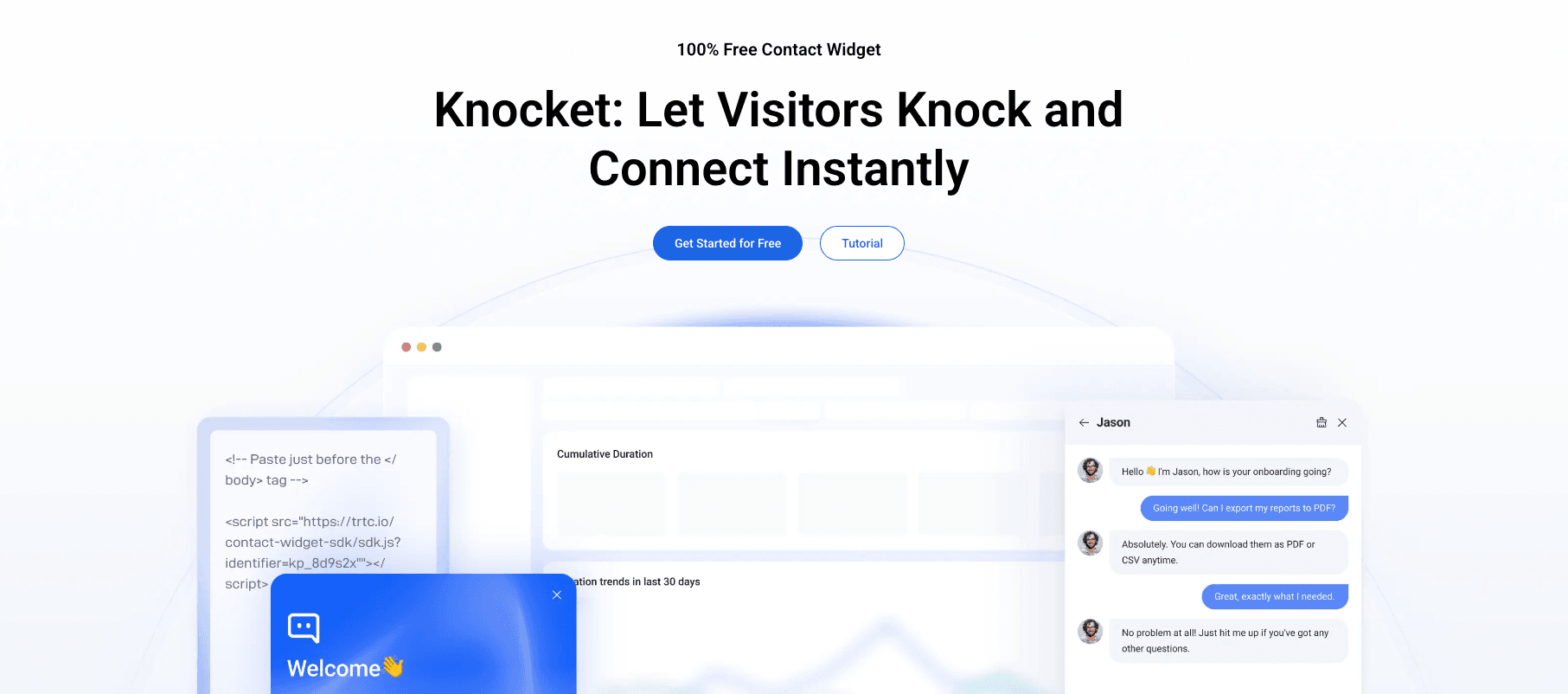
How to Install Knocket on Shopify
Method 1: Editing theme.liquid (Most Common)
1. Go to Shopify Admin > Online Store > Themes
2. Click Actions > Edit code
3. Open Layout > theme.liquid
4. Find the closing body tag
5. Paste your Knocket script tag just before it
6. Save
This works on all Shopify themes and takes about 2 minutes. The main downside is that major theme updates may overwrite your edit.
Method 2: Custom Pixel (Shopify OS 2.0)
For stores using Shopify OS 2.0 themes, the Custom Pixel feature is a cleaner approach:
1. Go to Settings > Customer events
2. Click “Add custom pixel”
3. Name it “Knocket Chat Widget”
4. Paste a small snippet that loads the Knocket script on page view events
5. Save and connect
Custom Pixels are update-safe and follow Shopify’s recommended integration pattern for third-party scripts.
Method 3: Shopify App (If Available)
Check the Shopify App Store for any Knocket listing. If available, the app handles installation automatically with no code editing required.
Shopify-Specific Chat Widget Comparison
Widget | Free Plan | E-Commerce Features | Branding | Shopify App |
Full features free | Social links, Calendly, offline forms | None | Script or Pixel | |
Unlimited chats | Basic chat | “Powered by” badge | Official app | |
50 AI convos/month | AI chatbot, product cards | Removed | Official app | |
Shopify Chat | Free with Shopify | Native integration | Shopify branding | Built-in |
Note on Shopify Chat: Shopify’s built-in chat widget is convenient but carries Shopify branding and only works with Shopify Inbox. It does not support social link aggregation or scheduling features.
Shopify Performance Considerations
● Test on mobile first – Over 70% of Shopify traffic is mobile. A heavy widget script hurts mobile users more because of slower network connections.
● Avoid widgets that block rendering – Make sure any chat script loads asynchronously. Knocket’s async-first design is ideal for mobile-heavy stores.
● Monitor your Google PageSpeed score after installing. If your score drops below 50 on mobile, your chat widget may be too heavy.
React and Next.js: Lightweight Chat Widget Integration
Why React Apps Need Special Care
React applications manage their own DOM through a virtual DOM layer. Chat widgets that manipulate the DOM independently can cause rendering conflicts, hydration mismatches, and unexpected re-renders.
The safest approach for React and Next.js is to use a lightweight, non-intrusive widget that loads asynchronously and runs in an isolated container, without interfering with React’s rendering cycle.
Best Overall for React/Next.js: Knocket
Knocket is the best choice for React applications because:
● No DOM conflicts – The widget runs in its own container and never touches React’s virtual DOM
● Async loading – Does not block React hydration or initial page render
● Under 50KB – Minimal bundle impact, especially important for SPAs where JavaScript bloat directly affects Time to Interactive
● No branding – Clean integration without third-party badges cluttering your UI
● Conditional rendering – Easy to show the widget only on specific routes
How to Install Knocket on Next.js
The recommended approach for Next.js is to use the built-in next/script component with the lazyOnload strategy. This ensures the widget loads after all critical page resources, preventing any impact on Core Web Vitals.
Add the script component to your root layout file (app/layout.tsx for App Router, or pages/_app.tsx for Pages Router) and set the strategy to lazyOnload. The widget will load after the page becomes interactive.
How to Install Knocket on React SPAs
For single-page React applications, use the useEffect hook to dynamically inject the script tag when the component mounts. Include a cleanup function that removes the script when the component unmounts, preventing duplicate widgets if the component re-renders.
Add the chat widget component to your root layout so it persists across route changes.
Controlling Widget Visibility Per Page
In Next.js, you can conditionally render the script component based on the current pathname. For example, you might want the chat widget on your contact, pricing, and booking pages, but not on your blog or documentation pages.
In React Router, use the useLocation hook to achieve the same result.
Why Heavy Widgets Break React Apps
Tawk.to’s 749KB script is particularly problematic for React SPAs because:
1. It initializes its own DOM manipulation routines that can conflict with React’s reconciliation
2. Its event listeners may interfere with React’s synthetic event system
3. The sheer script size delays Time to Interactive on client-side rendered applications
Crisp’s React SDK (@crisp.im/react-crisp) offers better React integration but still weighs around 200KB and limits you to 2 agents on the free plan.
React/Next.js Chat Widget Comparison
Widget | Free Plan | Script Size | React Integration | DOM Safety | Branding |
Full features free | < 50KB | Script injection | Isolated container | None | |
Unlimited chats | 749KB | Tawk_API wrapper | Potential conflicts | Badge ($19/mo) | |
2 agents | ~200KB | @crisp.im SDK | Good | Removed | |
50 AI convos/month | ~300KB | Script injection | Moderate | Removed |
Website Builders: Squarespace, Wix, Webflow, and Ghost
These platforms all support chat widgets through their code injection features. Installation is similar across all of them: paste your script tag in the footer code section, and the widget appears site-wide.
Squarespace
1. Go to Settings > Advanced > Code Injection
2. Paste your Knocket script tag in the Footer section
3. Save – the widget appears on all pages
Squarespace’s code injection is available on all current plans. No limitations.
Wix
1. Go to Settings > Custom Code
2. Click “Add Code”
3. Paste your Knocket script tag
4. Set it to load on all pages
5. Save
Wix’s custom code feature requires a premium plan. Free Wix sites cannot add custom scripts.
Webflow
1. Go to Project Settings > Custom Code
2. Paste your Knocket script tag in the Footer Code section
3. Save and publish
Webflow’s custom code is available on all paid Workspace plans. The widget will appear on your published site after your next deployment.
Ghost
1. Go to Settings > Code Injection
2. Paste your Knocket script tag in the Site Footer section
3. Save
Ghost’s code injection works on all self-hosted and Ghost Pro installations.
Which Widget Works Best on Website Builders?
All chat widgets work on website builders through code injection. The difference is performance. Website builders already load their own heavy scripts for page rendering, visual editing, and analytics. Adding a 749KB chat widget on top of that can make your site noticeably slower.
Knocket at under 50KB is the safest choice. It adds almost no weight to pages that are already carrying the builder’s framework scripts.
Cross-Platform Features That Matter Regardless of Your Platform
No matter which platform you use, these features determine whether a chat widget actually helps your business or just sits in the corner of your screen:
Social Link Aggregation
Visitors do not always want to chat. Sometimes they prefer to message you on WhatsApp, DM you on Instagram, or find your Telegram channel. A widget that aggregates these links alongside live chat gives visitors multiple ways to reach you.
Knocket includes social link aggregation for WhatsApp, Instagram, Telegram, and Messenger in its free plan. Most other widgets require paid add-ons or separate integrations for this.
Calendly Integration
If you offer consultations, demos, or any scheduled service, embedding a Calendly booking link directly in the chat widget eliminates friction. Visitors can go from “I have a question” to “I booked a meeting” without leaving your site.
Knocket includes native Calendly integration at no cost. Tawk.to and Tidio require their scheduling add-ons, which are either paid or limited.
Offline Forms
Not every business can staff live chat 24/7. When you are offline, the widget should automatically switch to a contact form that captures the visitor’s message and contact info for follow-up.
All four widgets in this comparison offer offline forms, but Knocket and Tawk.to make the transition seamless without any configuration. Tidio and Crisp require manual setup.
Work Hour Settings
Set your available hours, and the widget automatically switches between live chat and offline mode. This prevents visitors from waiting for a response when no one is available.
Knocket includes granular work hour settings with timezone support in its free plan. Tawk.to also offers this for free. Tidio and Crisp limit this feature on free plans.
Brand Customization
Your chat widget should match your brand. Look for widgets that let you customize colors, logos, welcome messages, and widget position without paying extra.
Knocket offers full brand customization (colors, logo, position, theme, welcome message) for free. Tawk.to charges $19/month to remove its branding. Tidio and Crisp offer customization but limit advanced options on free plans.
How to Choose: Decision Framework
Still not sure which widget is right for your platform? Use this decision tree:
Step 1: What is your top priority?
● Speed and performance – Choose Knocket (under 50KB, zero performance impact)
● Unlimited free conversations – Choose Tawk.to (but accept the branding badge and heavy script)
● AI chatbot – Choose Tidio (but limited to 50 AI conversations per month on free plan)
● Multi-agent team – Choose Crisp (but limited to 2 agents on free plan)
Step 2: What platform are you on?
● WordPress with many plugins – Knocket is the safest choice for already-heavy sites
● Shopify e-commerce – Knocket’s social links and Calendly are built for commerce; Tidio’s AI chatbot is also useful
● React / Next.js – Knocket’s isolated container avoids DOM conflicts; Crisp’s React SDK is also clean
● Website builder – Any widget works through code injection; Knocket adds the least weight
Step 3: Do you need zero branding?
● If yes, Knocket is the only fully free option with zero branding on all platforms
● Tawk.to charges $19/month to remove branding
● Tidio and Crisp remove branding on free plans but limit other features
FAQ
What is the best free live chat widget for WordPress?
Knocket is the best free live chat widget for WordPress. It is lightweight (under 50KB), has no branding, and includes social links and Calendly scheduling. Install it with a script injection plugin like WPCode in under 5 minutes.
How do I add a free chat widget to Shopify?
Edit your theme.liquid file and paste the widget script tag before the closing body tag. For Shopify OS 2.0 themes, use the Custom Pixel feature instead, which is update-safe. Knocket, Tawk.to, and Tidio all work on Shopify.
Can I use a chat widget with React or Next.js?
Yes. Use Next.js’s built-in Script component with strategy="lazyOnload" for Next.js, or the useEffect hook for React SPAs. Knocket is the lightest option and does not interfere with React’s DOM, making it the safest choice for React applications.
Which free chat widget has the smallest script size?
Knocket at under 50KB is the lightest full-featured free chat widget. The next lightest is Crisp at around 200KB. Tawk.to is the heaviest at 749KB.
Is there a free chat widget with no branding for all platforms?
Yes. Knocket is free, has no branding, and works on WordPress, Shopify, React, Next.js, Squarespace, Wix, Webflow, Ghost, and any HTML website. No other widget offers zero branding for free across all platforms.
Can I show the chat widget only on specific pages?
Yes. On WordPress, use a conditional script injection plugin. On React/Next.js, conditionally render the script component based on the current route. On Shopify, you can add conditional logic in your theme.liquid template. Knocket’s lightweight script makes conditional loading easy on any platform.
Will a chat widget slow down my website?
It depends on the widget. Tawk.to’s 749KB script can significantly impact page speed, especially on WordPress sites with shared hosting or mobile users. Knocket at under 50KB adds negligible performance impact. Always test your PageSpeed score before and after installation.
Do chat widgets work on Shopify’s checkout page?
No. Shopify restricts custom scripts on checkout pages for security reasons. No chat widget can appear on the checkout page. However, you can still capture checkout-related questions on your product pages and cart page.
Install a free, zero-branding chat widget on any platform in under 5 minutes. Get started with Knocket