






Small businesses have different chat needs than enterprises. You do not need a 50-feature platform with per-seat pricing that scales to 500 agents. You need a chat widget that works reliably, looks professional, and does not eat into your already tight budget.
This guide evaluates the best free live chat options specifically for small businesses, with honest assessments of what each tool offers and where it falls short.
Why Small Businesses Need Live Chat
The data is clear: live chat helps small businesses compete with larger competitors. According to Kayako’s consumer research:
● 63% of customers who spend $250-500 online monthly are more likely to buy from companies that offer live chat
● 38% of consumers say they are more likely to purchase from a business that offers live chat
● Customers who chat are 5.13 times more likely to complete a purchase
For small businesses, these numbers are significant. Every converted visitor matters more when your traffic is lower. A chat widget can be the difference between a visitor buying from you or bouncing to a larger competitor.
But here is the tension: small businesses also have limited budgets and limited staff. You cannot afford $60/agent/month for a premium chat tool, and you cannot afford to have someone monitoring chat 24/7.
The right free chat tool solves both problems: zero cost and features that work even when you are not online.
Evaluation Criteria for Small Business Chat
Not all chat widgets are designed for small business realities. Here are the criteria that matter most:
1. True cost – Is it actually free, or will you be pushed to upgrade?
2. Branding – Does the free plan show “Powered by…” on your website?
3. Offline handling – Can visitors leave messages when you are not available?
4. Setup time – How quickly can a non-technical person install it?
5. Social links – Can visitors contact you on WhatsApp or Instagram?
6. Meeting scheduling – Can visitors book appointments through chat?
7. Page speed impact – Will the widget slow down your website?
The 5 Best Free Live Chat Tools for Small Business
1. Knocket – Best Overall for Small Business
Knocket is the best free live chat tool for most small businesses because it is completely free with no branding, includes features specifically designed for small business communication, and has a lightweight script that does not slow down your website.
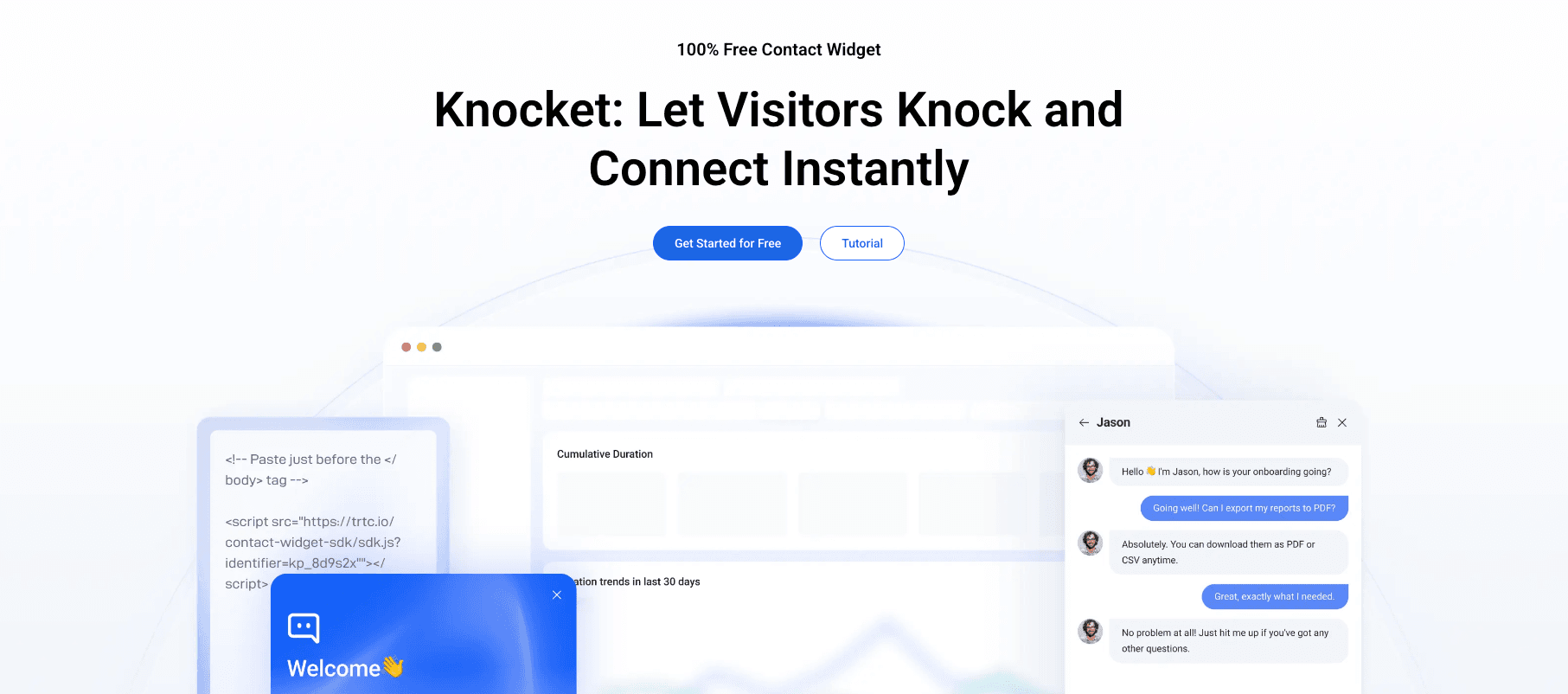
Small business advantages:
● No branding – Your website looks professional, not like you are using a free tool
● Social link aggregation – Visitors can reach you on WhatsApp, Instagram, Telegram, or Messenger, which is critical for small businesses that communicate through social channels
● Calendly scheduling – Service businesses (salons, consultants, therapists) can let visitors book appointments directly in chat
● Offline form – Captures leads 24/7 even when you are not online
● Lightweight script (~45KB) – Does not slow down your website or hurt your SEO
● 5-minute setup – Copy and paste one line of code, configure in the dashboard
Limitations for small business:
● No AI chatbot (you or your team need to respond to chats)
● No ticket management (if you need a full helpdesk, this is not it)
● No CRM integrations (if you need Salesforce/HubSpot sync, look elsewhere)
Best for: Solo founders, freelancers, small retail stores, service businesses, and any business with 1-5 people that wants professional live chat at zero cost.
2. Tawk.to – Best for Visitor Monitoring
Tawk.to is the most feature-rich free chat widget, with real-time visitor monitoring, ticketing, and unlimited agents.
Small business advantages:
● Visitor monitoring – See who is on your site in real time, what pages they are viewing, and how long they have been there
● Ticketing system – Convert chats into support tickets for tracking
● Unlimited agents – Your whole team can use it at no extra cost
● Mobile apps – Respond to chats from your phone
Limitations for small business:
● “Powered by Tawk.to” branding – Cannot be removed on the free plan, which looks unprofessional
● 749KB script – Significantly heavier than alternatives, impacts page speed
● No social links – Visitors cannot contact you through WhatsApp or Instagram
● No meeting scheduling – No Calendly integration for booking appointments
Best for: Small businesses that prioritize visitor monitoring and ticketing over branding and social links.
3. Crisp – Best for 2-Person Teams
Crisp offers a free plan for up to 2 agents with a shared inbox that combines chat, email, and social messages.
Small business advantages:
● Shared inbox – See chat and email messages in one place
● Internal notes – Leave notes for your co-founder or teammate within conversations
● 2 free agent seats – Enough for a founder + one support person
Limitations for small business:
● Crisp branding – “Powered by Crisp” appears on your widget
● 30-day chat history – Conversations older than 30 days are not accessible on the free plan
● Limited features – Advanced chatbot and CRM features require paid plans ($25/month)
Best for: 2-person teams (co-founders, founder + assistant) who want a shared inbox for chat and email.
4. Tidio – Best for E-commerce Chatbot Automation
Tidio offers a free plan with 50 conversations per month and basic chatbot automation.
Small business advantages:
● Basic chatbot – Set up automated greetings and simple FAQ responses
● Shopify integration – Works well for e-commerce stores on Shopify
● Product cards – Show product recommendations within chat
Limitations for small business:
● 50 conversations/month – Very limited for a growing business
● Tidio branding – Cannot be removed on the free plan
● No social links – Visitors cannot contact you through WhatsApp or Instagram
● No meeting scheduling – No Calendly integration
Best for: Very small e-commerce stores that want basic chatbot automation for common product questions.
5. Freshchat – Best for Small Teams of 5-10
Freshchat offers a free plan with up to 10 agent seats, which is the most generous free agent allocation available.
Small business advantages:
● 10 free agent seats – The most generous free allocation
● Freshdesk integration – If you use Freshdesk for support, chat connects seamlessly
● Multi-channel – Web chat, WhatsApp, Facebook, Apple Business Chat on paid plans
Limitations for small business:
● Freshworks branding – “Powered by Freshchat” appears on your widget
● Limited features – No AI chatbot, no custom bots, no advanced analytics on the free plan
● Ecosystem lock-in – If you later want to switch tools, migration is difficult
Best for: Small support teams of 5-10 people who need multi-agent chat at no cost.
Feature Comparison for Small Business Needs
Feature | Knocket | Tawk.to | Crisp | Tidio | Freshchat |
Monthly cost | $0 | $0 | $0 | $0 | $0 |
Branding on free | None | “Powered by Tawk.to” | “Powered by Crisp” | Tidio branding | Freshworks branding |
Conversation limit | None | None | Limited | 50/mo | Limited |
Agent seats | Unlimited | Unlimited | 2 | Unlimited | 10 |
Offline form | Yes | Yes | Yes | Yes | Yes |
Social links (WhatsApp, etc.) | Yes | No | No | No | No |
Calendly scheduling | Yes | No | No | No | No |
Chatbot automation | No | No | Basic | Basic | No |
Visitor monitoring | No | Yes | Yes | Yes | No |
Ticket management | No | Yes | Yes | No | Yes |
Script size | ~45KB | ~749KB | ~210KB | ~320KB | ~280KB |
Setup time | <5 min | <5 min | <5 min | <5 min | <10 min |
Small Business Chat Strategy
Installing a chat widget is only half the battle. Here is how to make it actually work for your small business.
Strategy 1: Use Social Links to Handle After-Hours Inquiries
Small businesses cannot staff chat 24/7. But according to industry data, 30-40% of website traffic occurs outside traditional business hours.
The solution: configure social links in your chat widget. When you are offline, visitors can message you on WhatsApp or Instagram, which you can respond to asynchronously on your phone. This captures after-hours leads without requiring you to monitor chat.
Knocket includes social link aggregation (WhatsApp, Instagram, Telegram, Messenger) in the chat widget, so visitors always have a way to reach you.
Strategy 2: Use Calendly for Service Business Bookings
If you run a service business (consulting, coaching, healthcare, beauty), your highest-value conversion is a booked appointment. Calendly integration in your chat widget lets visitors book directly from the chat interface, eliminating the need for back-and-forth emails to find a time.
Strategy 3: Set Realistic Business Hours
Do not set your chat hours to 24/7 if you can only respond during business hours. Visitors who chat at 10 PM and get no response will have a worse experience than visitors who see a clear offline form with your business hours.
Strategy 4: Use Canned Responses for Speed
Prepare pre-written responses for your most common questions (shipping, pricing, hours, returns). This reduces your response time from 2-3 minutes to 10-20 seconds, which significantly improves customer satisfaction.
According to SuperOffice’s research, the average first response time for live chat is 2 minutes 40 seconds. With canned responses, you can consistently beat this average.
FAQ
What is the best free live chat for a small business?
Knocket is the best free live chat for most small businesses because it is completely free with no branding, includes social link aggregation for after-hours communication, and has Calendly scheduling for service businesses. It takes under 5 minutes to set up.
How much does live chat cost for a small business?
It can cost $0. Tools like Knocket and Tawk.to offer free plans with no monthly fees. Paid chat tools typically cost $15-60/agent/month, which adds up quickly for small teams.
Can a small business compete with larger companies using free live chat?
Yes. A well-configured free chat widget (fast responses, social links, offline forms) provides the same visitor experience as expensive tools. The key is how you use the tool, not how much you pay for it. According to Kayako, 87% of live chat conversations receive positive CSAT scores regardless of the tool used.
Do I need AI chatbot automation as a small business?
Not usually. AI chatbots are most valuable for businesses with high chat volume (100+ conversations/day) and repetitive questions. For most small businesses with 5-20 chats per day, human responses are faster and more personal. If you do need AI automation, Tidio’s Lyro chatbot is the best affordable option.
How do I handle chat when I am the only person in my business?
Use a widget with strong offline capabilities: an offline contact form, social links (WhatsApp, Instagram), and Calendly scheduling. When you are online, respond to chats. When you are offline, the widget captures leads through the form or social links, and you respond when you are available.