이 페이지는 현재 영어로만 제공되며 한국어 버전은 곧 제공될 예정입니다. 기다려 주셔서 감사드립니다.
Feedback

서비스 활성화

This article introduces how to Activate the Conversational AI service and Renew the Conversational AI service. You can learn about the required services and fees based on Billing of Conversational AI Services, and follow the guide to purchase and renew the official service of Conversational AI Service.

Activate the Conversational AI Service

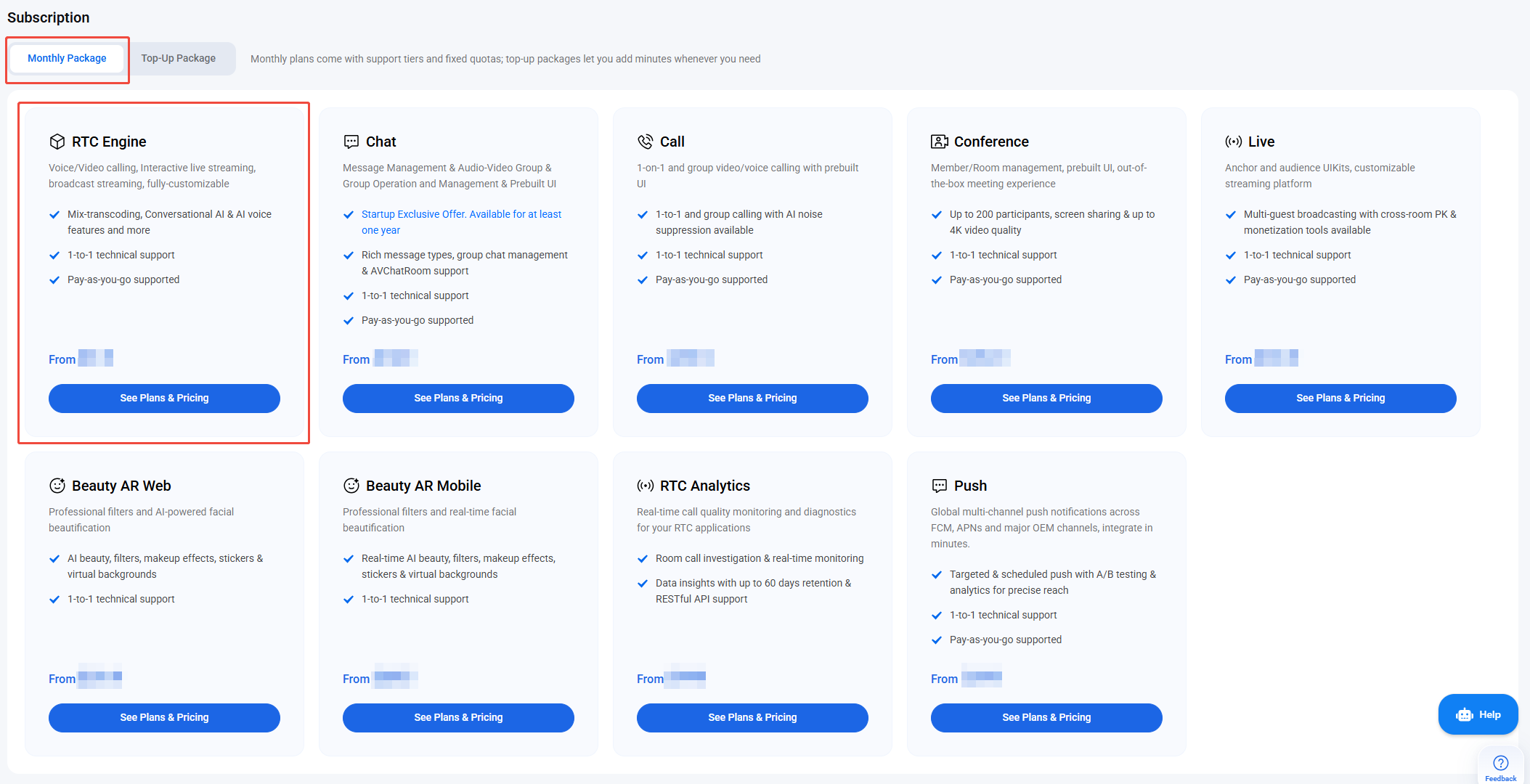
Conversational AI enables real-time, natural voice interactions between users and large language models. You can use free usage time for Conversational AI features (including STT and others) without needing to purchase a package or select a version. After the free usage time is used up, purchase an RTC-Engine Monthly Package or enable Pay-as-you-go in the console to continue using the service.
Service fees include three components: Audio Call Fees, Conversational AI Service Fees, and Speech-to-Text Service Fees. For detailed pricing, see the Billing of Conversational AI Services.
Follow these steps to enable Conversational AI and STT services for your application:

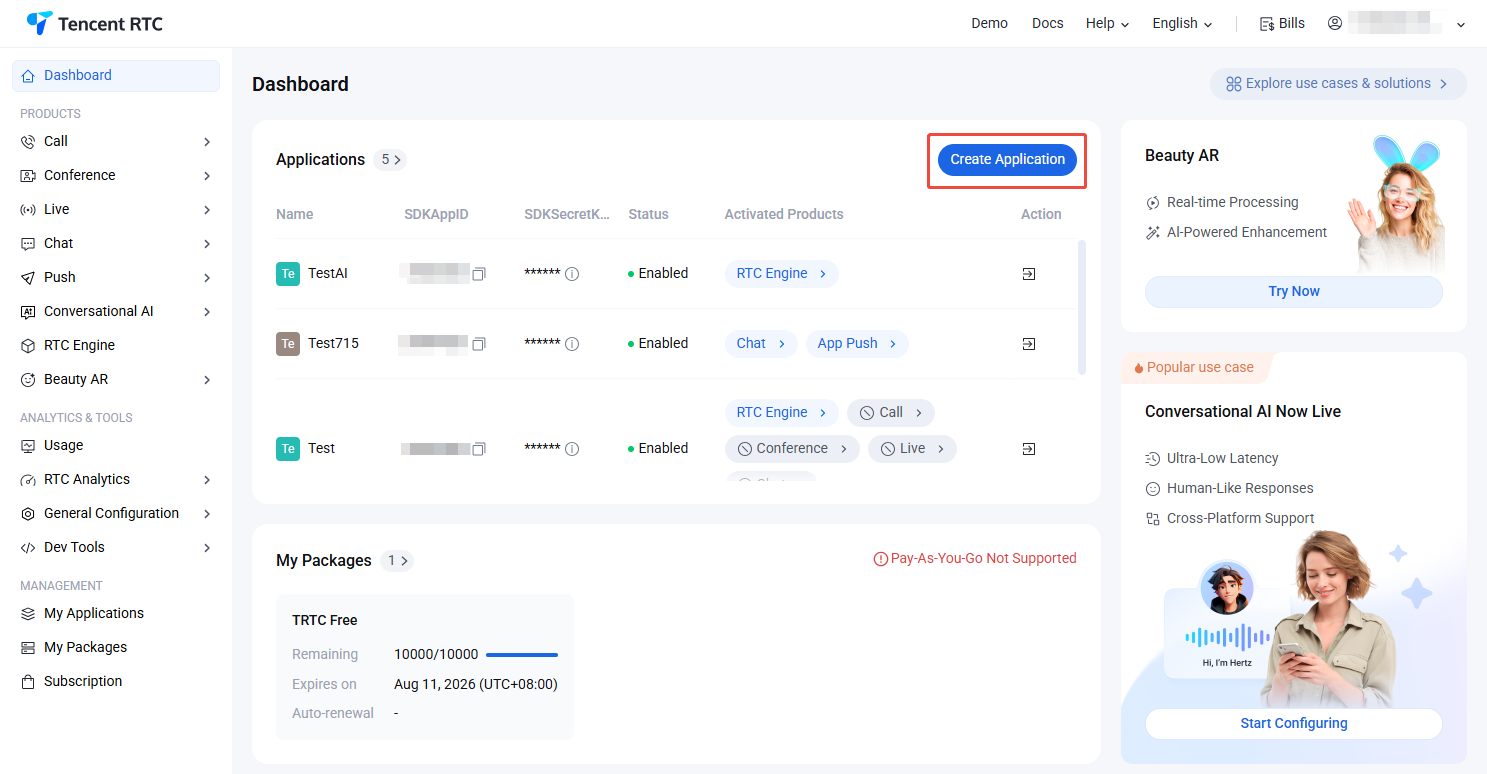
1. Log in to the Tencent RTC console and click Create Application.


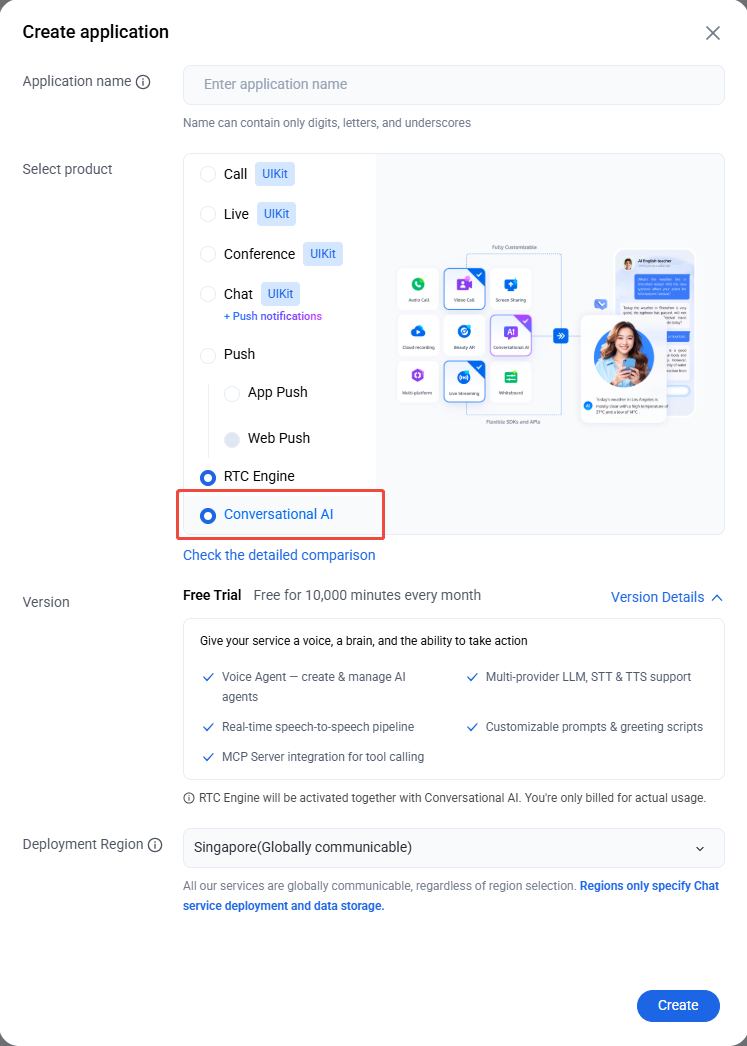
2. In the Create Application dialog, select Conversational AI. Enter the Application Name, choose the Deployment Region, and click Create.


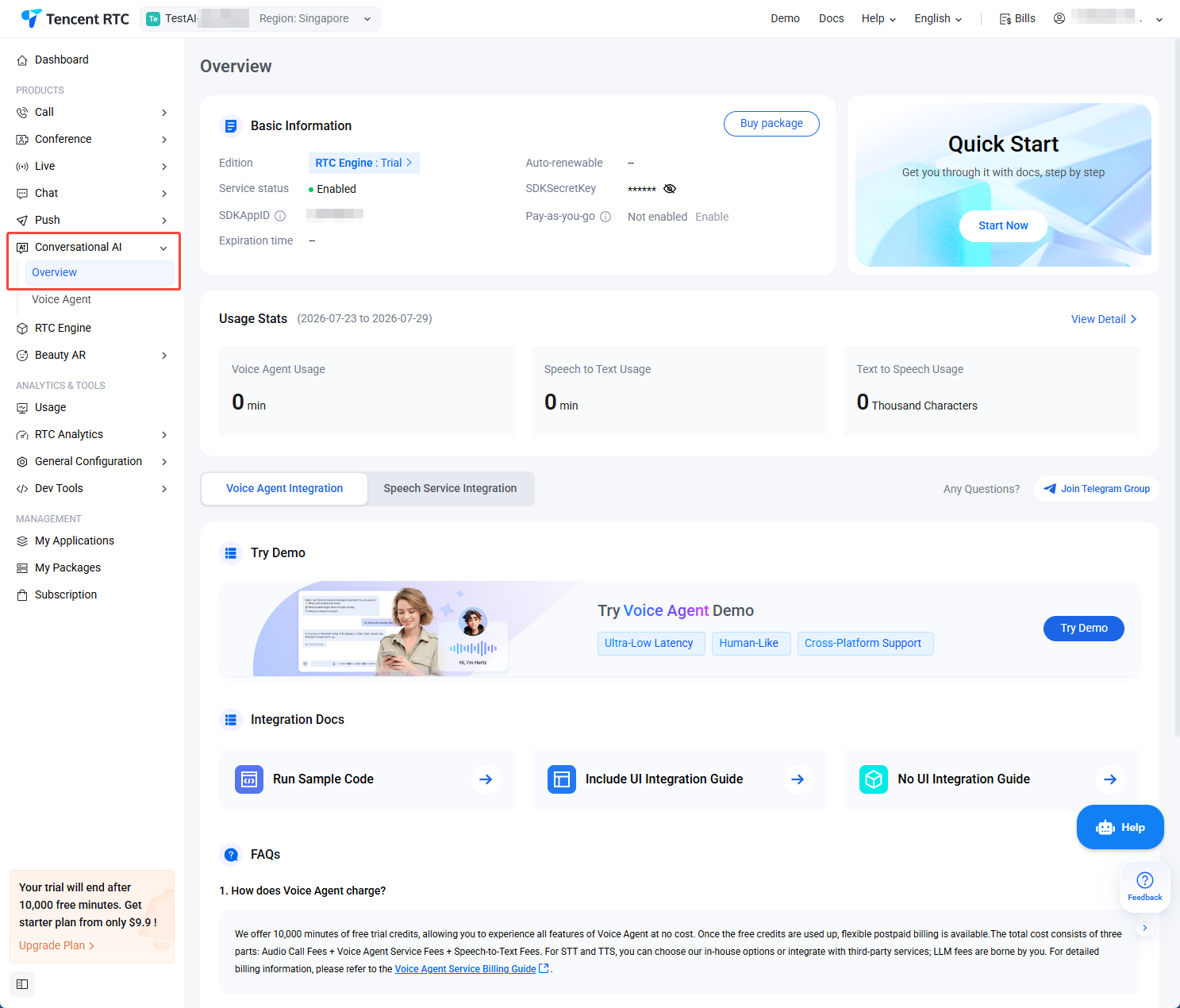
3. After the application is created, you will be redirected to the Conversational AI Overview, confirming successful activation.


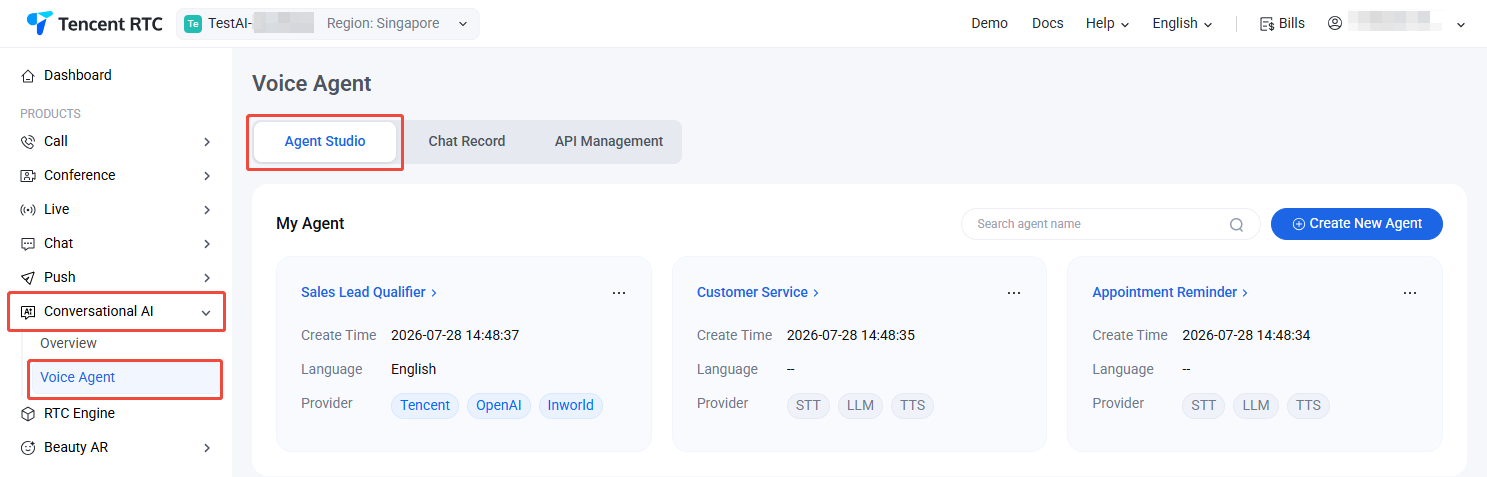
4. The system provides three pre-configured sample Agents. Go to Voice Agent > Agent Studio to configure and try out the service.


Renew the Conversational AI service

After your free usage time expires, purchase an RTC-Engine Monthly Package or enable Pay-as-you-go to continue using Conversational AI.


Note:
Select the SDKAppID for the application you want to renew.

Enable Pay-as-you-go

To enable pay-as-you-go in the console, follow these steps:
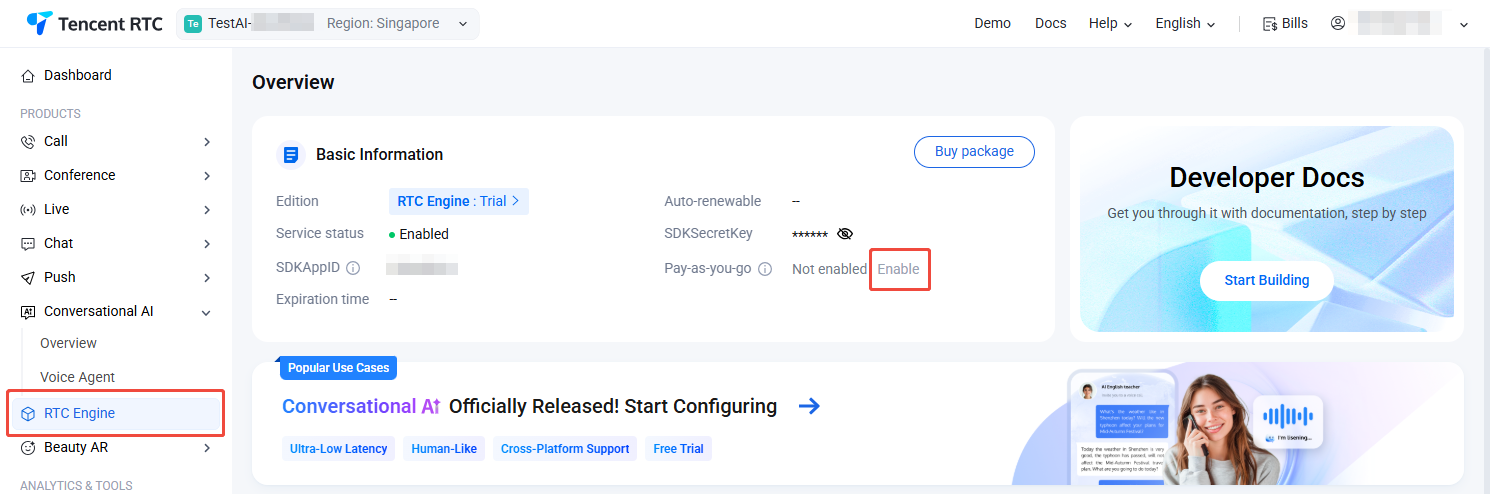
1. Go to Tencent RTC Console > RTC Engine and click the Enable button next to Pay-as-you-go.


2. In the popup, click Confirm. Once enabled, you can use the service.