
Android (Compose)
This guide explains how to implement search functionality using TUIKit Compose.
Note:
"Local Search" is available in Chat Pro edition, Pro edition Plus, and Enterprise edition. This feature can be used after purchasing Pro edition, Pro edition Plus, or Enterprise edition.
Development Environment Requirements
Android Studio Ladybug (2024.2.1) or later, and JDK 17.
A physical device or emulator running Android 6.0 (API 23) or later.
Prerequisites
Before building the UI, make sure you have completed the following steps:
1. Create an application in the console.
2. Create at least two user accounts in the console.
3. Integrate
TUIKit Android Compose.4. Call the
login method of LoginStore to log in.Note:
You only need to log in once each time the app is launched.
Please ensure the login is successful. We recommend performing subsequent operations in the login success callback.
Implementing Local Search
The local search interface is provided by the SearchScreen
@Composable component. Before testing search, add some sample data locally, such as contacts, messages, and group chats; otherwise, no results will be returned.If you use the sample code below, be sure to fill in these parameters:
sdkAppID: Your sdkAppID from the console.userID: The operator's userID (for example, user1 from Quick Start).userSig: The operator's userSig (for example, user1's userSig from Quick Start).The search interface loads automatically at app start. Enter a search term in
SearchScreen to trigger a search. Sample code:// SearchDemoActivity.ktimport android.os.Bundleimport android.view.WindowManagerimport androidx.activity.compose.setContentimport androidx.appcompat.app.AppCompatActivityimport androidx.compose.foundation.backgroundimport androidx.compose.foundation.layout.fillMaxSizeimport androidx.compose.foundation.layout.navigationBarsPaddingimport androidx.compose.foundation.layout.statusBarsPaddingimport androidx.compose.ui.Modifierimport io.trtc.tuikit.chat.uikit.components.theme.LocalThemeimport io.trtc.tuikit.chat.uikit.components.search.ui.SearchScreenimport io.trtc.tuikit.atomicxcore.api.CompletionHandlerimport io.trtc.tuikit.atomicxcore.api.login.LoginStoreclass SearchDemoActivity : AppCompatActivity() {private val sdkAppID: Int = 1234567890 // TODO: Fill in the sdkAppID hereprivate val userID = "" // TODO: Fill in your userID hereprivate val userSig = "" // TODO: Fill in your generated userSig hereoverride fun onCreate(savedInstanceState: Bundle?) {super.onCreate(savedInstanceState)window.setSoftInputMode(WindowManager.LayoutParams.SOFT_INPUT_ADJUST_RESIZE orWindowManager.LayoutParams.SOFT_INPUT_STATE_VISIBLE)login()}private fun login() {LoginStore.shared.login(this, sdkAppID, userID, userSig, object : CompletionHandler {override fun onSuccess() {showSearchPage()}override fun onFailure(code: Int, desc: String) {// Handle login failure}})}private fun showSearchPage() {setContent {val colors = LocalTheme.current.colorsSearchScreen(modifier = Modifier.background(colors.bgColorOperate).fillMaxSize().statusBarsPadding().navigationBarsPadding(),onBack = { finish() },onContactSelect = { friendSearchInfo ->// Handle friend search resultval conversationID = "c2c_${friendSearchInfo.userID}"// Navigate to chat page with conversationID},onGroupSelect = { groupSearchInfo ->// Handle group search resultval conversationID = "group_${groupSearchInfo.groupID}"// Navigate to chat page with conversationID},onConversationSelect = { messageSearchResultItem ->// Handle conversation search resultval conversationID = messageSearchResultItem.conversationID// Navigate to chat page with conversationID},onMessageSelect = { messageInfo ->// Handle message search result (navigate to chat and locate message)// Navigate to chat page with conversationID and locateMessage})}}}
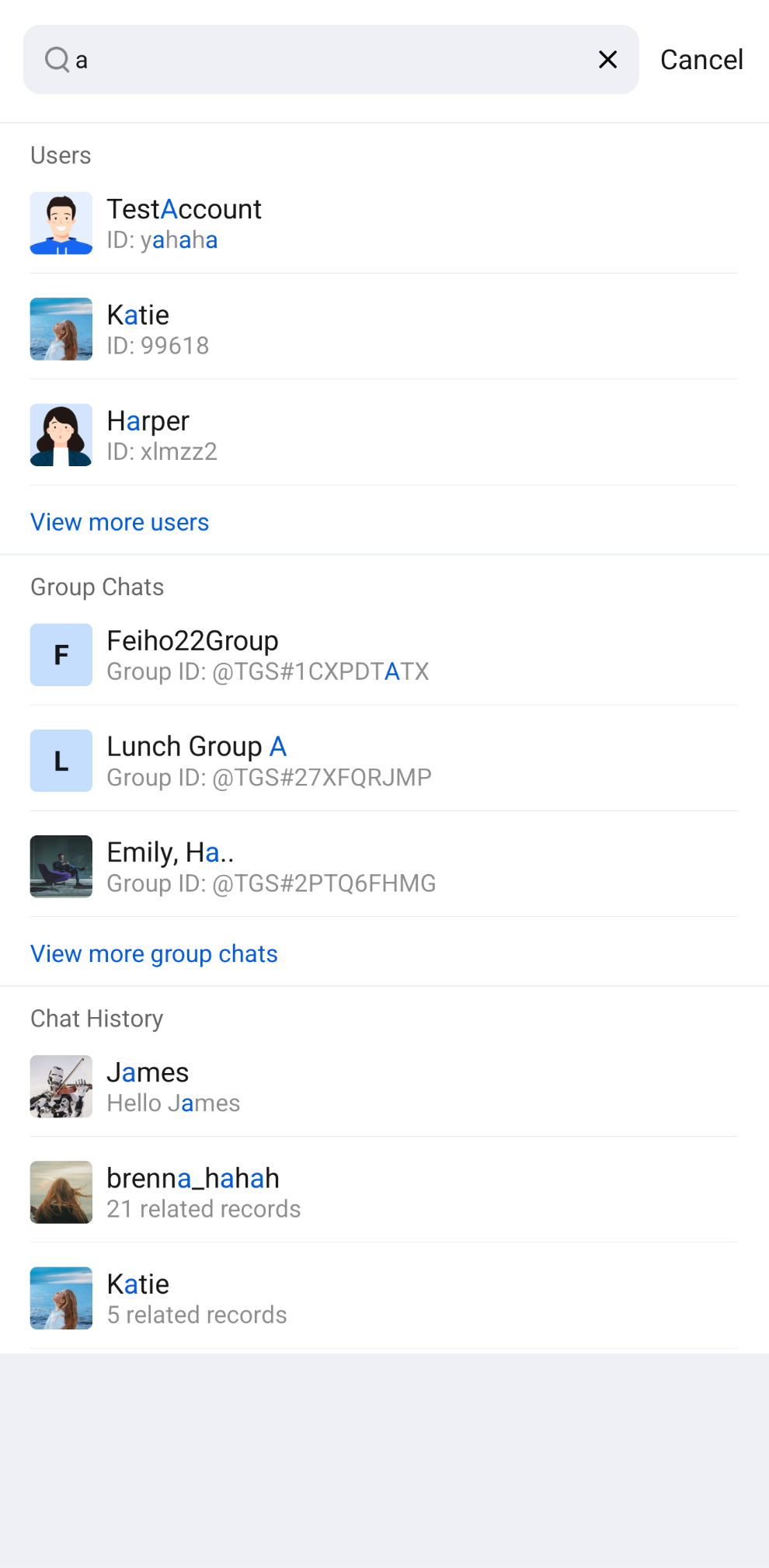
The result:
Frequently Asked Questions
Searching Rich Media Messages
Rich media messages include files, images, voice, and video messages.
For file messages, the interface typically displays the file name. Set the
fileName parameter when creating the message to make it searchable. If fileName is not specified, the file name is extracted from filePath, and both are stored locally and on the server.For images, voice, and video messages, the interface usually shows a thumbnail or duration. You can filter by message type for category search, but keyword search is not supported.