
Conversation List Theming
The following will show you how to customize the UI components in conversation List.
Set the conversation list cell background color
API Functionality: Set the conversation list cell and pinned cell background color.
API prototype:
// TUIConversationConfig.swift/*** Background color of conversation list.*/public var listBackgroundColor: UIColor?/*** Background color of cell in conversation list.* This configuration takes effect in all cells.*/public var cellBackgroundColor: UIColor?/*** Background color of pinned cell in conversation list.* This configuration takes effect in all pinned cells.*/public var pinnedCellBackgroundColor: UIColor?
// TUIConversationConfig.h/*** Background color of conversation list.*/@property (nonatomic, strong) UIColor *listBackgroundColor;/*** Background color of cell in conversation list.* This configuration takes effect in all cells.*/@property (nonatomic, strong) UIColor *cellBackgroundColor;/*** Background color of pinned cell in conversation list.* This configuration takes effect in all pinned cells.*/@property (nonatomic, strong) UIColor *pinnedCellBackgroundColor;
Sample code:
// When to call: Before initializing conversation list.TUIConversationConfig.shared.listBackgroundColor = UIColor.tui_color(withHex: "#FFFFF0")TUIConversationConfig.shared.cellBackgroundColor = UIColor.tui_color(withHex: "#F0FFF0")TUIConversationConfig.shared.pinnedCellBackgroundColor = UIColor.tui_color(withHex: "#E1FFFF")
// When to call: Before initializing conversation list.[TUIConversationConfig sharedConfig].listBackgroundColor = [UIColor tui_colorWithHex:@"#FFFFF0"];[TUIConversationConfig sharedConfig].cellBackgroundColor = [UIColor tui_colorWithHex:@"#F0FFF0"];[TUIConversationConfig sharedConfig].pinnedCellBackgroundColor = [UIColor tui_colorWithHex:@"#E1FFFF"];
Result:
Set Background Color | Default |
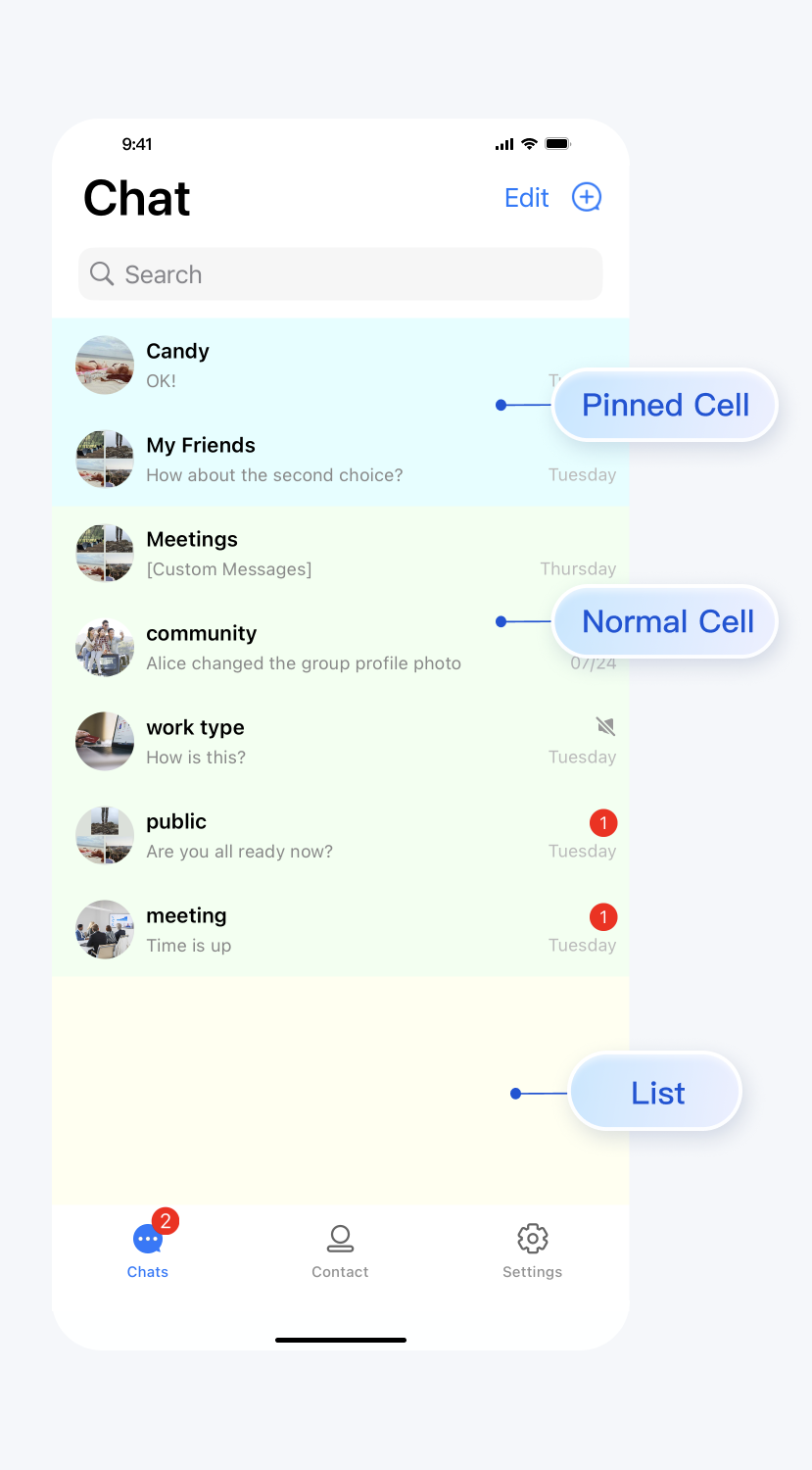 | 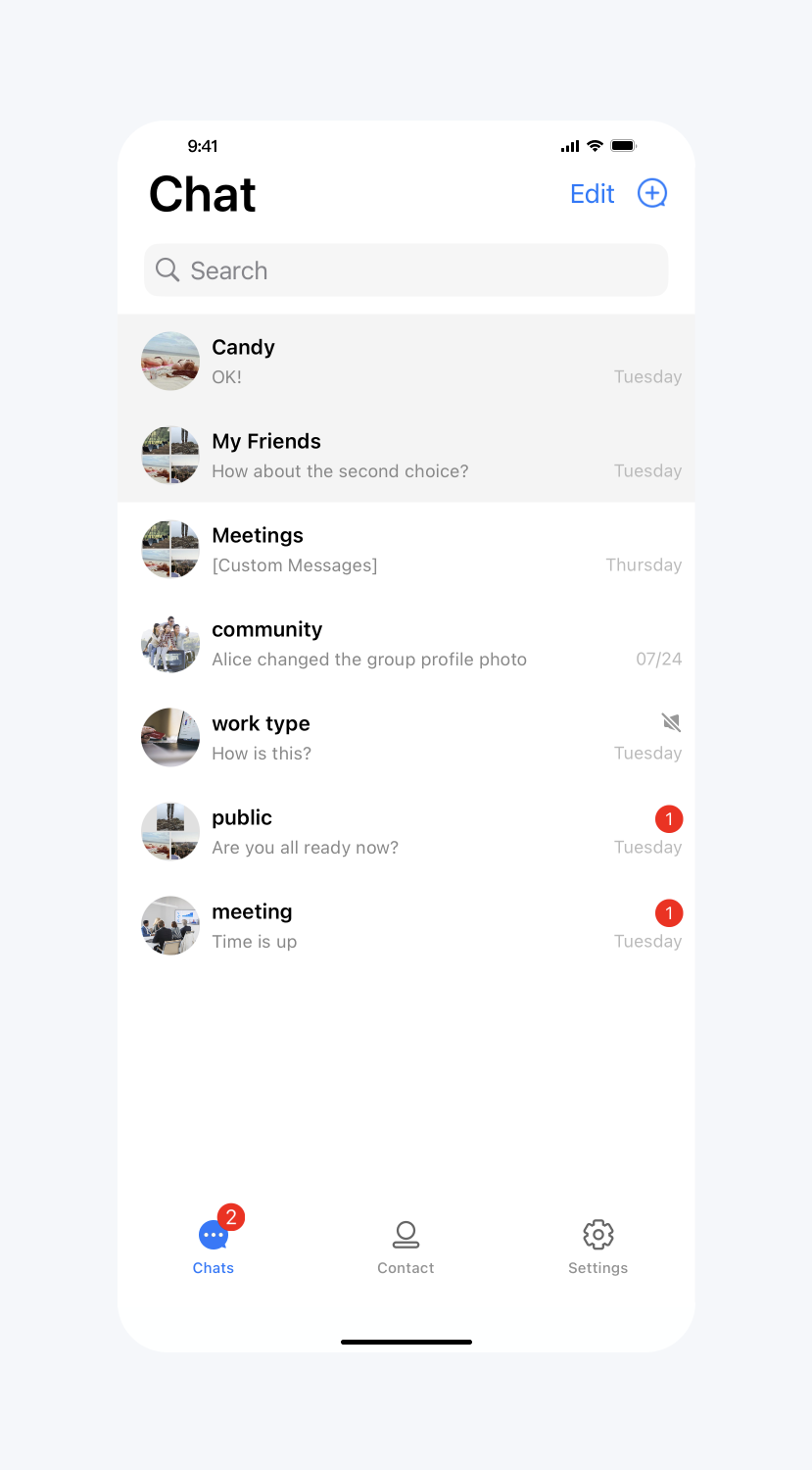 |
Set the conversation list cell font
API Functionality: Set the font of the title, subtitle, and time text on the conversation list cells. Applies to all cells.
API prototype:
// TUIConversationConfig.swift/*** Font of title label of cell in conversation list.* This configuration takes effect in all cells.*/public var cellTitleLabelFont: UIFont?/*** Font of subtitle label of cell in conversation list.* This configuration takes effect in all cells.*/public var cellSubtitleLabelFont: UIFont?/*** Font of time label of cell in conversation list.* This configuration takes effect in all cells.*/public var cellTimeLabelFont: UIFont?
// TUIConversationConfig.h/*** Font of title label of cell in conversation list.* This configuration takes effect in all cells.*/@property (nonatomic, strong) UIFont *cellTitleLabelFont;/*** Font of subtitle label of cell in conversation list.* This configuration takes effect in all cells.*/@property (nonatomic, strong) UIFont *cellSubtitleLabelFont;/*** Font of time label of cell in conversation list.* This configuration takes effect in all cells.*/@property (nonatomic, strong) UIFont *cellTimeLabelFont;
Sample code:
// When to call: Before initializing conversation list.TUIConversationConfig.shared.cellTitleLabelFont = UIFont.systemFont(ofSize: 18)TUIConversationConfig.shared.cellSubtitleLabelFont = UIFont.systemFont(ofSize: 14)TUIConversationConfig.shared.cellTimeLabelFont = UIFont.systemFont(ofSize: 16)
// When to call: Before initializing conversation list.[TUIConversationConfig sharedConfig].cellTitleLabelFont = [UIFont systemFontOfSize:18];[TUIConversationConfig sharedConfig].cellSubtitleLabelFont = [UIFont systemFontOfSize:14];[TUIConversationConfig sharedConfig].cellTimeLabelFont = [UIFont systemFontOfSize:16];
Result:
Set Font | Default |
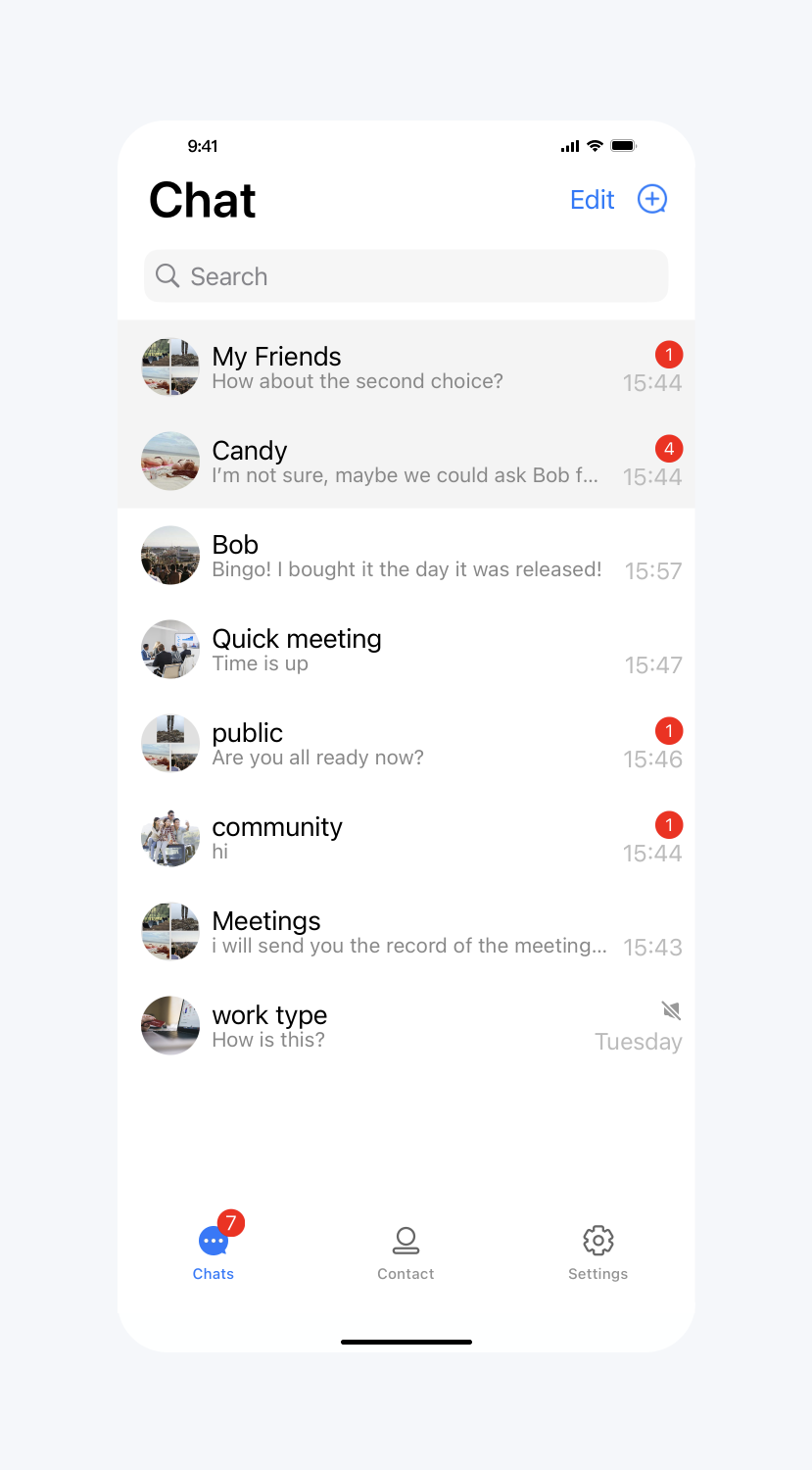 | 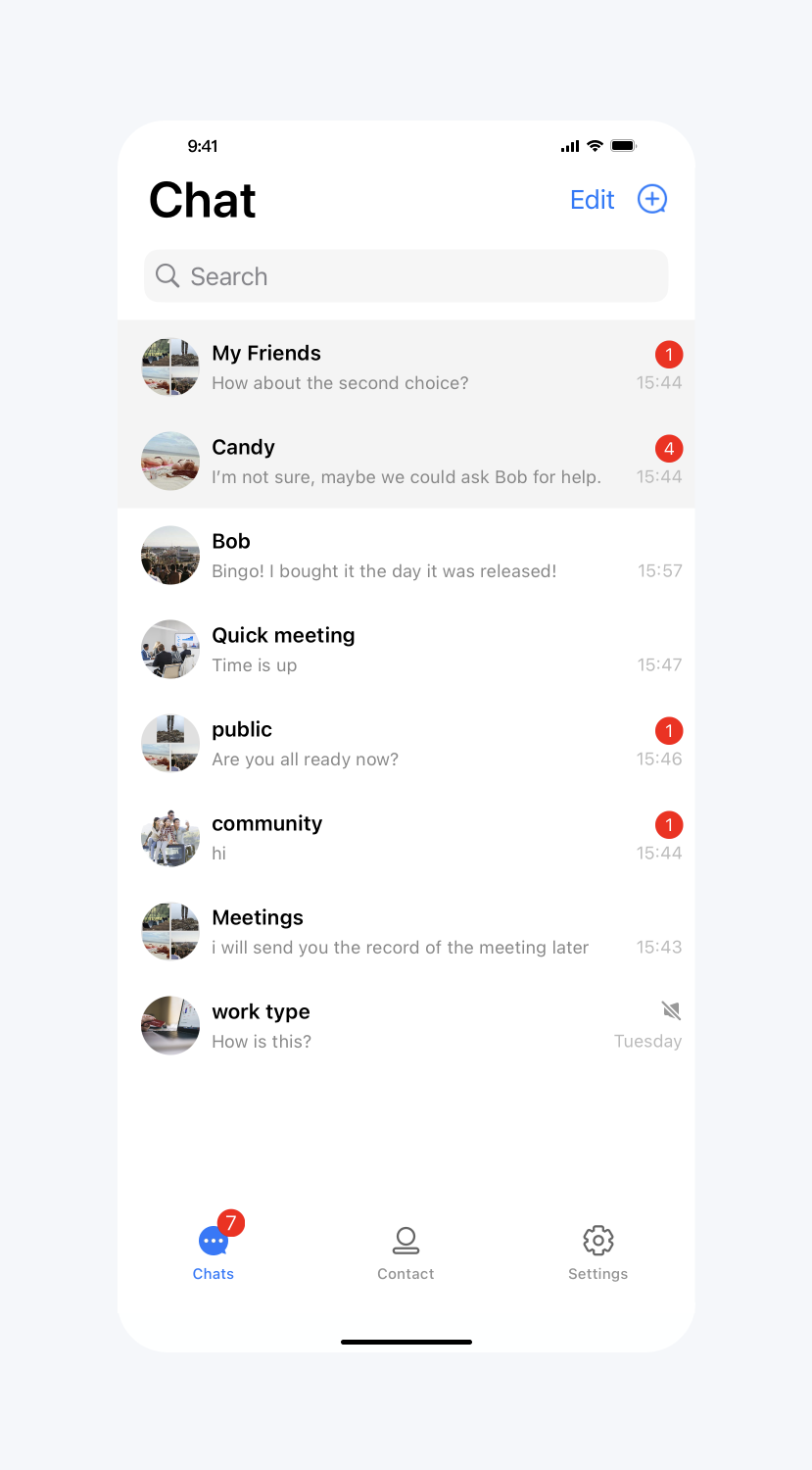 |
Show unread red dot
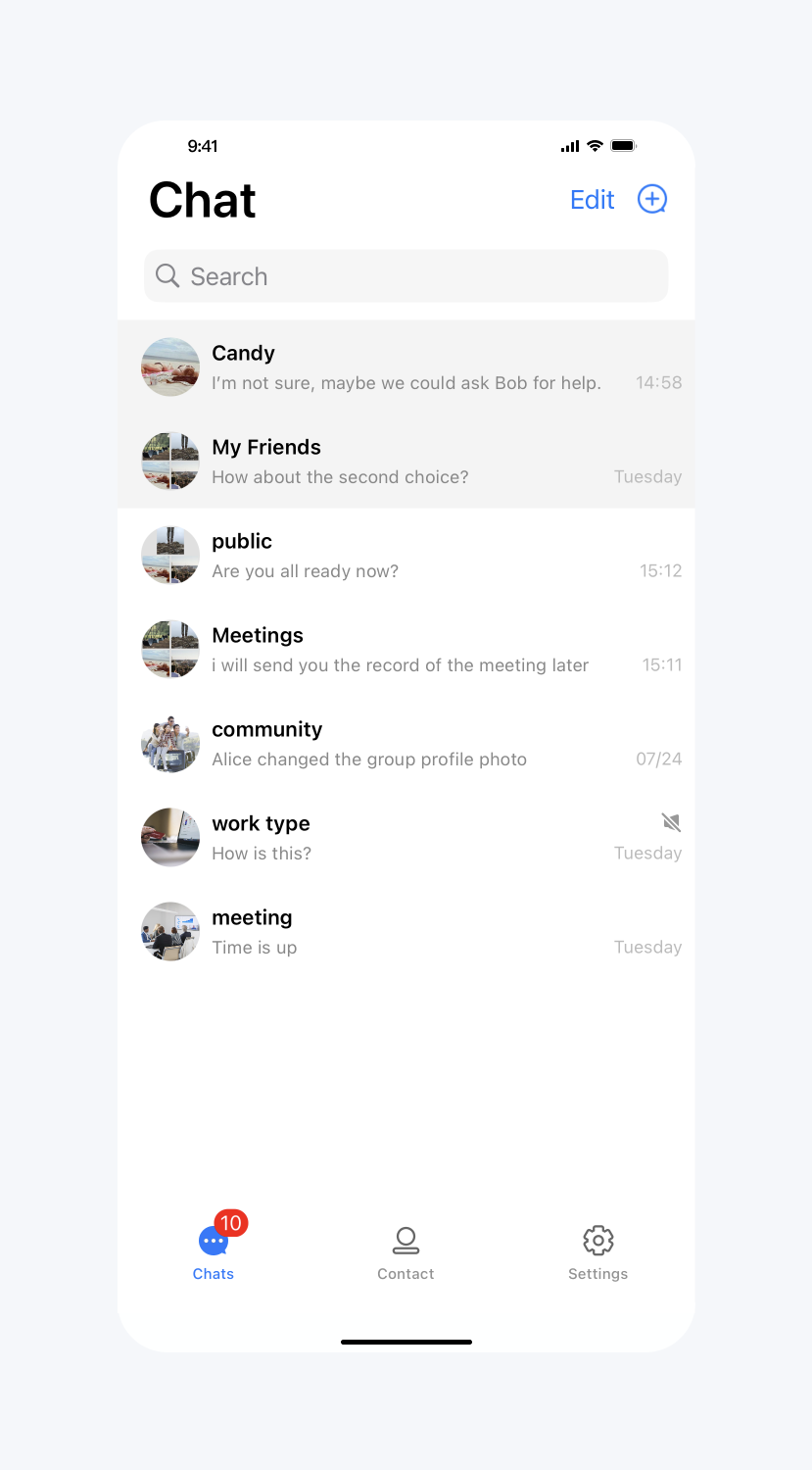
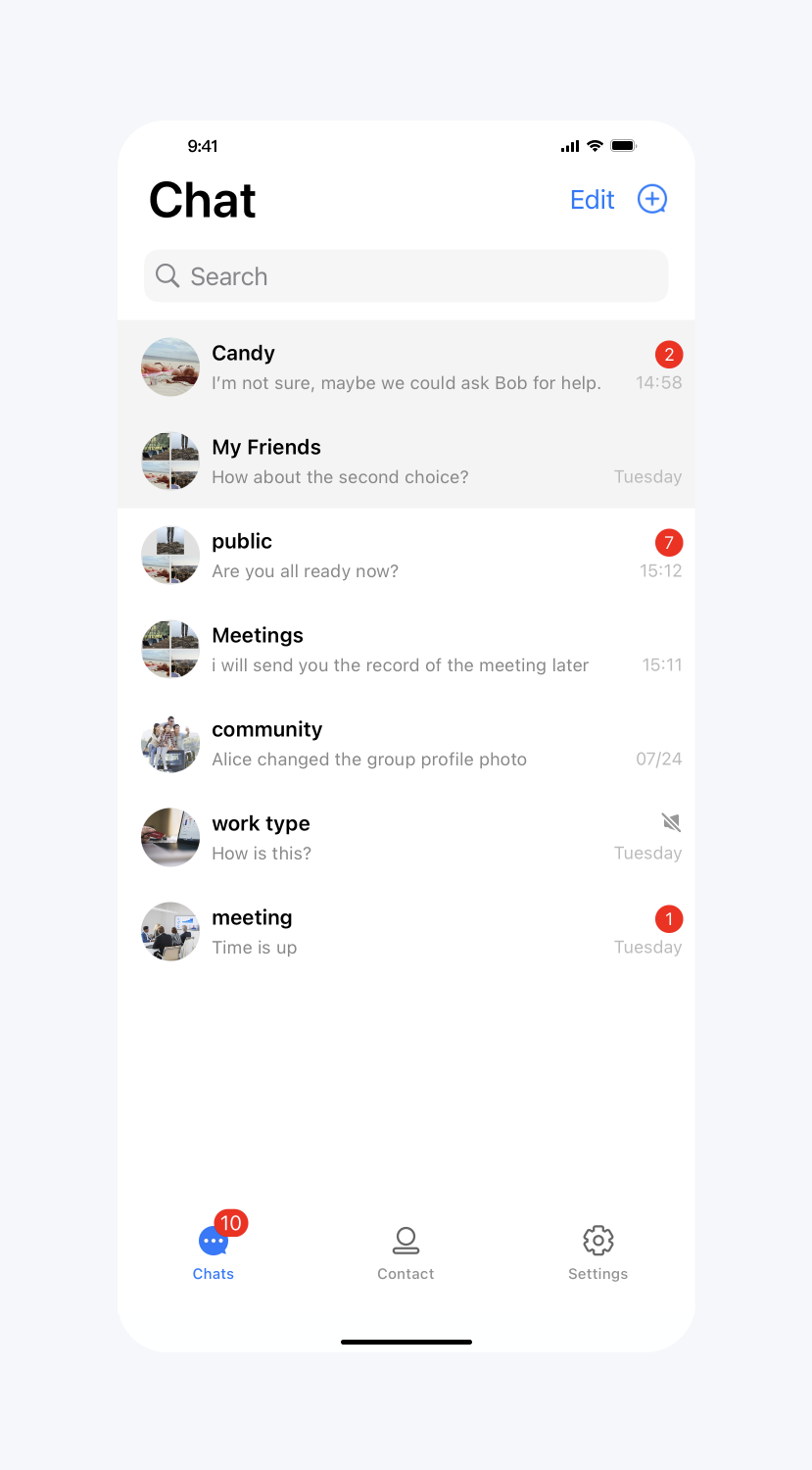
API Functionality: Display the unread message red dot icon on the cell. Applies to all cells.
API prototype:
// TUIConversationConfig.swift/*** Display unread count icon in each conversation cell.* The default value is YES.*/public var showCellUnreadCount: Bool = true
// TUIConversationConfig.h/*** Display unread count icon in each conversation cell.* The default value is YES.*/@property(nonatomic, assign) BOOL showCellUnreadCount;
Sample code:
// When to call: Before initializing conversation list.TUIConversationConfig.shared.showCellUnreadCount = false
// When to call: Before initializing conversation list.[TUIConversationConfig sharedConfig].showCellUnreadCount = NO;
Result:
Do not display the unread red dot on the conversation cell | Default |
 |  |
Show online status
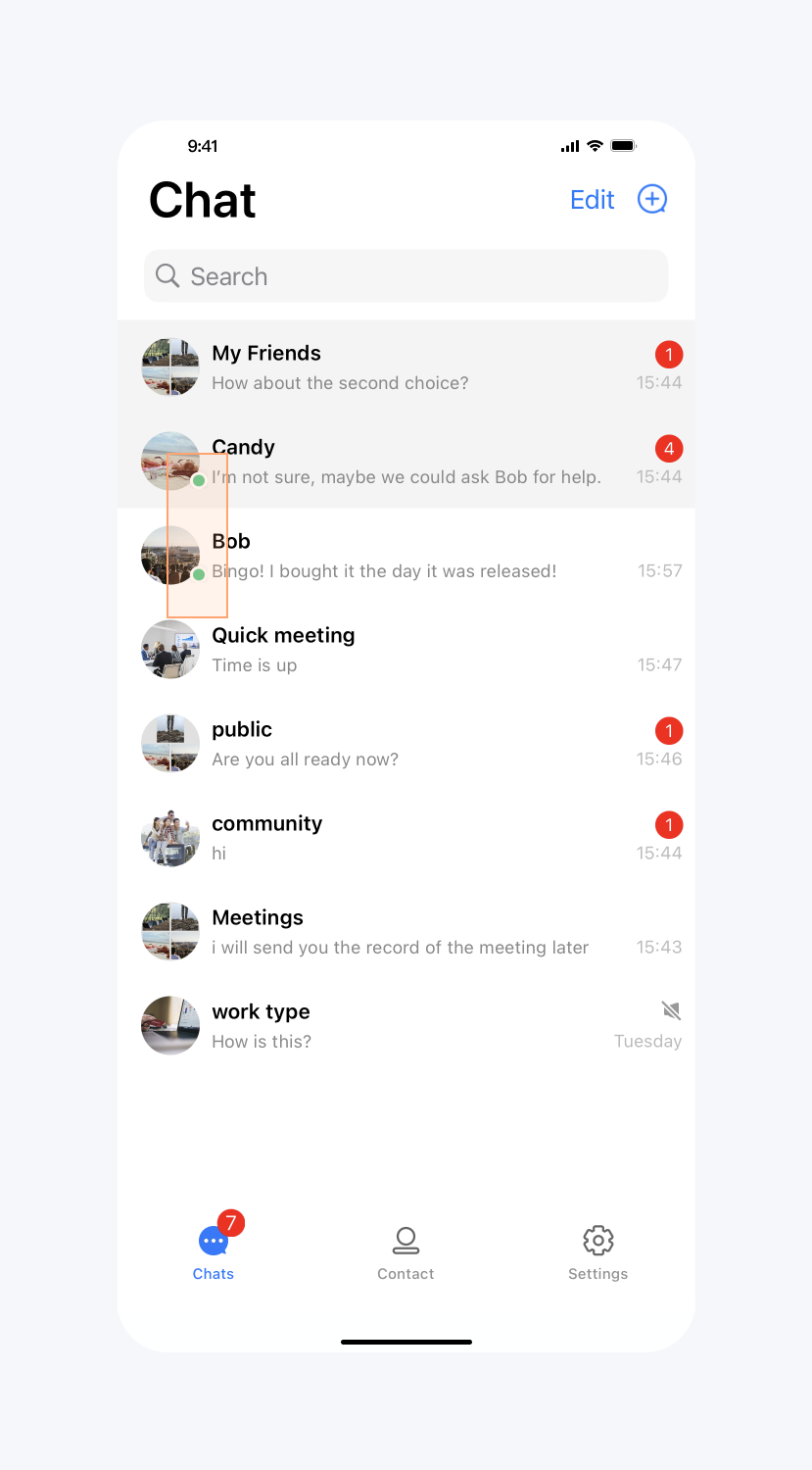
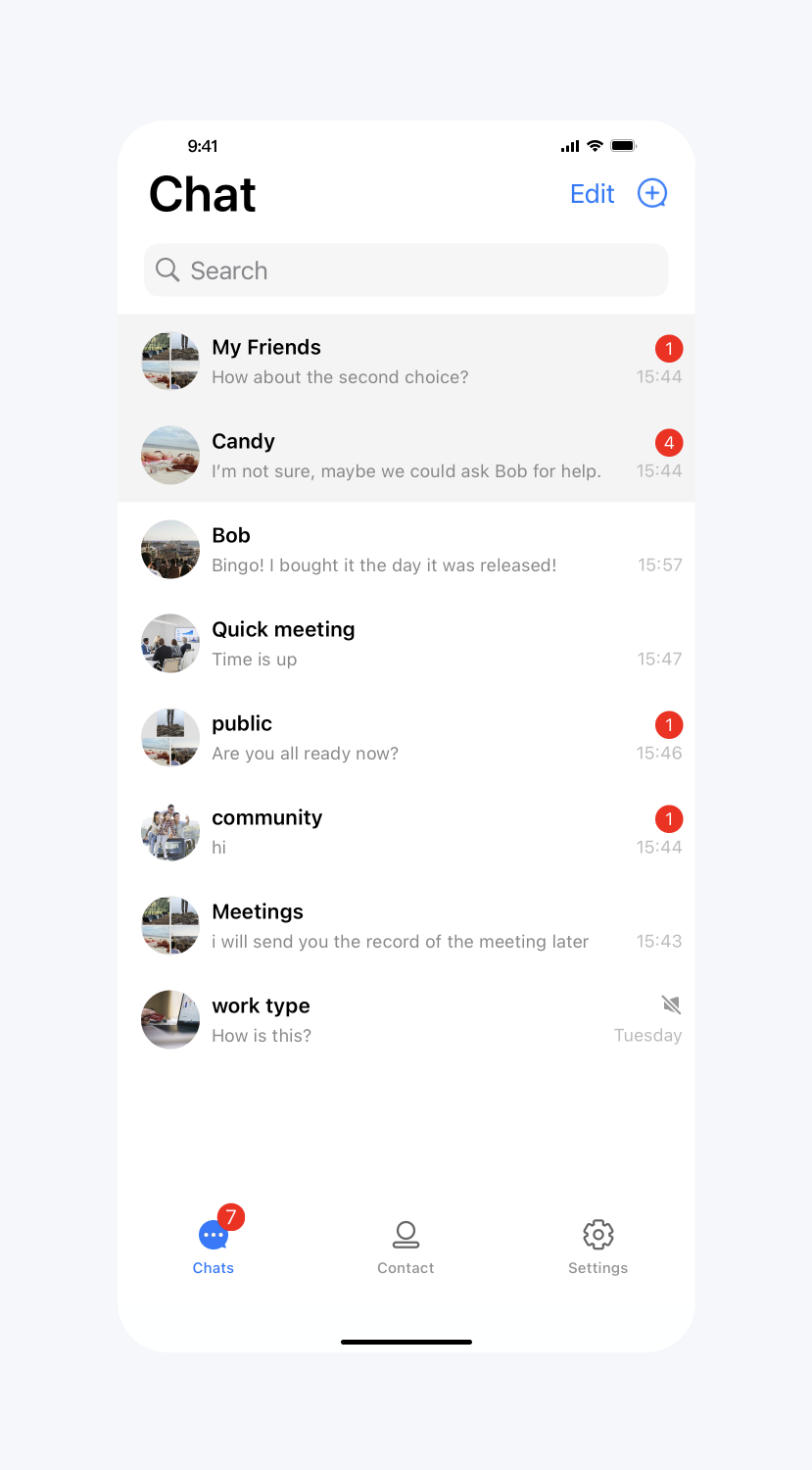
API Functionality: Display an online status icon on the user's avatar in the cell. Applies to all cells.
API prototype:
// TUIConversationConfig.swift/*** Display user's online status icon in conversation and contact list.* The default value is NO.*/public var showUserOnlineStatusIcon: Bool {get {return TUIConfig.default().displayOnlineStatusIcon}set {TUIConfig.default().displayOnlineStatusIcon = newValue}}
// TUIConversationConfig.h/*** Display user's online status icon in conversation and contact list.* The default value is NO.*/@property(nonatomic, assign) BOOL showUserOnlineStatusIcon;
Sample code:
// When to call: Before initializing conversation list.TUIConversationConfig.shared.showUserOnlineStatusIcon = false
// When to call: Before initializing conversation list.[TUIConversationConfig sharedConfig].showUserOnlineStatusIcon = YES;
Result:
Show online status | Default |
 |  |
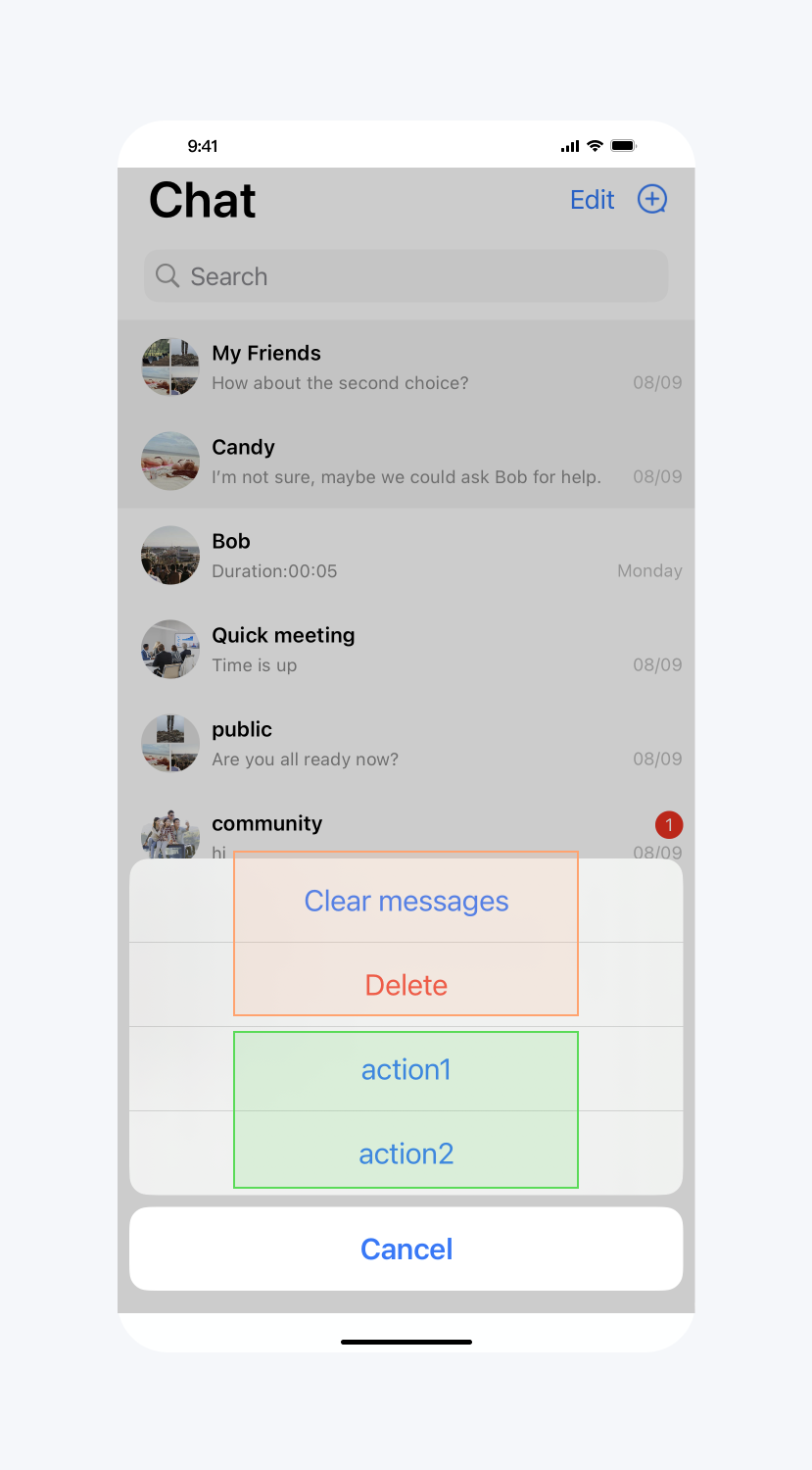
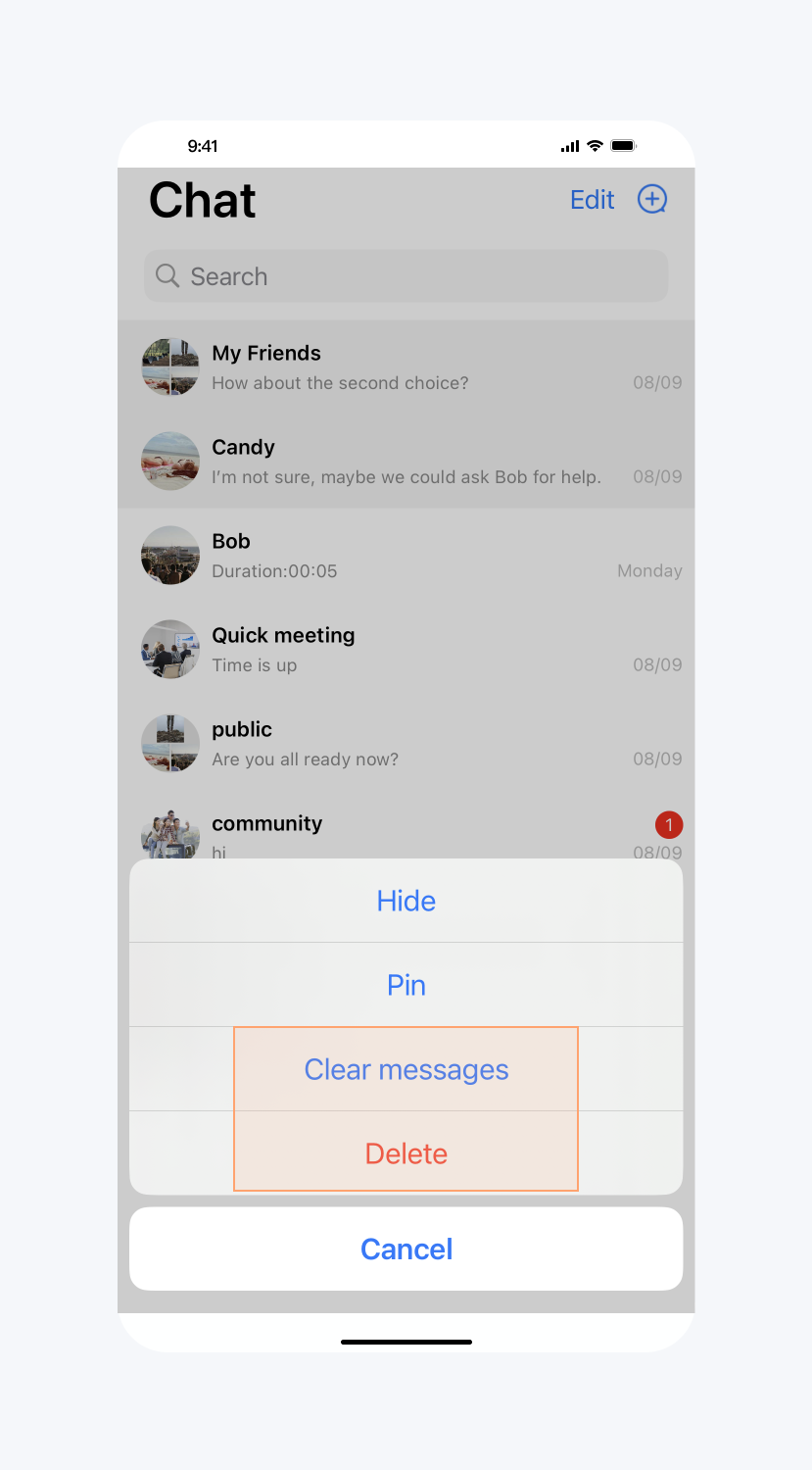
Customize the more menu options
API Functionality: Hide more menu options for the conversation and add options to the more menu for the conversation. Applies to specified conversations.
API prototype:
// TUIConversationConfig.swiftpublic protocol TUIConversationConfigDataSource: AnyObject {/*** Implement this method to hide items in more menu.*/func conversationShouldHideItemsInMoreMenu(_ data: TUIConversationCellData) -> TUIConversationItemInMoreMenu/*** Implement this method to add new items.*/func conversationShouldAddNewItemsToMoreMenu(_ data: TUIConversationCellData) -> [Any]}
// TUIConversationConfig.h@protocol TUIConversationConfigDataSource <NSObject>/*** Implement this method to hide items in more menu.*/- (NSInteger)conversationShouldHideItemsInMoreMenu:(TUIConversationCellData *)data;/*** Implement this method to add new items.*/- (NSArray *)conversationShouldAddNewItemsToMoreMenu:(TUIConversationCellData *)data;@end
Sample code:
// When to call: Before initializing conversation list.TUIConversationConfig.shared.moreMenuDataSource = selffunc conversationShouldHideItemsInMoreMenu(_ data: TUIConversationCellData) -> TUIConversationItemInMoreMenu {if let groupID = data.groupID, !groupID.isEmpty {return [.Hide, .Pin]}return [.None]}func conversationShouldAddNewItemsToMoreMenu(_ data: TUIConversationCellData) -> [Any] {if let groupID = data.groupID, !groupID.isEmpty {let action1 = UIAlertAction.init(title: "action1", style: .default) { _ inprint("action1 is clicked")}let action2 = UIAlertAction.init(title: "action2", style: .default) { _ inprint("action2 is clicked")}return [action1, action2]}return []}
// When to call: Before initializing conversation list.[TUIConversationConfig sharedConfig].moreMenuDataSource = self;- (NSInteger)conversationShouldHideItemsInMoreMenu:(TUIConversationCellData *)data {if (data.groupID != nil) {return TUIConversationItemInMoreMenu_Hide | TUIConversationItemInMoreMenu_Pin;}return 0;}- (NSArray *)conversationShouldAddNewItemsToMoreMenu:(TUIConversationCellData *)data {if (data.groupID != nil) {UIAlertAction *action1 = [UIAlertAction actionWithTitle:@"action1"style:UIAlertActionStyleDefaulthandler:^(UIAlertAction *_Nonnull action) {NSLog(@"action1 is clicked");}];UIAlertAction *action2 = [UIAlertAction actionWithTitle:@"action2"style:UIAlertActionStyleDefaulthandler:^(UIAlertAction *_Nonnull action) {NSLog(@"action2 is clicked");}];return @[action1, action2];}return nil;}
Result:
Hide and Add Options | Default |
 |  |