
대화 목록
The following will show you how to customize the UI components in conversation List.
Set the conversation list cell background color
API Functionality: Set the conversation list cell and pinned cell background color.
API prototype:
// TUIConversationConfigMinimalist.java/*** Background color of conversation list.*/public static void setListBackground(Drawable listBackground)/*** Background color of cell in conversation list.* This configuration takes effect in all cells.*/public static void setCellBackground(Drawable cellBackground)/*** Background color of pinned cell in conversation list.* This configuration takes effect in all pinned cells.*/public static void setPinnedCellBackground(Drawable pinnedCellBackground)
Sample code:
// When to call: Before initializing conversation list.TUIConversationConfigMinimalist.setListBackground(new ColorDrawable(0xFFFFFFF0)); TUIConversationConfigMinimalist.setCellBackground(new ColorDrawable(0xFFF0FFF0)); TUIConversationConfigMinimalist.setPinnedCellBackground(new ColorDrawable(0xFFE1FFFF));
Result:
Set Background Color | Default |
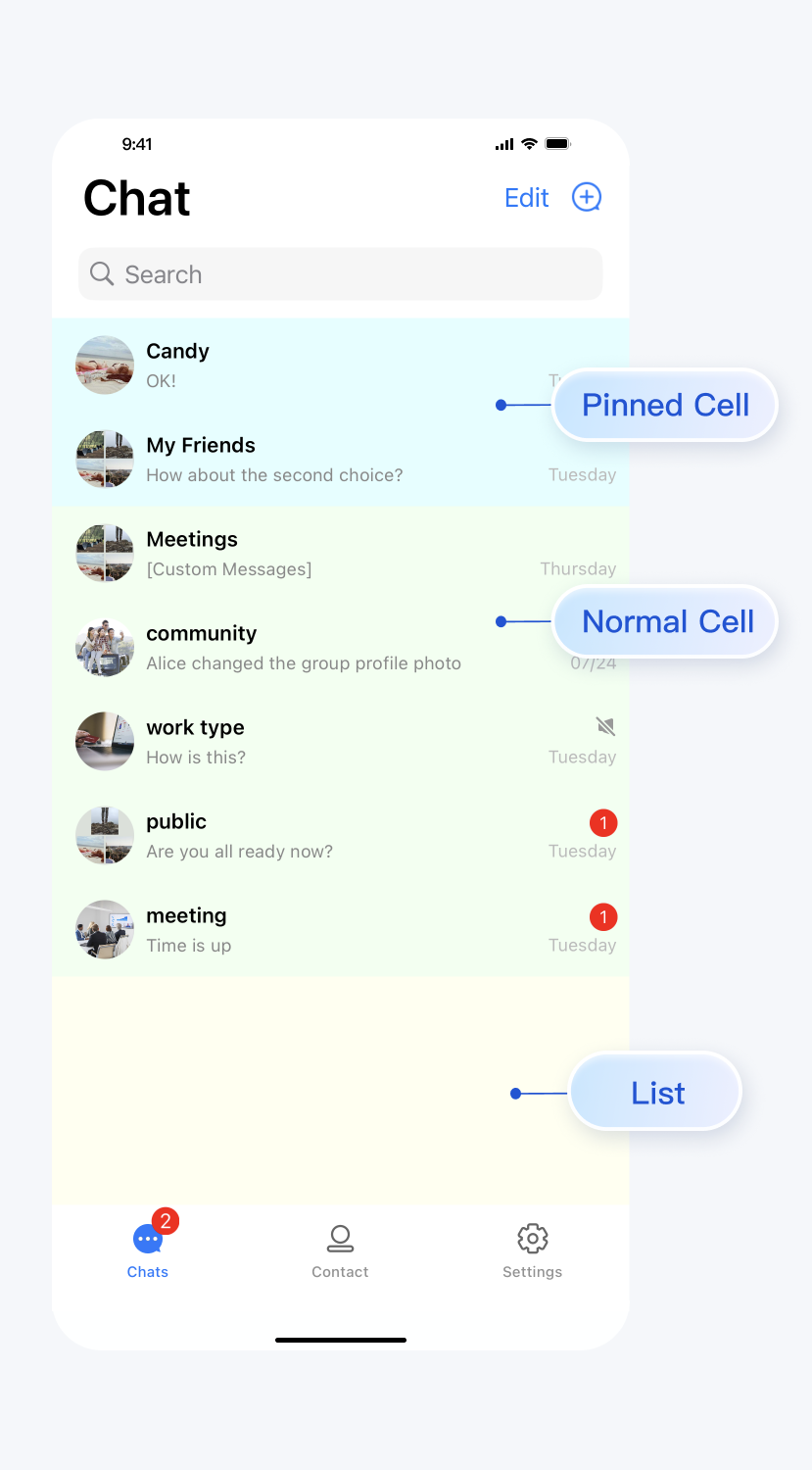 | 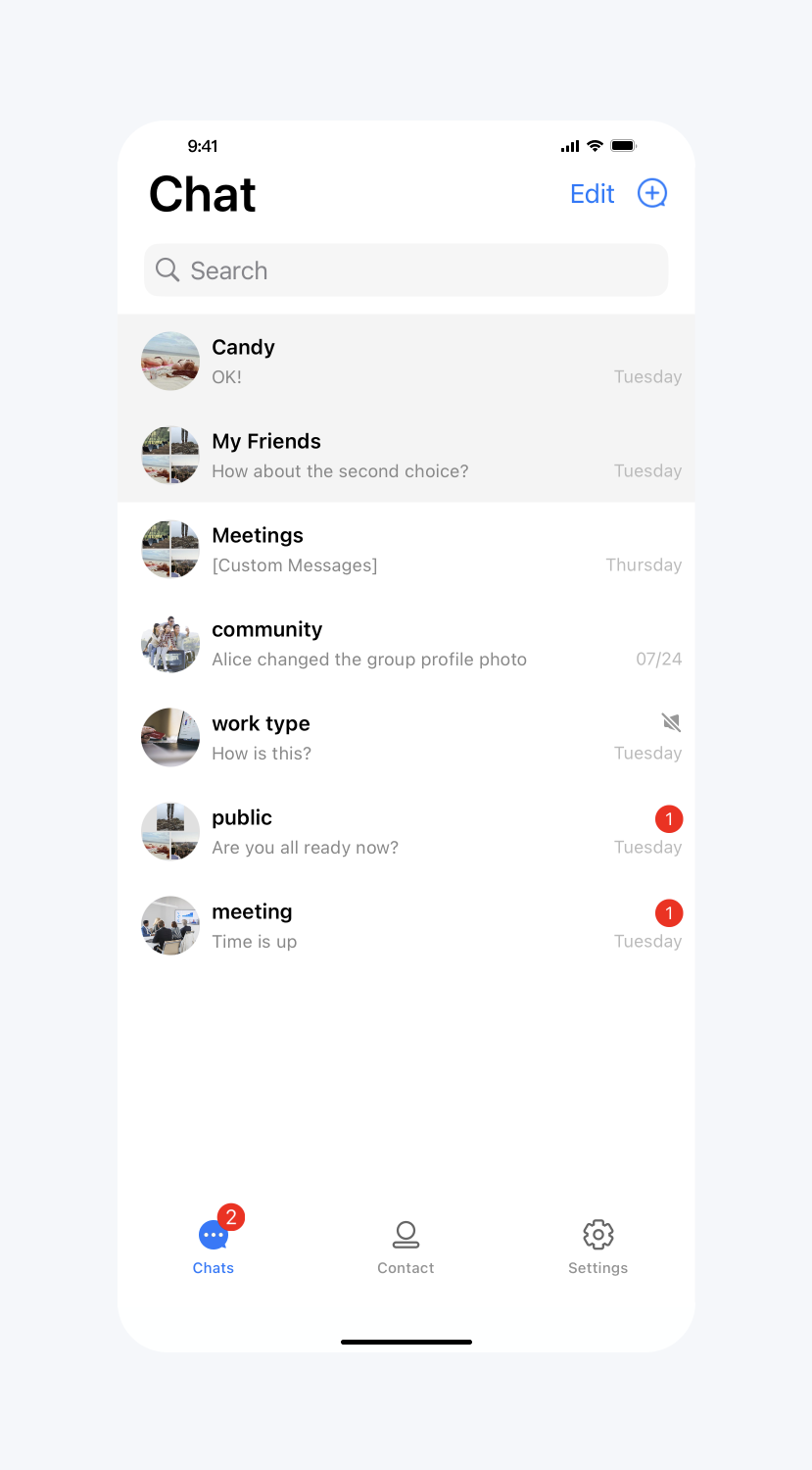 |
Set the conversation list cell font
API Functionality: Set the font of the title, subtitle, and time text on the conversation list cells. Applies to all cells.
API prototype:
// TUIConversationConfigMinimalist.java/*** Font of title label of cell in conversation list.* This configuration takes effect in all cells.*/public static void setCellTitleLabelFontSize(int cellTitleLabelFontSize)/*** Font of subtitle label of cell in conversation list.* This configuration takes effect in all cells.*/public static void setCellSubtitleLabelFontSize(int cellSubtitleLabelFontSize)/*** Font of time label of cell in conversation list.* This configuration takes effect in all cells.*/public static void setCellTimeLabelFontSize(int cellTimeLabelFontSize)
Sample code:
// When to call: Before initializing conversation list.TUIConversationConfigMinimalist.setCellTitleLabelFontSize(18);TUIConversationConfigMinimalist.setCellSubtitleLabelFontSize(14);TUIConversationConfigMinimalist.setCellTimeLabelFontSize(16);
Result:
Set Font | Default |
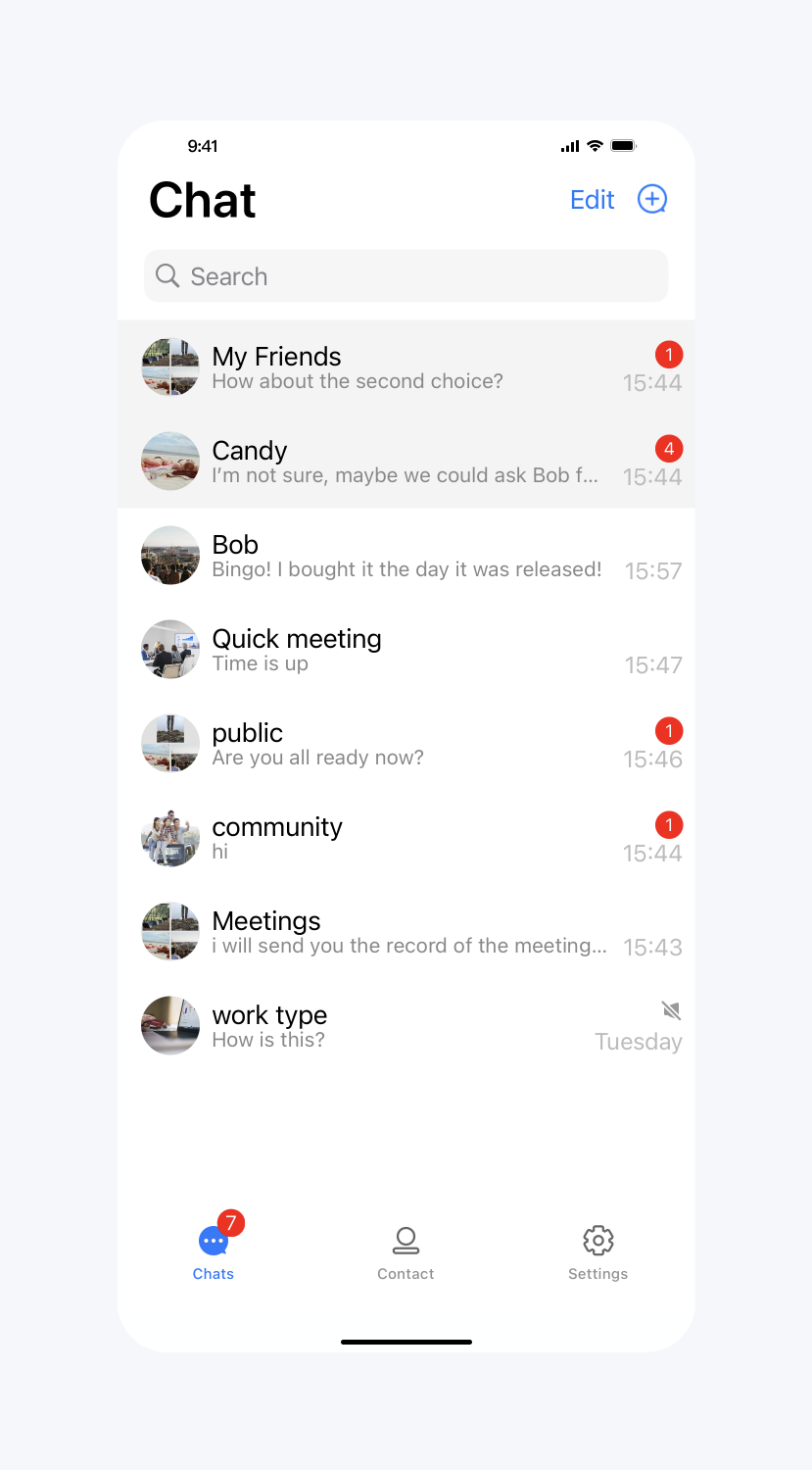 | 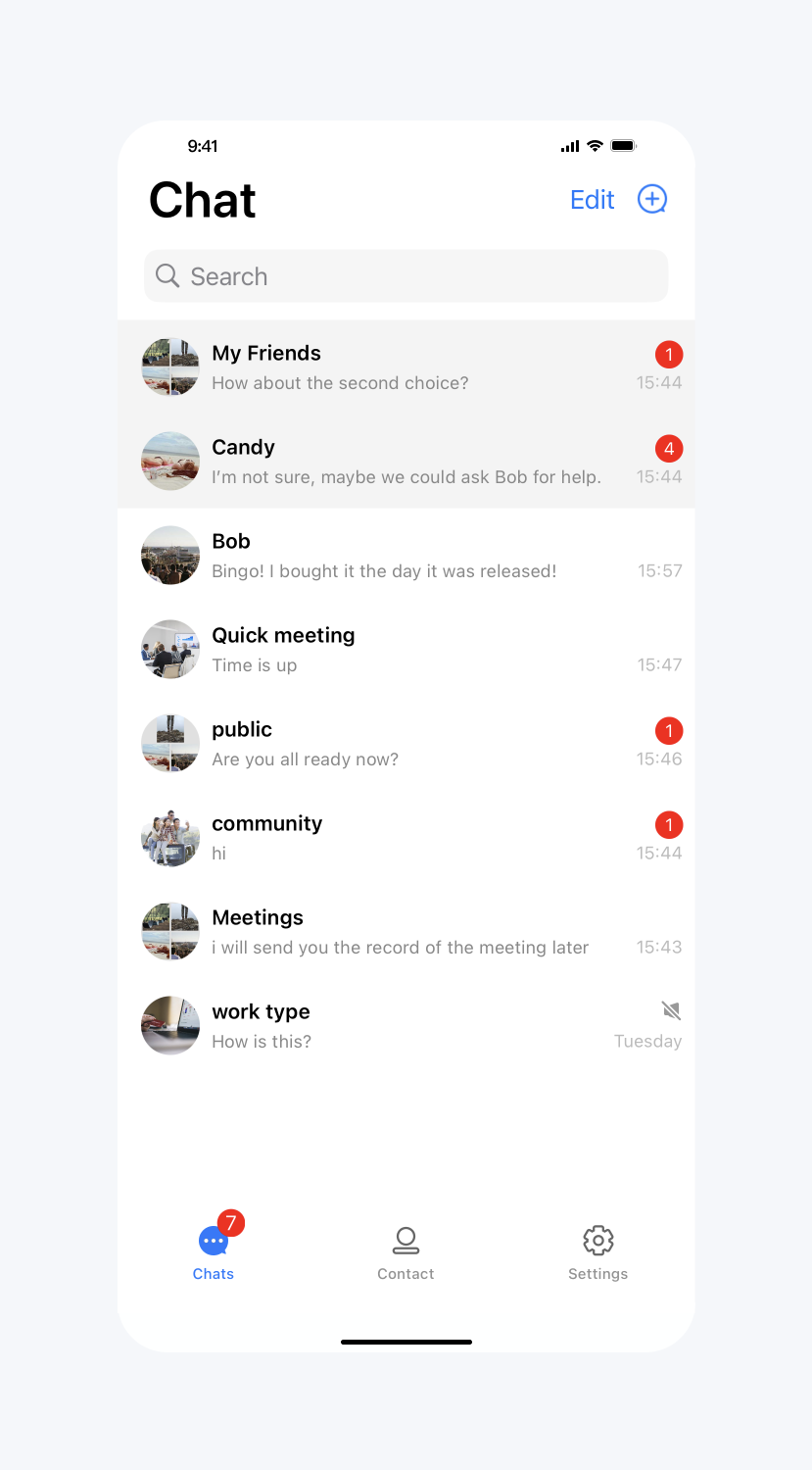 |
Show unread red dot
API Functionality: Display the unread message red dot icon on the cell. Applies to all cells.
API prototype:
// TUIConversationConfigMinimalist.java/*** Display unread count icon in each conversation cell.* The default value is true.*/public static void setShowCellUnreadCount(boolean showCellUnreadCount)
Sample code:
// When to call: Before initializing conversation list.TUIConversationConfigMinimalist.setShowCellUnreadCount(false);
Result:
Do not display the unread red dot on the conversation cell | Default |
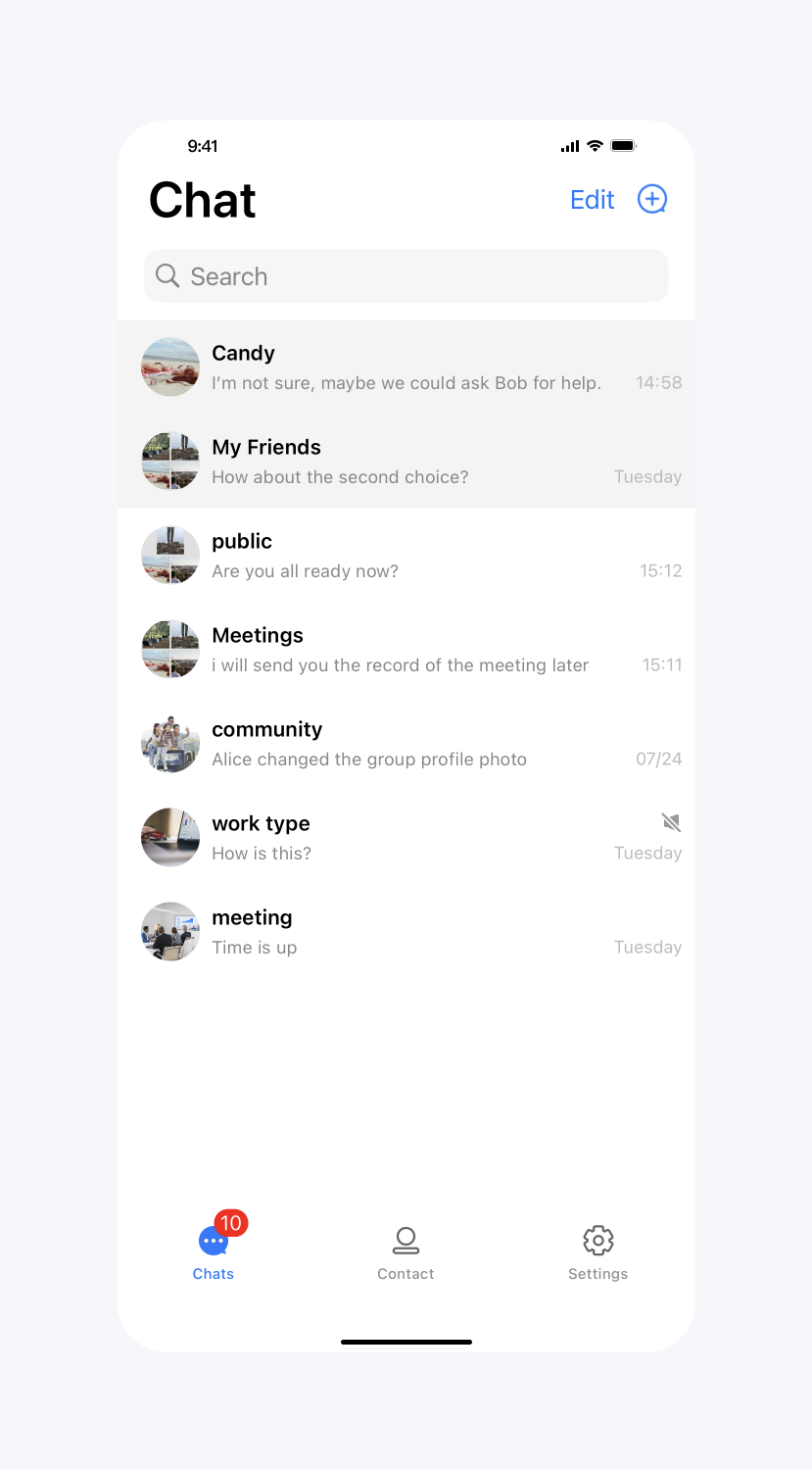 | 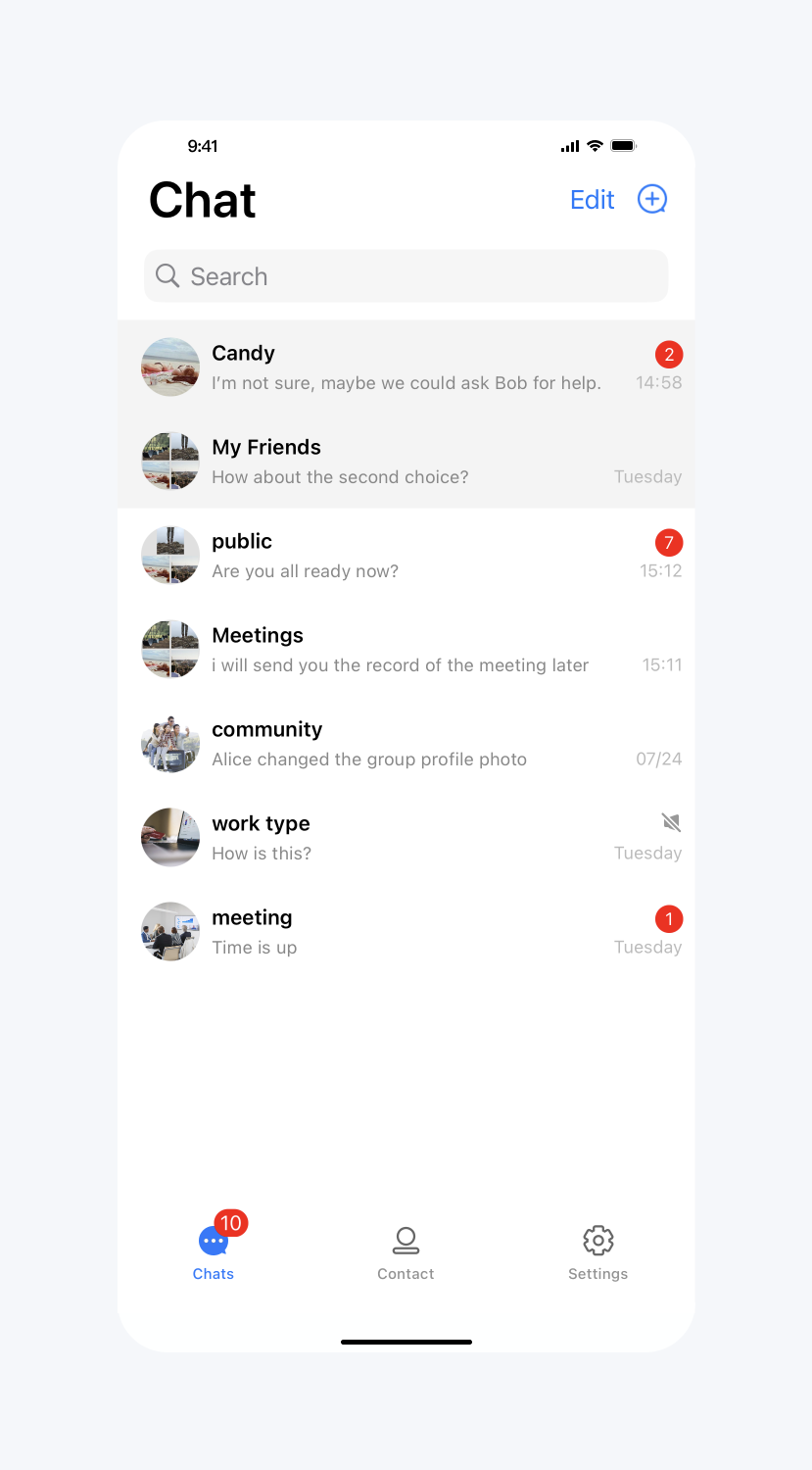 |
Show online status
API Functionality: Display an online status icon on the user's avatar in the cell. Applies to all cells.
API prototype:
// TUIConversationConfigMinimalist.java/*** Display user's online status icon in conversation list.* The default value is false.*/public static void setShowUserOnlineStatusIcon(boolean showUserOnlineStatusIcon)
Sample code:
// When to call: Before initializing conversation list.TUIConversationConfigMinimalist.setShowUserOnlineStatusIcon(true);
Result:
Show online status | Default |
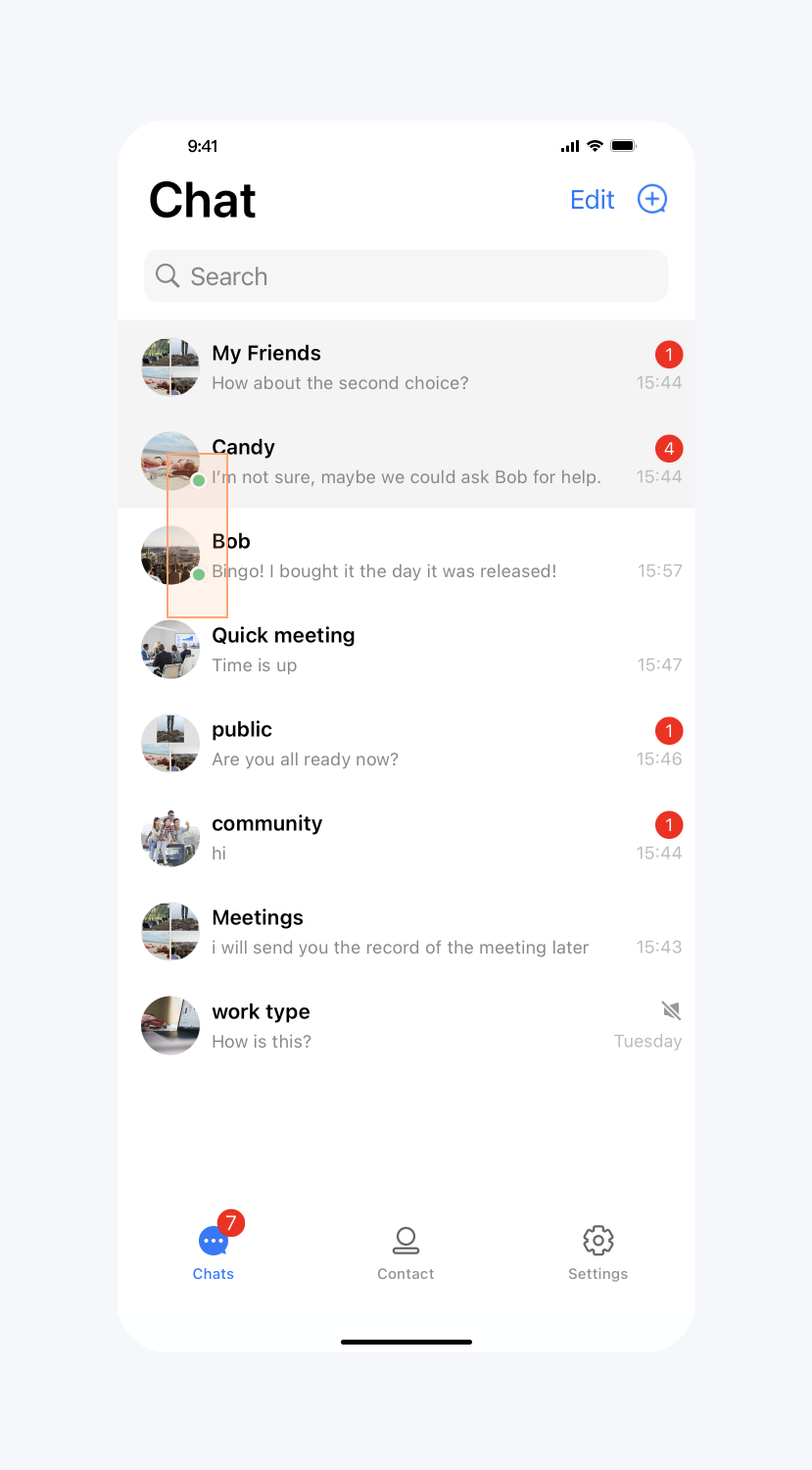 | 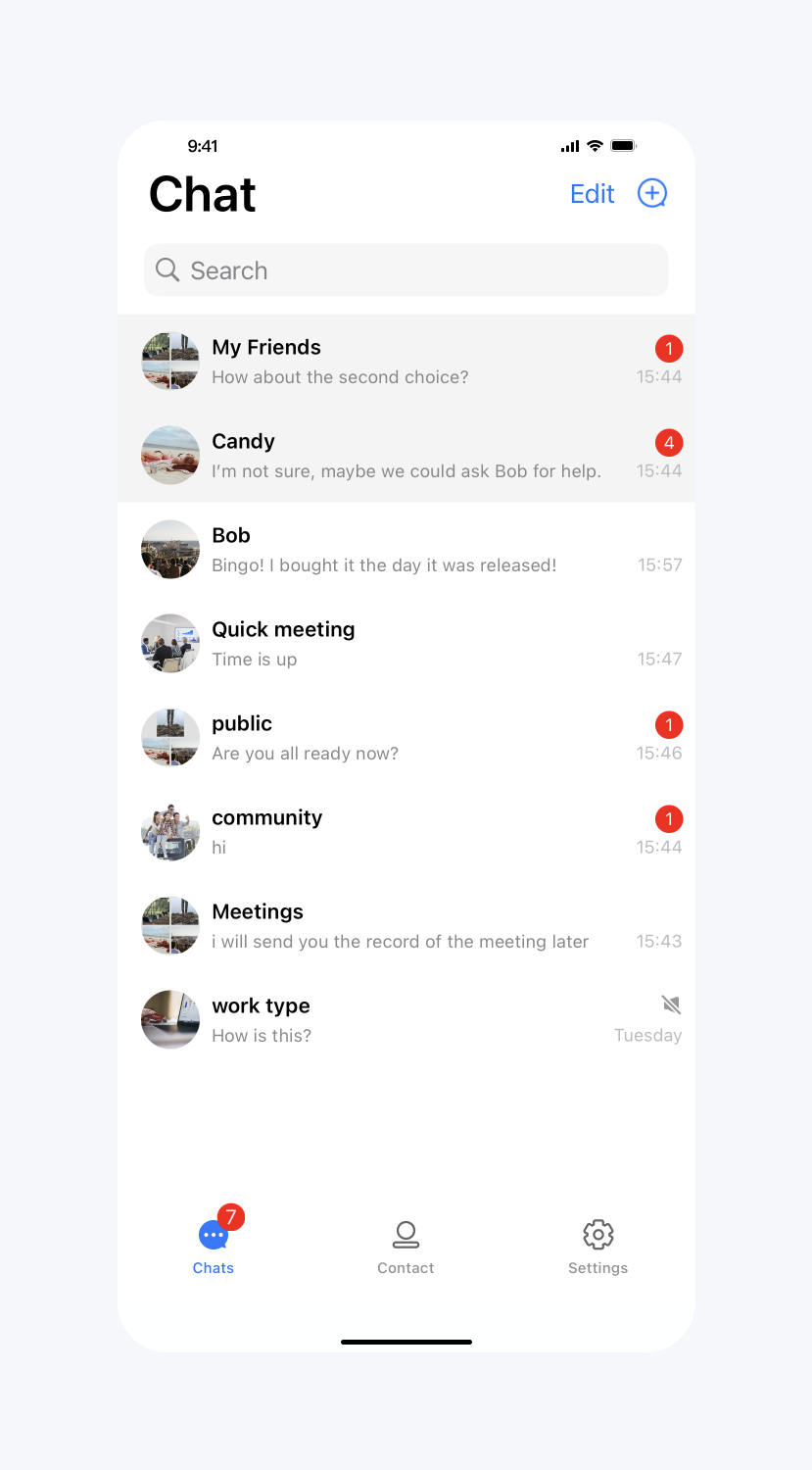 |
Customize the more menu options
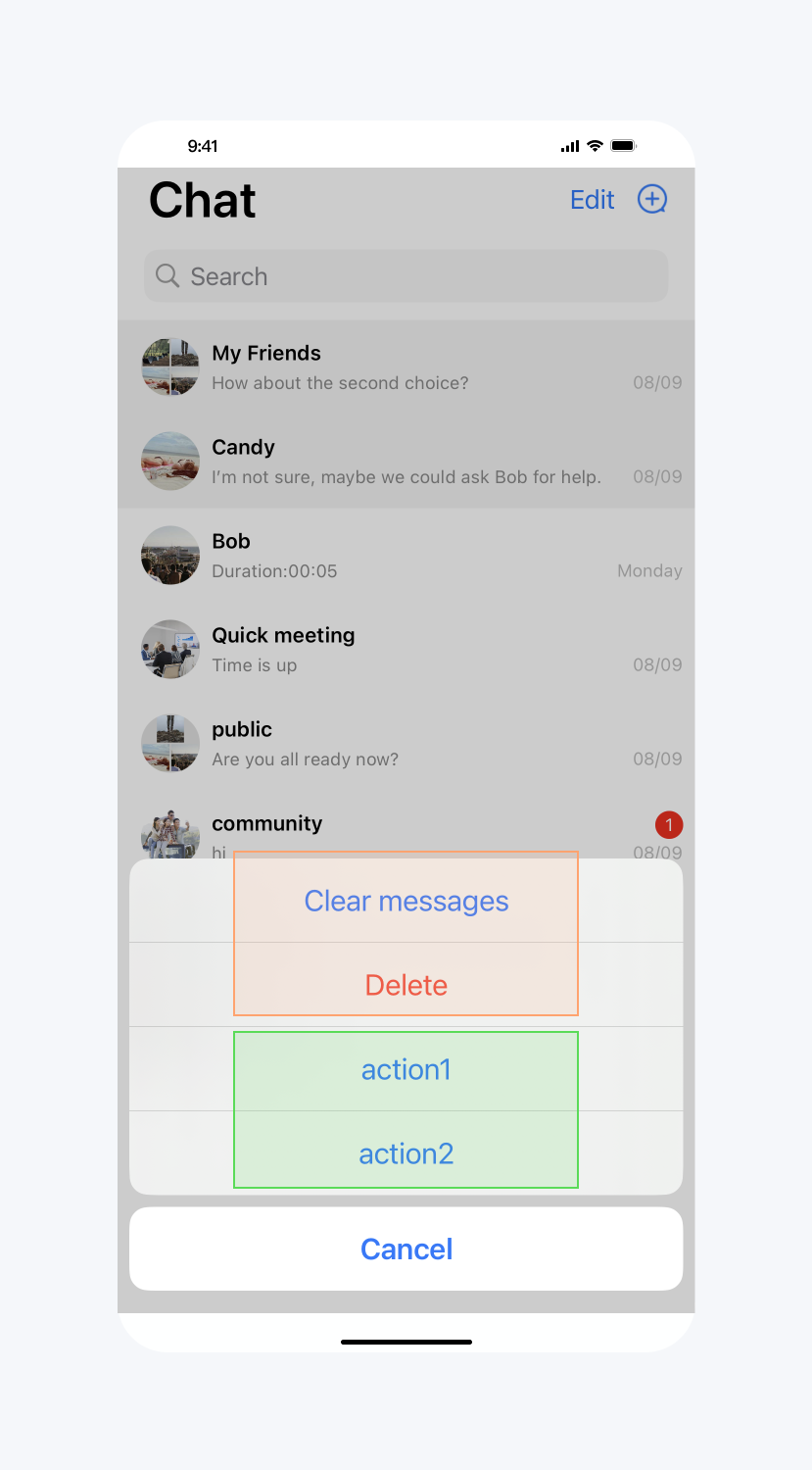
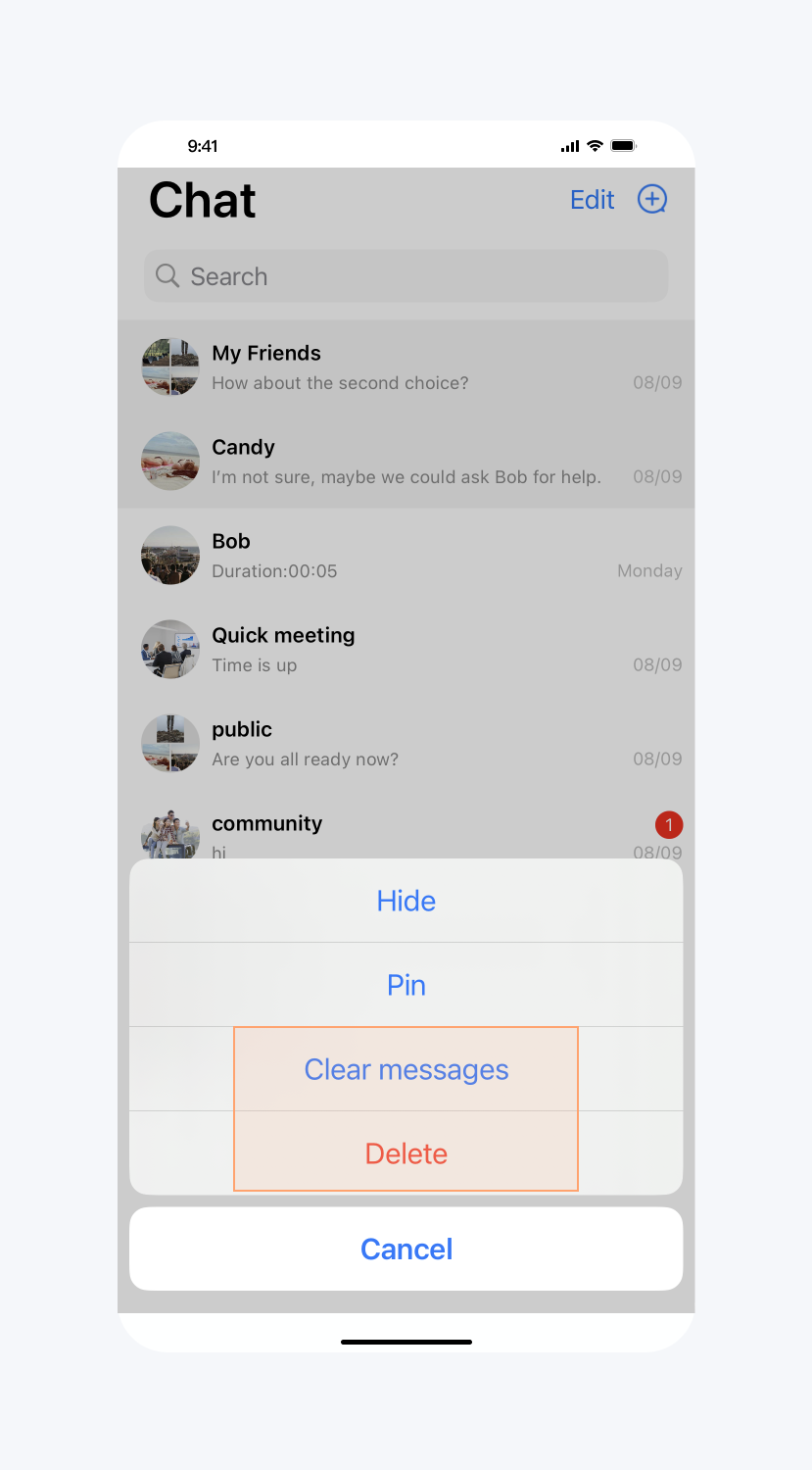
API Functionality: Hide more menu options for the conversation and add options to the more menu for the conversation. Applies to specified conversations.
API prototype:
// TUIConversationConfigMinimalist.javapublic interface ConversationMenuItemDataSource {/*** Implement this method to add new items.*/default List<ConversationPopMenuItem> conversationShouldAddNewItemsToMoreMenu(ConversationInfo conversationInfo) { return new ArrayList<>(); }/*** Implement this method to hide items in more menu.*/default @ConversationMenuItem List<Integer> conversationShouldHideItemsInMoreMenu(ConversationInfo conversationInfo) { return new ArrayList<>(); }}
Sample code:
// When to call: Before initializing conversation list.TUIConversationConfigMinimalist.setConversationMenuItemDataSource(new TUIConversationConfigMinimalist.ConversationMenuItemDataSource() {@Overridepublic List<Integer> conversationShouldHideItemsInMoreMenu(ConversationInfo conversationInfo) {return Arrays.asList(TUIConversationConfigMinimalist.HIDE,TUIConversationConfigMinimalist.PIN);}@Overridepublic List<ConversationPopMenuItem> conversationShouldAddNewItemsToMoreMenu(ConversationInfo conversationInfo) {ConversationPopMenuItem item = new ConversationPopMenuItem();item.text = "action1";item.iconResId = R.drawable.ic_launcher;item.onClickListener = new View.OnClickListener() {@Overridepublic void onClick(View v) {ToastUtil.toastShortMessage("action1 clicked");}};ConversationPopMenuItem item2 = new ConversationPopMenuItem();item2.text = "action2";item2.iconResId = R.drawable.ic_launcher;item2.onClickListener = new View.OnClickListener() {@Overridepublic void onClick(View v) {ToastUtil.toastShortMessage("action2 clicked");}};return Arrays.asList(item, item2);}});
Result:
Hide and Add Options | Default |
 |  |