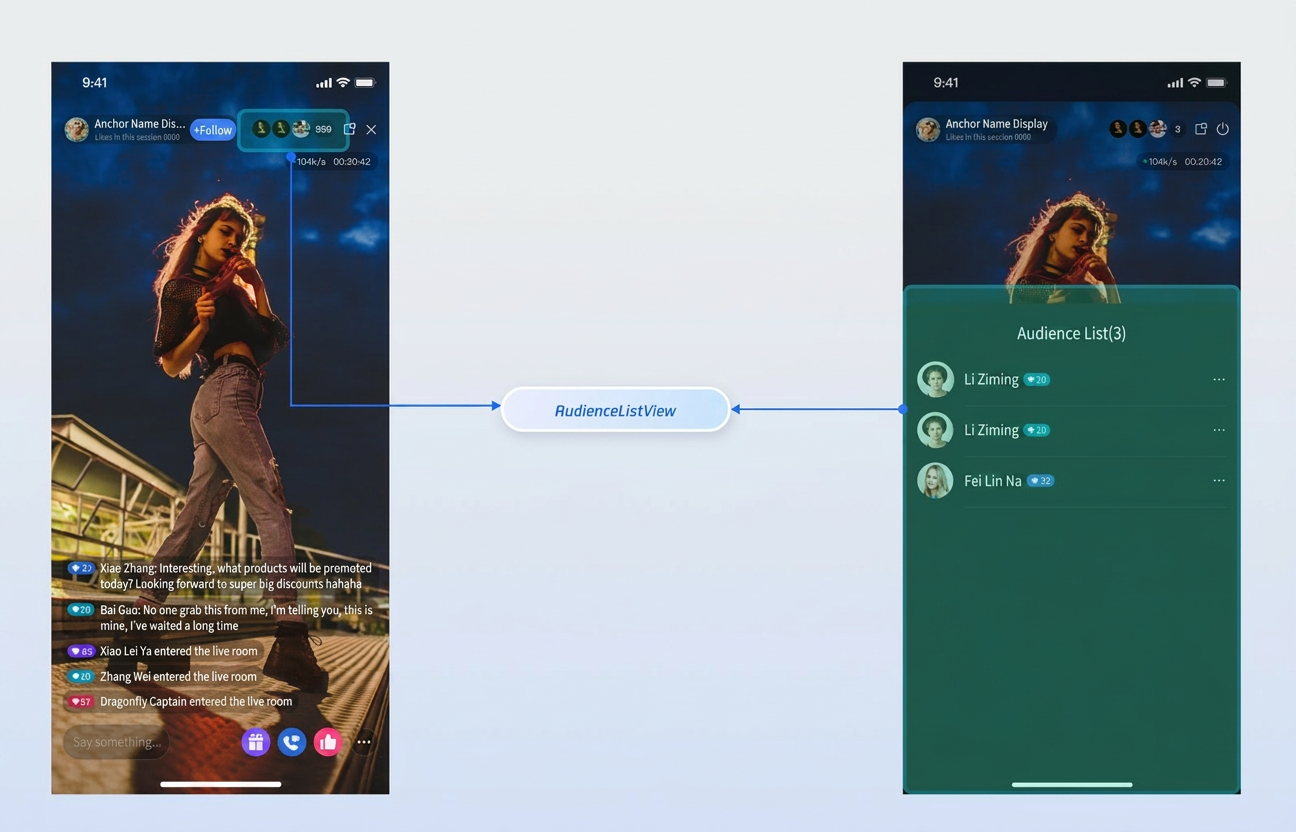
The Audience List component (AudienceListView) enables you to display the current number of online viewers and provides a popup audience list within your live streaming room. Integrate it into your UI to add essential audience interaction features to your live stream.
Demo
Quick Start
Step 1: Activate the Service
Refer to the Activate Service document to enable the Free trial or official package.
Step 2: Integrate the SDK
Refer to Preparation to integrate TUILiveKit into your project.
Step 3: Add the Audience List Component
You can create AudienceListView either programmatically or by declaring it in your XML layout.
After you have successfully entered the room, call the init method on AudienceListView to bind the relevant data and events.
Note:
This step must be performed in the callback after entering the room successfully.
audienceListView.init(roomInfo);
Customizing the Component
The Audience List component provides a callback interface for audience item clicks inside the live room, allowing you to implement audience management features based on your business needs.
Component Interface
Interface
Parameter
Description
onUserItemClick
LiveUserInfo
Callback triggered when an audience list item is clicked.
Implementing Audience Management
By default, clicking an audience member in the list triggers a management popup. You can implement the onUserItemClick callback and use LiveAudienceStore to execute actions such as removing a user from the live room: