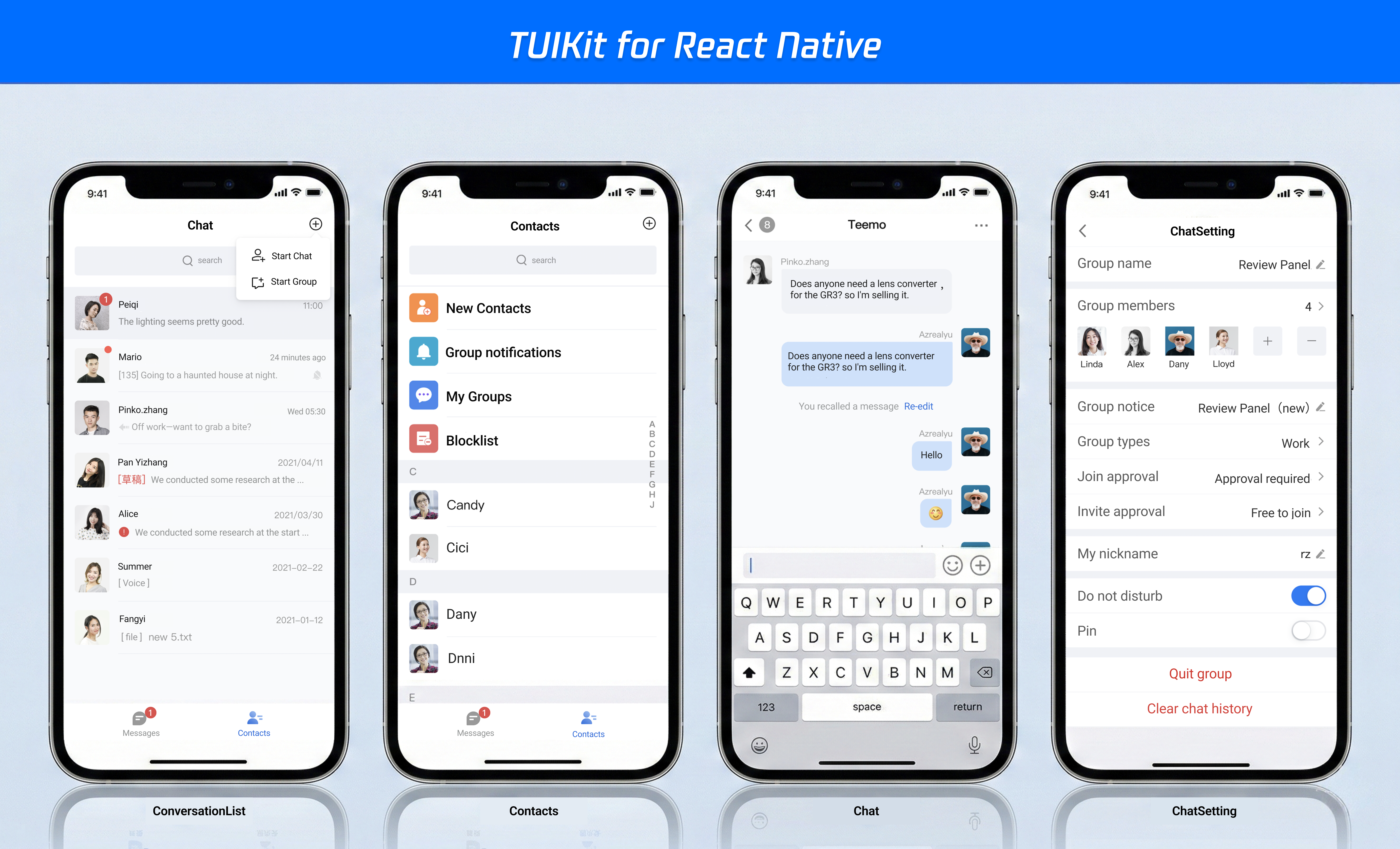
TUIKit is a UI component library based on the Chat SDK. It enables quick implementation of chat, session, search, relationship chain, group, and other features through UI components. This article introduces how to quickly integrate TUIKit and implement core features.
Or, if you prefer a faster and more automated approach, you can refer to Build with AI to streamline the process.
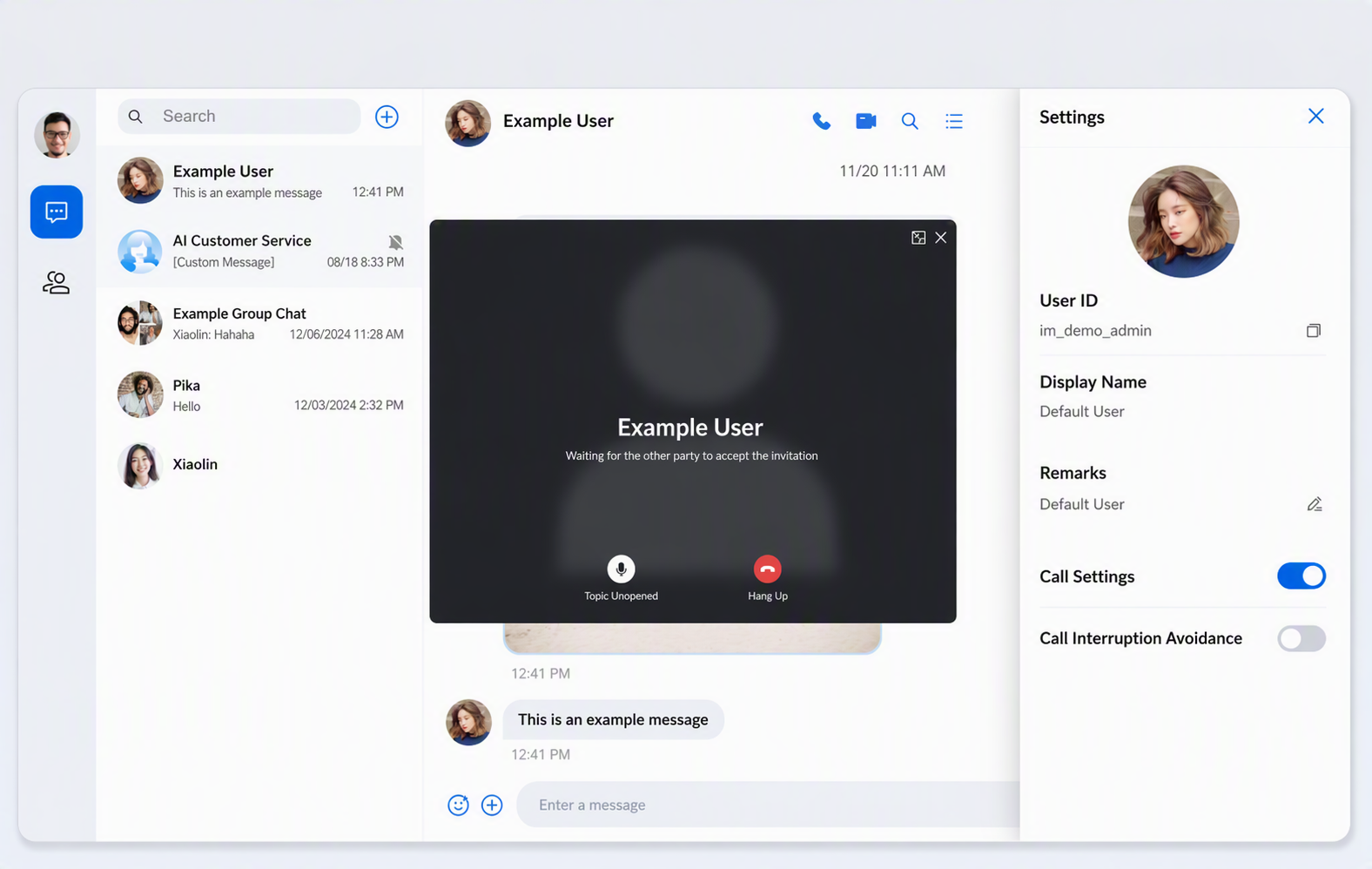
TUIKit also supports React Native; by integrating the React Native UIKit, you can build applications for both Android and iOS. The result is shown below:
Prerequisites
Node.js v18 or higher (LTS v22 version is recommended)
React^18.2.0 || React^19.0.0
Create a project
Create a new React project named chat-integration-react , and complete project initialization as prompted by the scaffold.
?{ emptyTitle:'No conversation', emptySub:'Select a conversation to start chatting', error:'Please check the SDKAppID, userID, and userSig. View the specific error information through the developer tools (F12).', loading:'Logging in...'},
:{ emptyTitle:'No conversation', emptySub:'Select a conversation to start chatting', error:'Please check the SDKAppID, userID, and userSig. View the specific error information through the developer tools (F12).', loading:'Logging in...'},
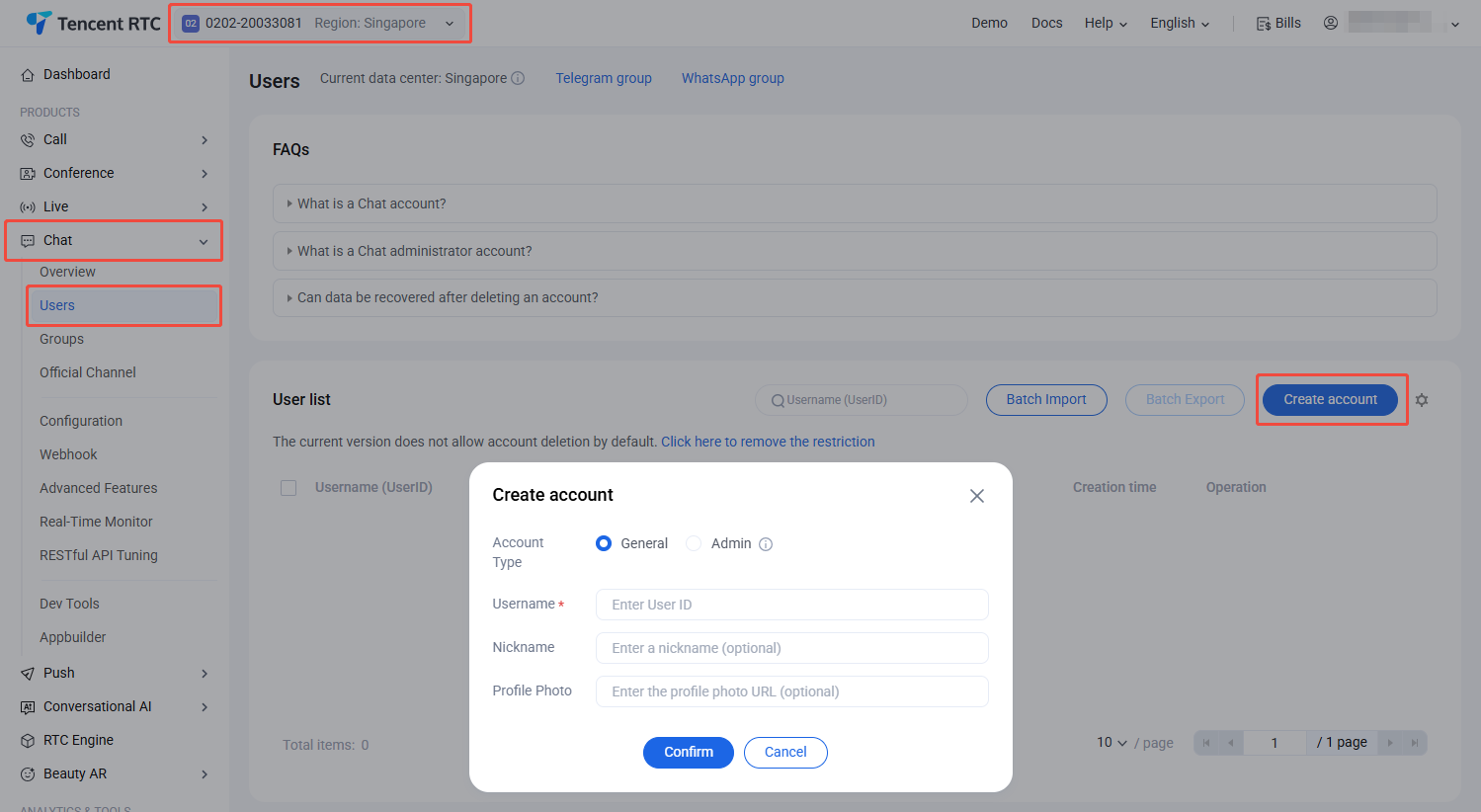
In the previously copied App.tsx code, the login authentication information is empty. You need to fill in your Tencent Cloud application authentication information in the useLoginState hook, as shown below:
Parameter
Type
Note
userID
String
Unique identifier of the user, defined by you, it is allowed to contain only upper and lower case letters (a-z, A-Z), numbers (0-9), underscores, and hyphens.
SDKAppID
Number
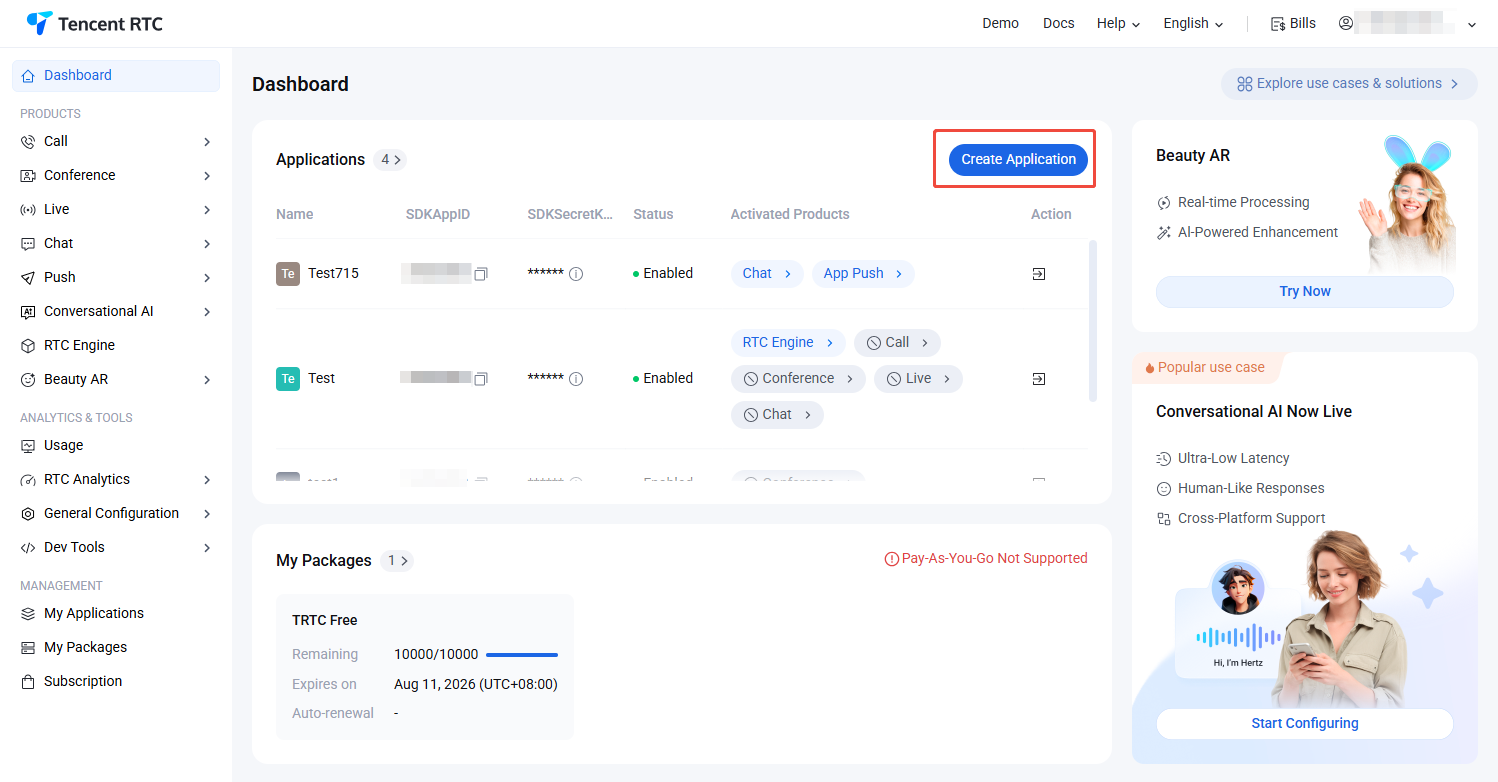
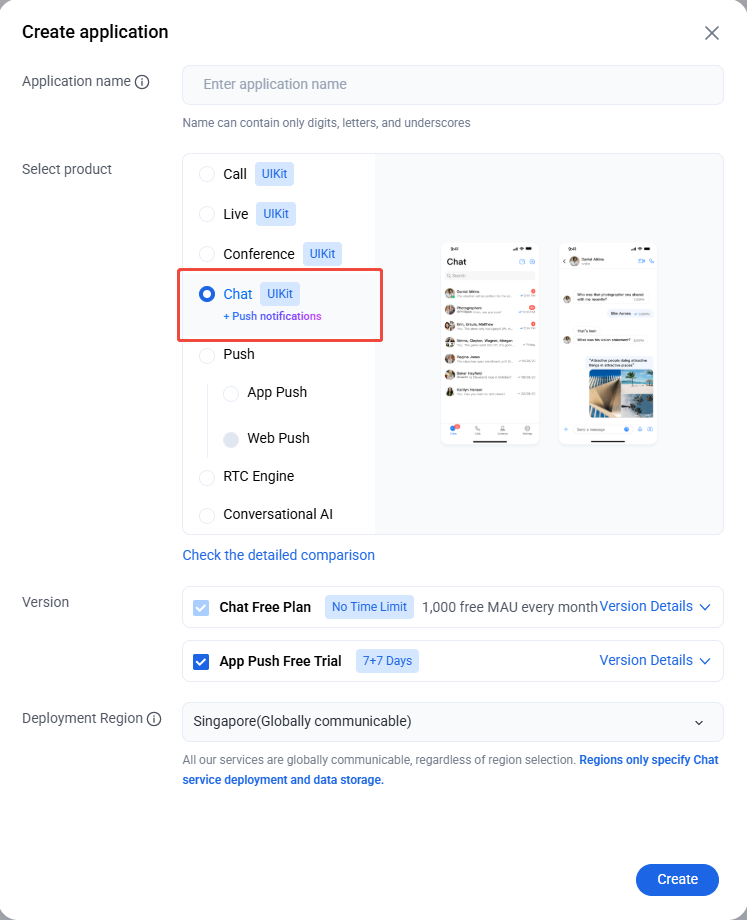
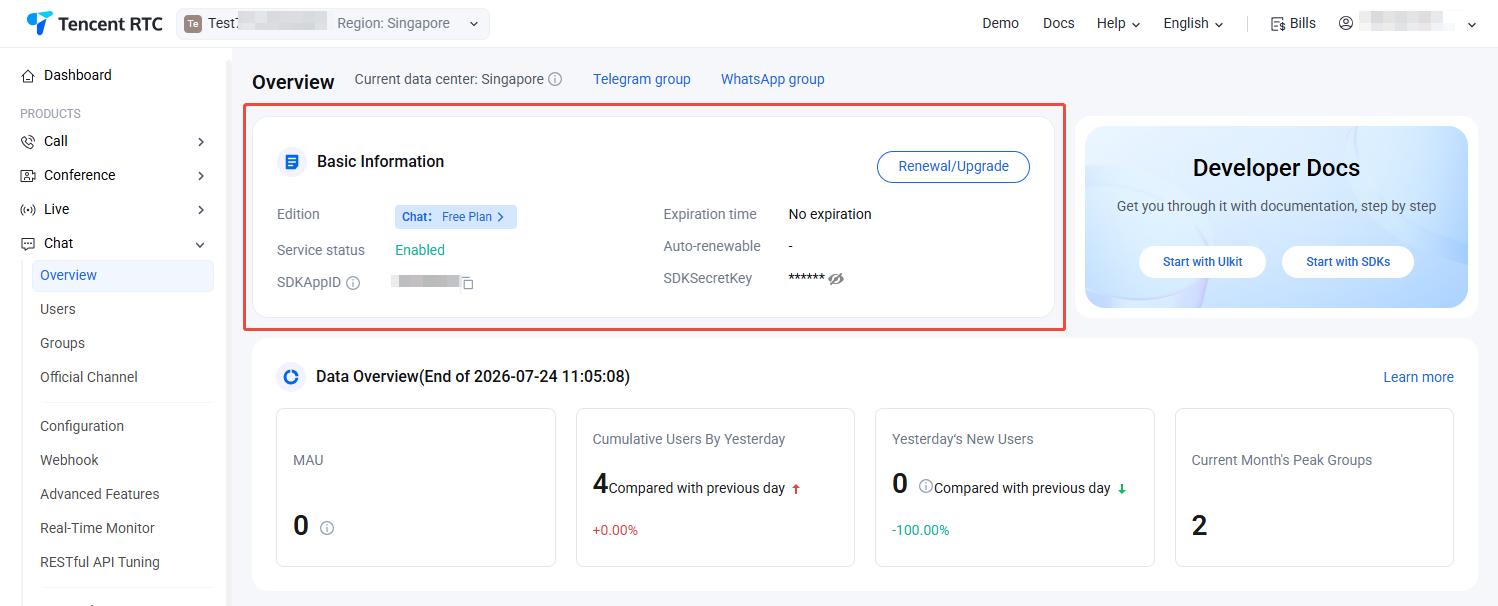
The unique identifier for the audio and video application created in the Tencent RTC Console.
SDKSecretKey
String
The SDKSecretKey of the audio and video application created in the Tencent RTC Console.
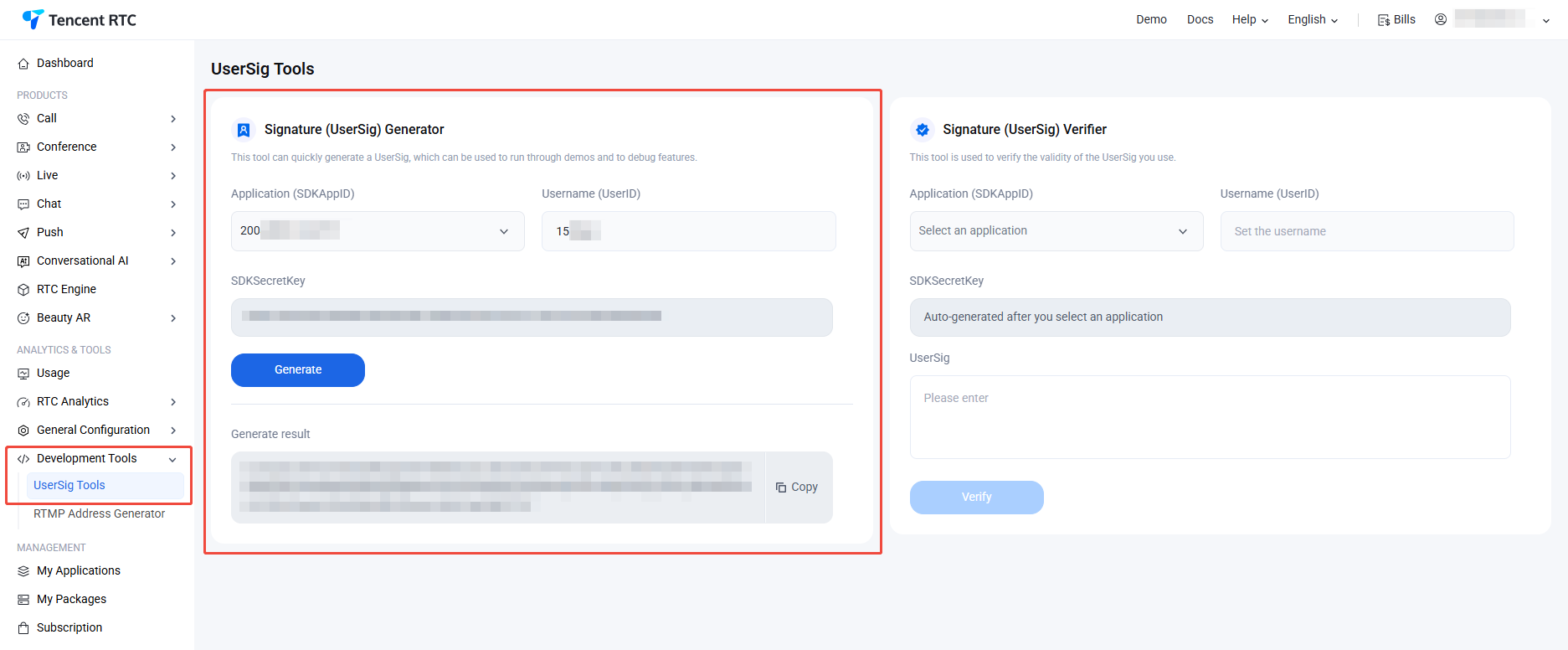
userSig
String
A security protection signature used for user login authentication to confirm the user's identity and prevent malicious attackers from stealing your cloud service usage rights.
About UserSig:
Development environment: If you are running a demo locally and developing or debugging, you can use the genTestUserSig (Refer to Step 3.2) function in the debug file to generate a 'userSig'. In this method, SDKSecretKey is vulnerable to decompilation and reverse engineering. Once your key is leaked, attackers can steal your Tencent Cloud traffic.
Replace SDKAppID, UserID, and UserSig in App.tsx, then run the following command:
npm run dev
Note:
1. Please ensure that in Step 3 code, SDKAppID, UserID, and UserSig are all successfully replaced. Failure to replace them will result in abnormal project behavior.
2. A userID corresponds to a userSig, for more information, see Generating UserSig.
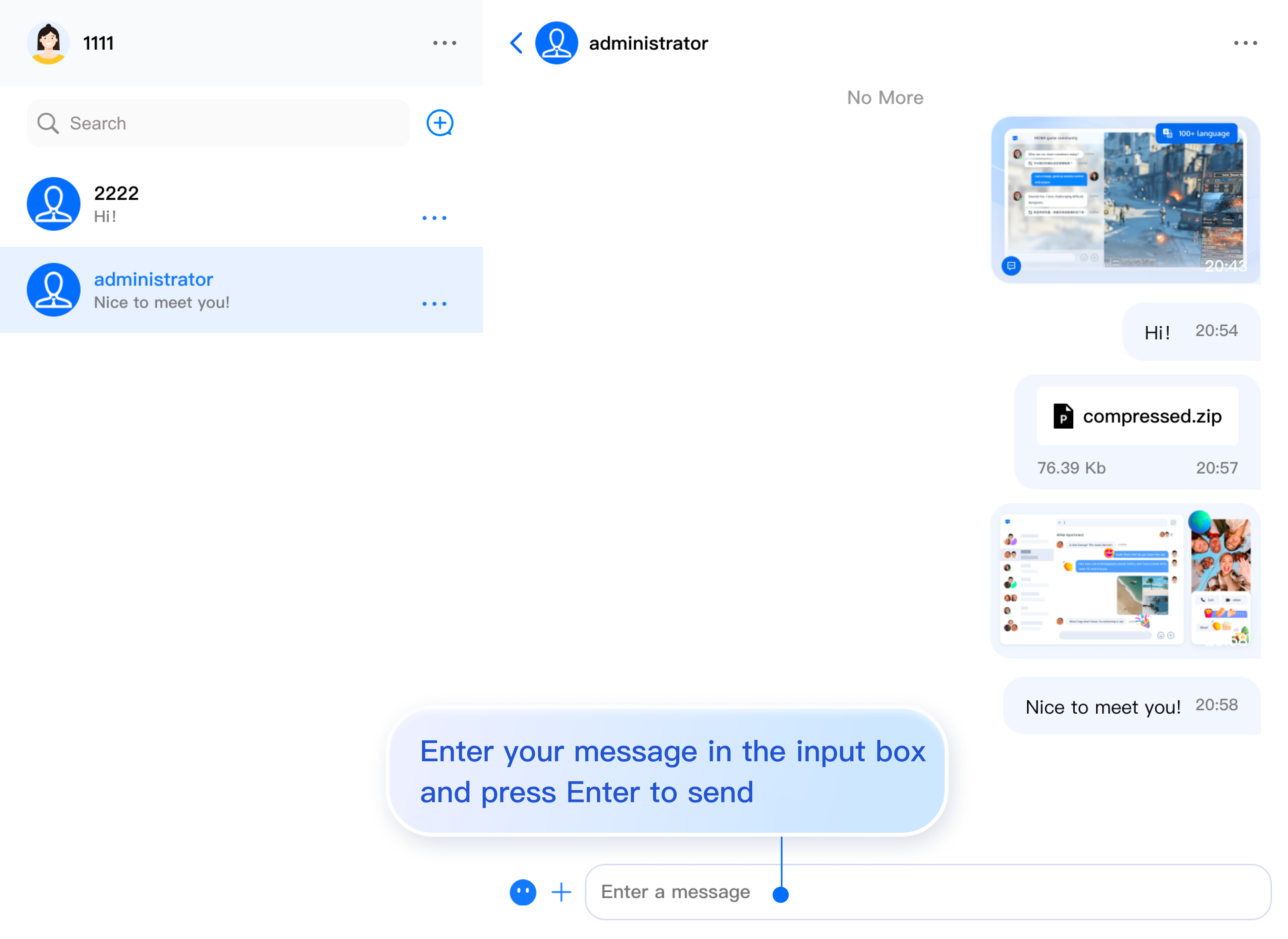
Enter your message in the input box and press Enter to send.
Integrate More Advanced Features
Audio/Video Calls
Note:
TUICallKit is an Audio/Video Calls UI component developed by TRTC. Integrating TUICallKit allows you to add Audio/Video Calls functionality to your chat application with minimal code. For comprehensive setup instructions, see Audio/Video Calls > Activate the service.
TUICallKit has been integrated in the above process. If you do not need the audio and video call function, you can refer to the following process to remove the integrated code.
1. Install the @trtc/calls-uikit-react dependency.
npminstall @trtc/calls-uikit-react
2. Import TUICallKit from @trtc/calls-uikit-react and mount it to a DOM node. Add the following code to your src/App.tsx file:
3. Enable the component's enableCall property in <ChatHeader />.
<ChatHeader enableCall={true}/>
4. Make a voice call.
5. If you do not need to integrate audio and video calling, you can remove the audio and video calling capability by removing <TUICallKit /> and modifying the enableCall property of the ChatHeader component.
Cloud Search
Tips:
Search is a critical capability for customer service, social networking, online education, telemedicine, and office automation systems. It enables users to quickly find groups, users, and messages, improving both the user experience and engagement.
Due to limitations in local storage within the Web platform, Vue does not support local search. To address these requirements, we provide Cloud Search functionality.
Cloud Search supports both global search and in-conversation search, allowing you to search groups, users, and messages.
Cloud Search is a value-added feature and requires the purchase of the Cloud Search plugin. To purchase, click Purchase.
Cloud Search is enabled by default in "Step 2". If you need to disable Cloud Search, refer to the steps below:
1. Comment out the ChatHeader property ChatHeaderRight, along with any code related to the in-conversation search sidebar.
A UserSig is a password for users to log in to Chat. It is essentially the ciphertext generated by encrypting information such as the UserID.
How can I generate a UserSig?
The issuance method for UserSig involves integrating the calculation code of UserSig into your server, and providing an interface oriented towards your project. When UserSig is needed, your project sends a request to the business server to access the dynamic UserSig. For more information, please see How to Generate a UserSig on the Server.
Note:
The exemplary code provided in this document retrieves the UserSig by embedding the SECRETKEY in the client code. This approach makes the SECRETKEY highly susceptible to decompilation and reverse engineering. Once your encryption key is compromised, attackers can misappropriate your Tencent Cloud traffic. Hence, this procedure is exclusively recommended for running functional debugging locally. For the correct issuance of UserSig, please refer to the previous sections.
Does it support React 17?
React v17.x is currently not supported. We only support React v18.2 or higher.
Can I use third-party component libraries, such as Material UI?
Yes, you can use other libraries for the "glue code" connecting the core components. You can see this in the example below, where <ChatSetting /> is encapsulated within a Drawer component. However, please note that the internal elements of the core components cannot be modified at this time.
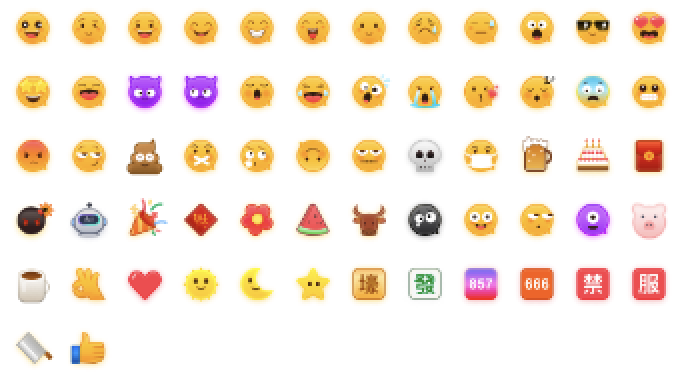
To respect the copyright of emoji designs, the Chat Demo/TUIKit project does not include large emoji graphics. Please replace them with your own designs or other emoji packs for which you hold the copyright before officially launching for commercial use. The default smiley face emoji pack shown below is copyrighted by Tencent RTC, you can upgrade to Chat Pro Plus Edition and Enterprise Edition to use it for free.